
 ChatGPT
 Claude
 Perplexity
 Google AI Mode
 Microsoft Copilot
 Grok
Grok Mistral Le Chat
用直接扣账(Direct Debit)收取定期付款
直接扣账(Direct Debit)会每周或每月从顾客的银行账户扣取相同的金额。顾客只需要通过网上银行授权一次。它适合会员费、订阅、学费和定期捐款。
设置Direct Debit表单
Section titled “设置Direct Debit表单”Direct Debit在普通的付款表单上运行。基本步骤请看Create a payment form,然后:
-
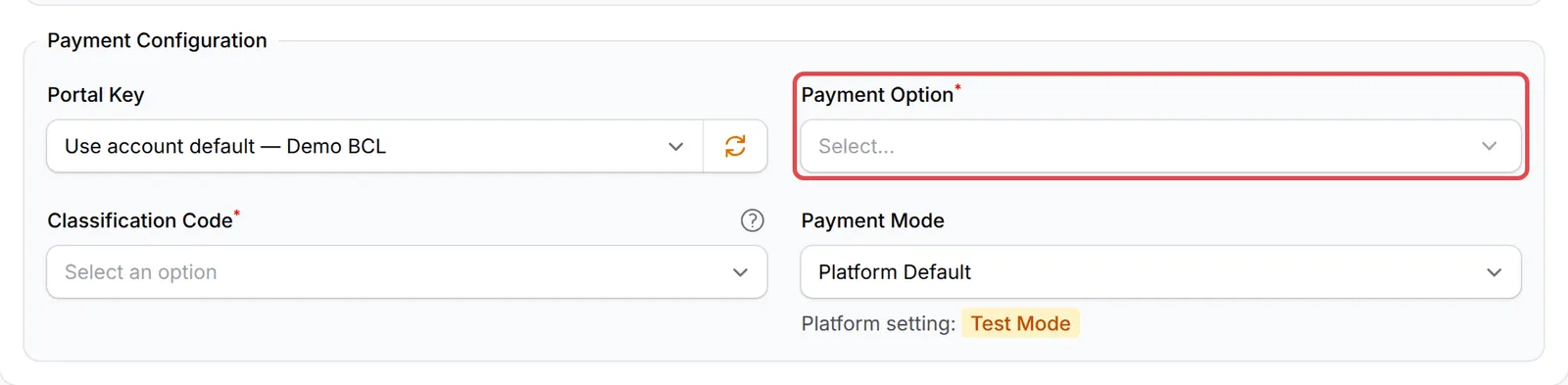
在表单的Payment Details标签页,选择你的Portal Key。
-
在Payment Option选择Direct Debit。只有你的portal提供Direct Debit时,它才会出现在列表里。它不能和其他付款方式一起使用,而且BCL会把电邮栏位设为必填。
-
在Direct Debit Settings下选择Frequency:Weekly或Monthly。
-
每月的表单,在Total Recurring Months选择一个或多个选项,例如Never End (Until Cancelled)或1 year (12 months)。顾客申请时会从中选择一个。
-
点击Add Payment Form,现有的表单则点击Update Form。
Direct Debit表单不能开启affiliate。你的Direct Debit表单会出现在表单列表的Recurring Forms标签页。
顾客要做的事
Section titled “顾客要做的事”申请时,顾客会:
- 填写表单,包括Identification Type和Identification Number。
- 每月的表单,从你提供的选项中选择一个Subscription Duration。
- 在银行的网上银行页面批准授权(mandate)。
之后,银行会先审核申请,扣款才开始。请看直接扣账(Direct Debit)什么时候扣款。
追踪你的授权
Section titled “追踪你的授权”查看每份申请和它的扣款:
-
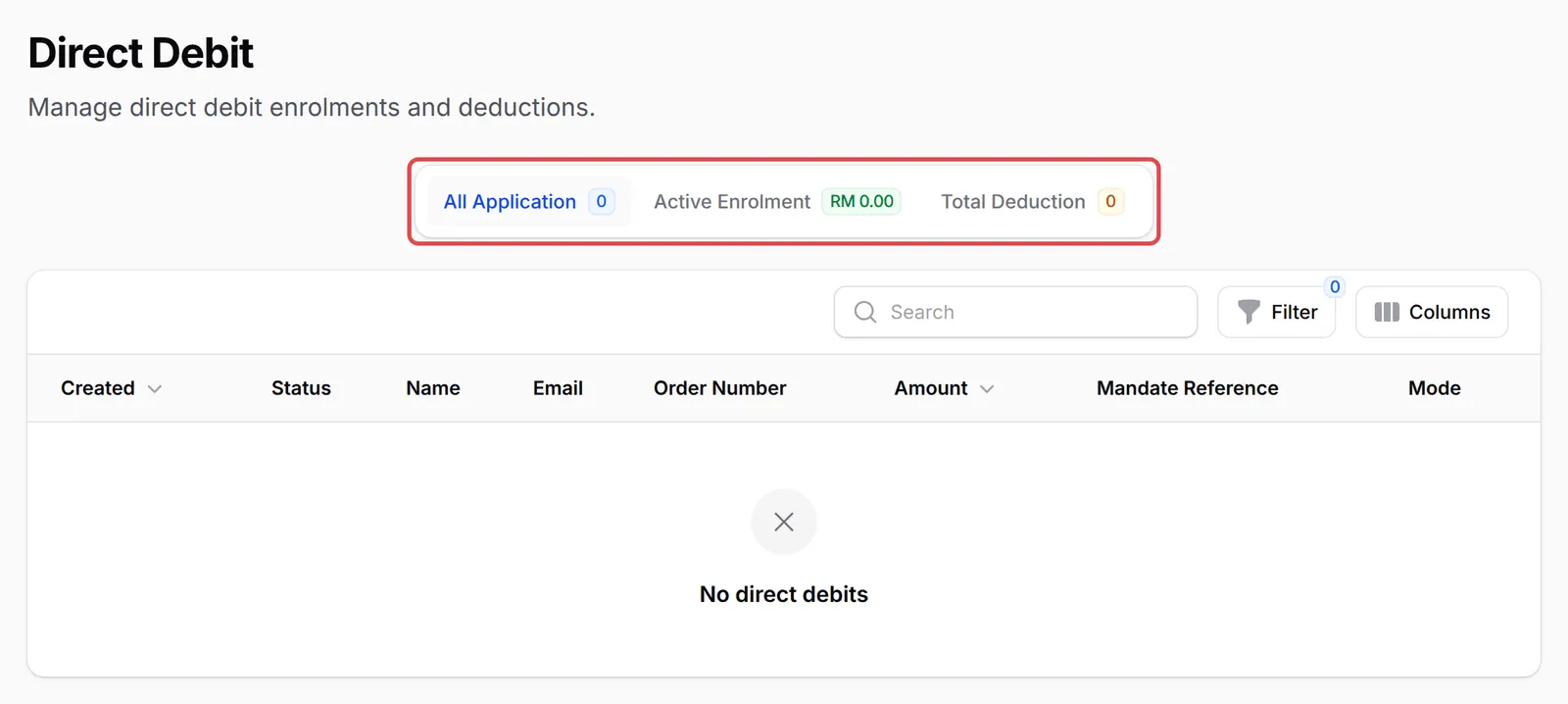
前往Payments → Direct Debit。
-
选择一个标签页:
标签页 显示内容 All Application 所有申请,标志上显示申请数量。 Active Enrolment 有效的授权,标志上显示这些授权的总金额。 Total Deduction 扣款,标志上显示目前已收取的笔数。 -
在某一行点击View Details,查看顾客的扣款和Application Histories。有效的授权可以点击View Mandate,在Bayarcash打开授权记录。
如果要把每个新授权和扣款发送到你自己的系统,请看Direct Debit webhook。
常见问题
为什么我不能在Direct Debit表单添加FPX或DuitNow QR?
Direct Debit不能和其他付款方式一起使用。一次性付款请另外创建一个表单。
为什么我的Direct Debit表单上的affiliate设置是灰色的?
使用Direct Debit的表单不能开启affiliate。
我在哪里查看谁已经申请?
前往Payments → Direct Debit。每位顾客的申请、状态和扣款都列在那里。