
 ChatGPT
 Claude
 Perplexity
 Google AI Mode
 Microsoft Copilot
 Grok
Grok Mistral Le Chat
把Bayarcash添加为你的MyInvois中介
要通过BCL发送电子发票(e-Invoice),内陆税收局(LHDN)必须知道Bayarcash可以代表你提交文件。你只需要在MyInvois Portal授权一次,把Bayarcash添加为中介。然后在BCL检查连接。
你需要在Add-ons → Available Add-ons开通LHDN E-Invoice附加服务(add-on),并在Team → Company Profile填好公司资料,包括Tax Identification Number (TIN)。请看添加你的公司资料。
在MyInvois Portal添加Bayarcash
Section titled “在MyInvois Portal添加Bayarcash”这些步骤在LHDN的网站进行,不是在BCL:
-
登录MyTax,点击顶部菜单的MyInvois。
-
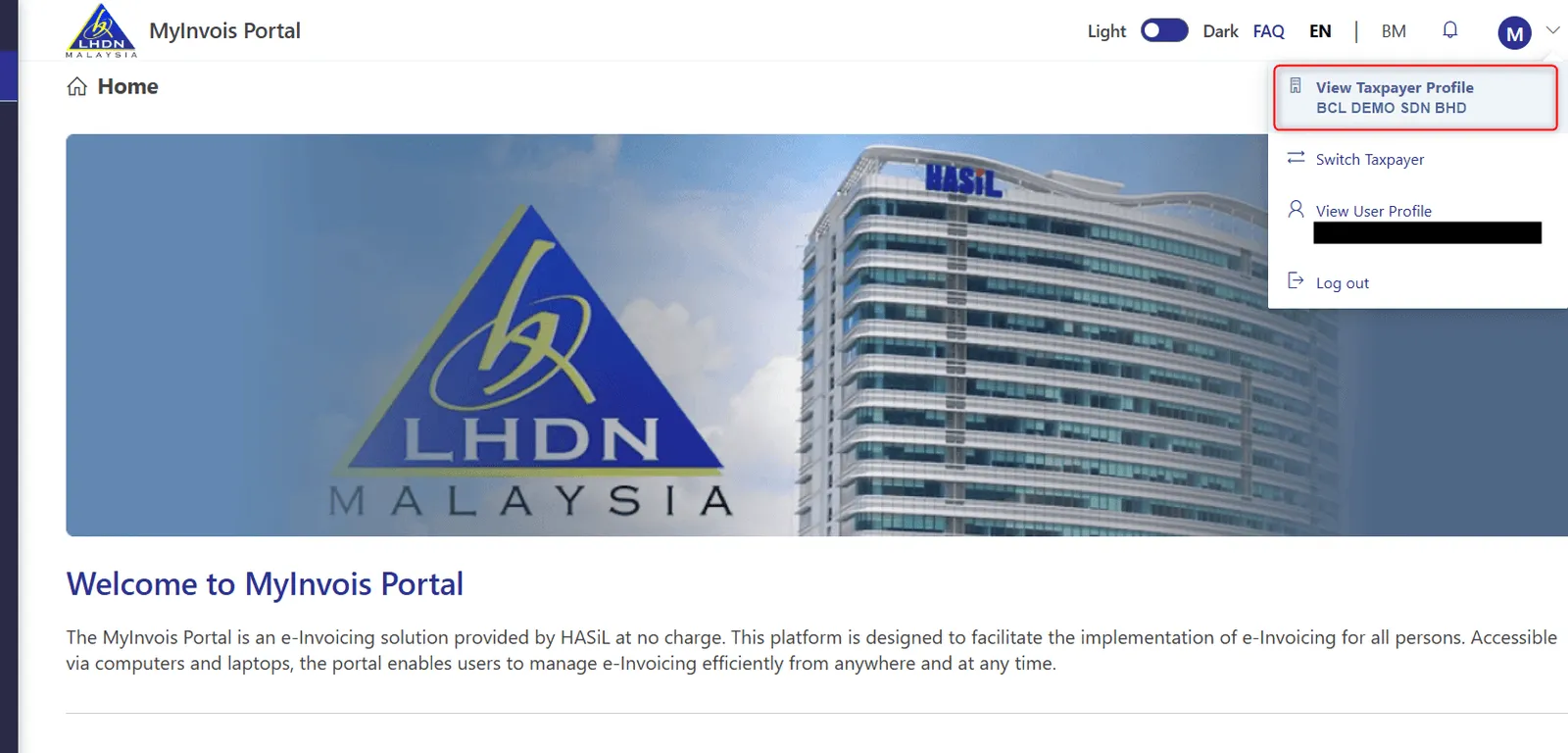
点击右上角的个人资料图标,选择View Taxpayer Profile。如果显示的是另一家公司,先点击Switch Taxpayer。
-
滚动到Representatives,点击Add Intermediary。
-
输入Bayarcash的资料和显示的安全码,然后点击搜索按钮和Continue:
栏位 输入 TIN C29946994080 BRN 202201040365 Taxpayer Name BAYARCASH SDN BHD 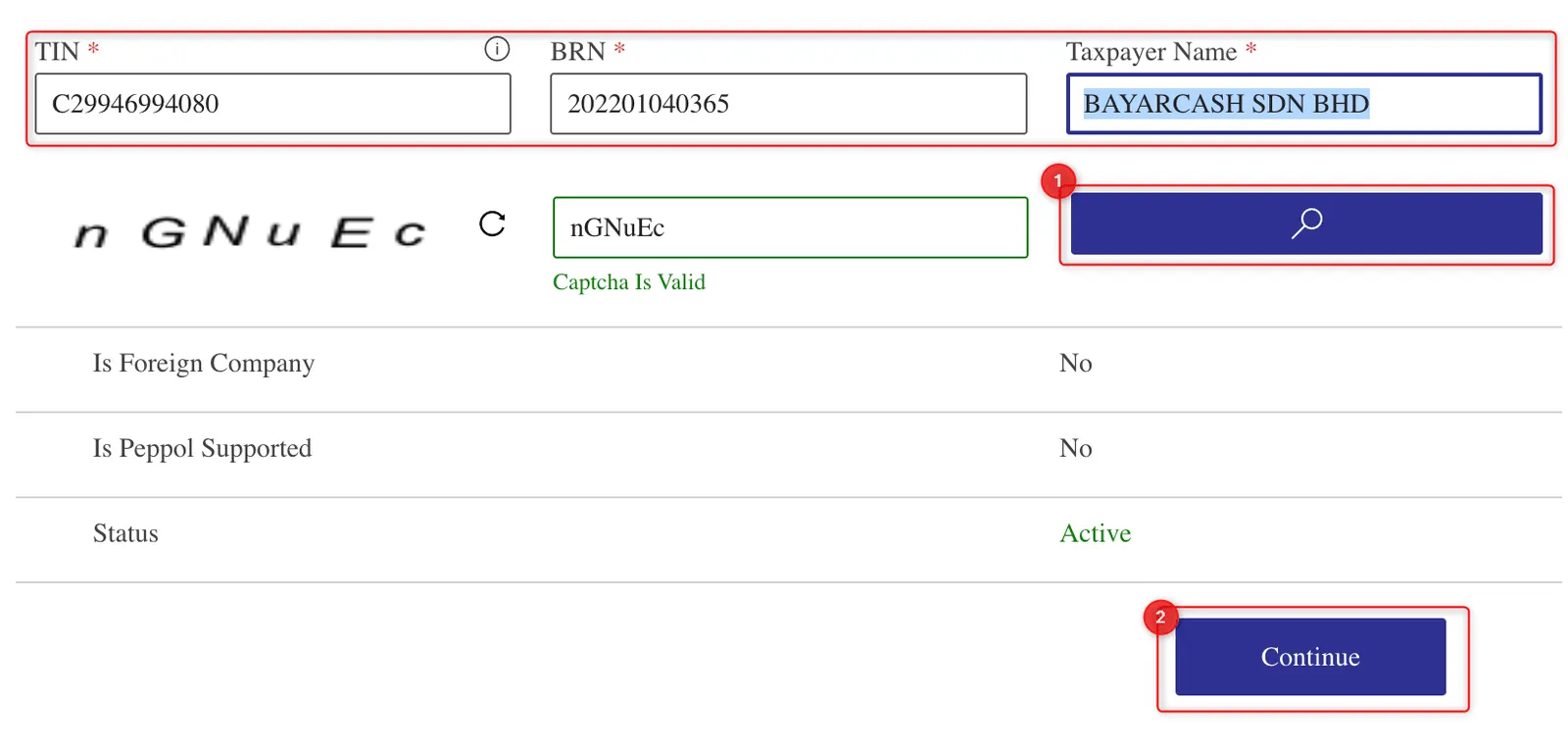
-
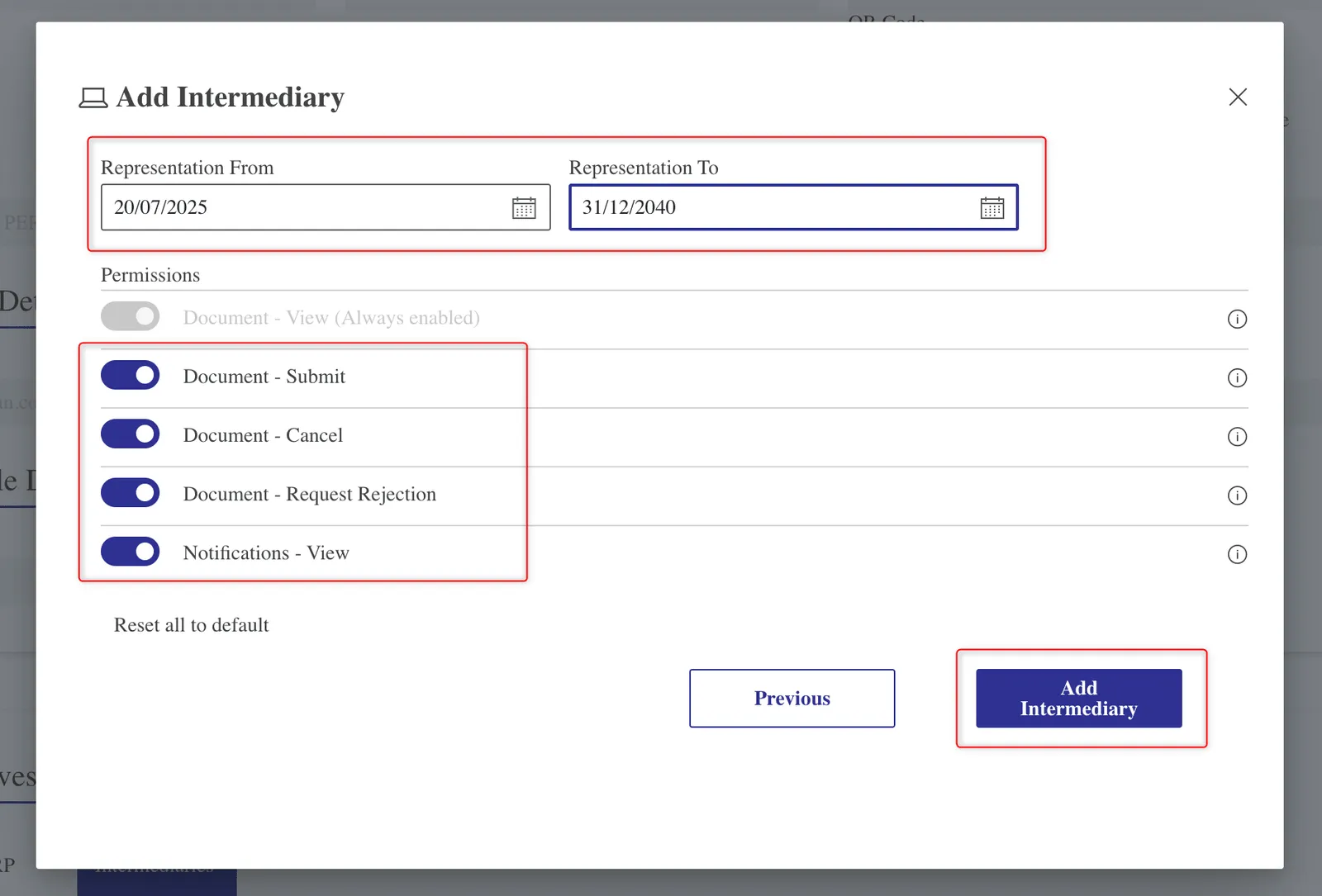
设置Representation From和Representation To,并开启Bayarcash需要的Permissions,例如Document - Submit。
-
点击Add Intermediary。
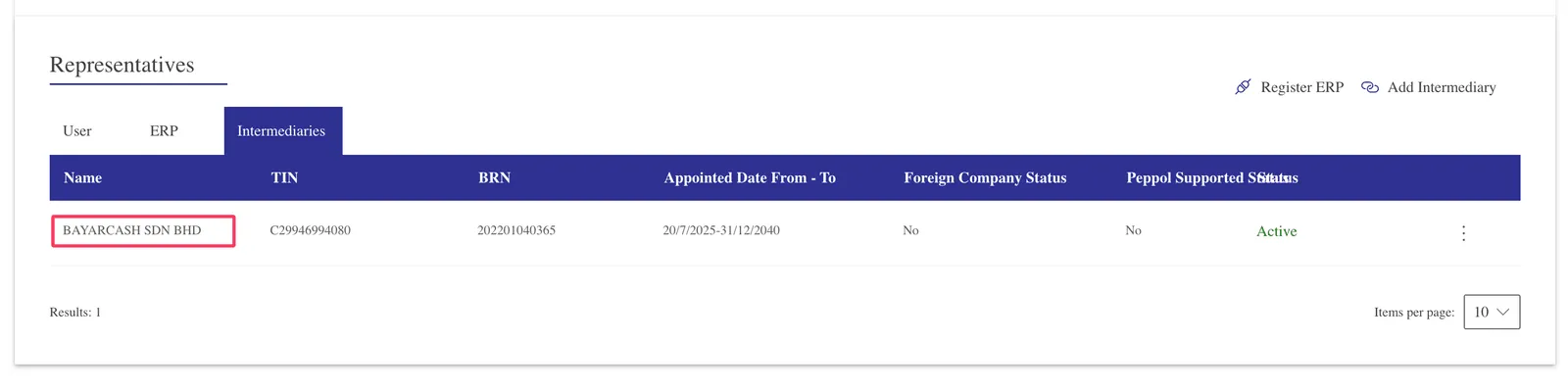
Bayarcash现在会出现在Intermediaries标签页,状态是Active。
在BCL检查连接
Section titled “在BCL检查连接”回到BCL,确认LHDN接受Bayarcash:
-
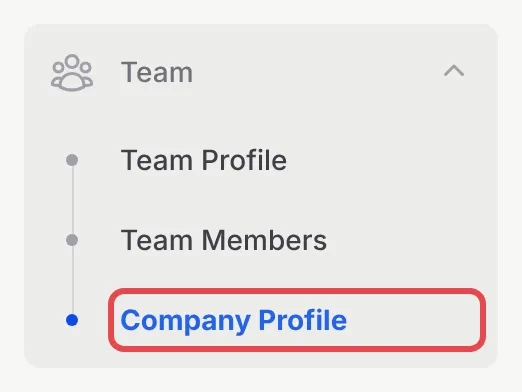
前往Team → Company Profile。
-
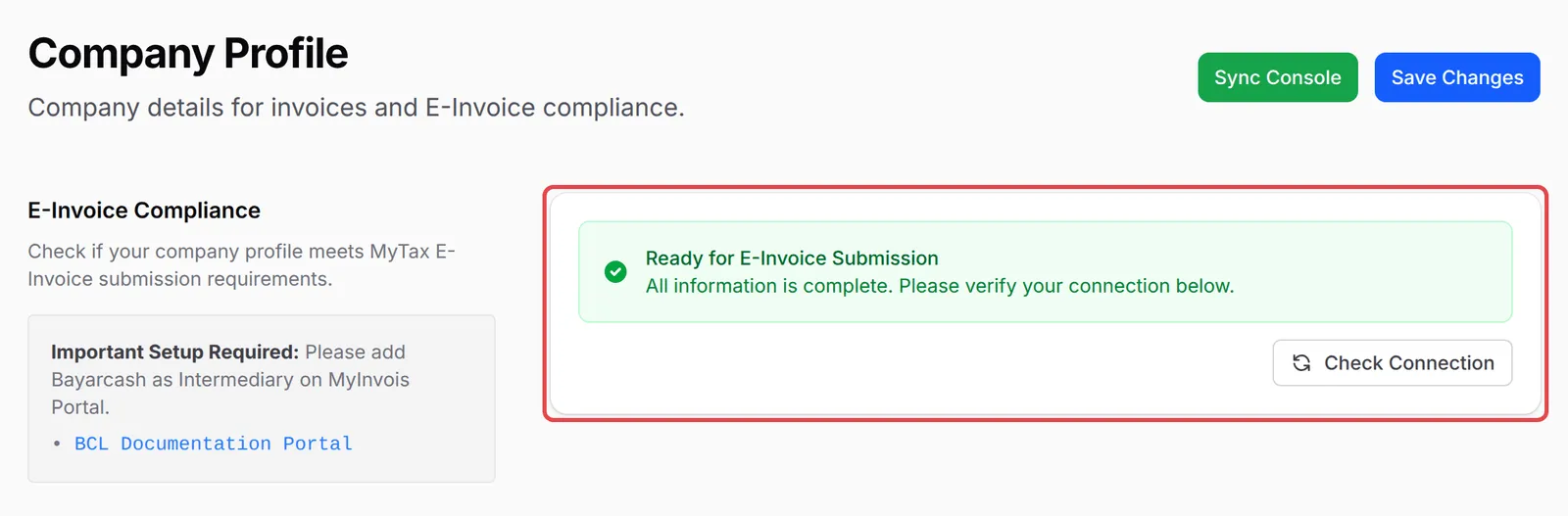
查看顶部的E-Invoice Compliance部分。如果显示Missing Required Information,填好它列出的栏位,然后点击Save Changes。
-
当这部分显示Ready for E-Invoice Submission时,点击Check Connection。

-
确认显示Connection Verified。如果看到Authorization Required,请在MyInvois重新检查中介设置,然后点击Recheck Connection。
之后,你的电子发票会显示在Payments → MyInvois下。
常见问题
Check Connection显示Authorization Required。哪里出错了?
LHDN还没有为你的TIN授权Bayarcash。在MyInvois Portal把Bayarcash添加为中介,而且要在Company Profile里TIN所属的同一家公司下添加,然后点击Recheck Connection。
Company Profile的TIN栏位显示Unrecognised format。
LHDN要求的TIN格式是:公司像C58633285050,个人或独资经营者像IG40413248000。请在Company Profile更正Tax Identification Number (TIN)。TIN错误也会让Check Connection显示Authorization Required。
我的TIN以IG开头,电子发票一直提交失败。
在Company Profile把ID Type设为NRIC,并输入你的身份证号码,让TIN和ID指向同一个人。