
 ChatGPT
 Claude
 Perplexity
 Google AI Mode
 Microsoft Copilot
 Grok
Grok Mistral Le Chat
BCL已经会确认每个预约,并在预约前提醒顾客。但它不知道你的顾客应该带什么,或事先要做什么。这个自动化会在顾客付款后,马上把这些小贴士发给每一位预约某项服务的顾客。
一个预约表单,以及小贴士针对的服务。范例使用示范服务“Latte Art Class”,表单是“Book a Latte Art Class”。
从空白自动化开始(请看创建自动化):
-
前往Automations,点击New Automation,命名为“Latte Art Class Prep”,然后点击Create。
-
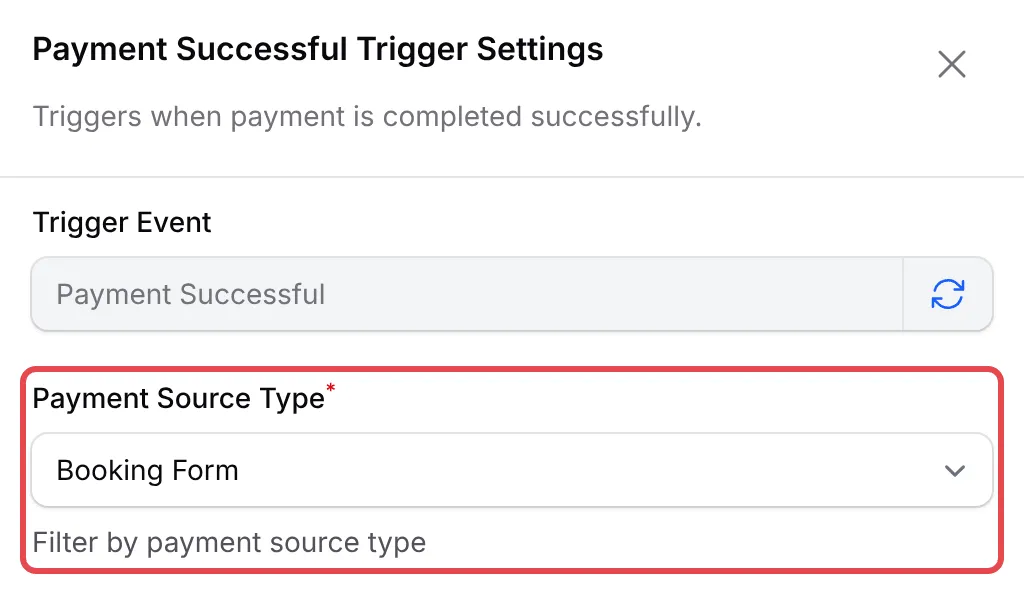
点击Add Node,选择Payment Successful。双击这个触发器,把Payment Source Type设为Booking Form,然后点击Save Trigger。
-
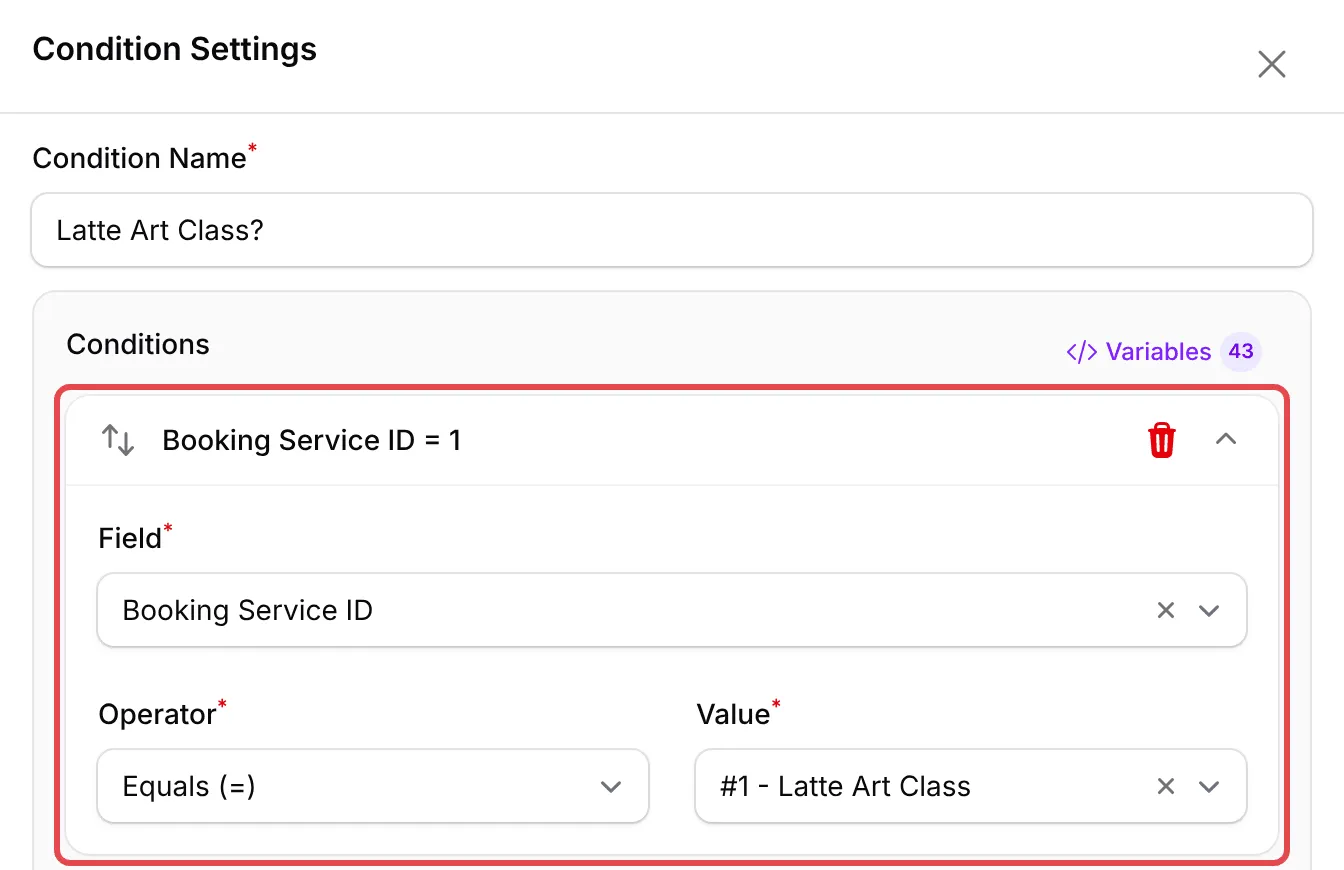
点击Add Node,选择Condition。双击它,然后设置:
栏位 选择 Condition Name Latte Art Class? Field(点击Add Condition后) Booking Service ID Operator Equals (=) Value 你的服务,例如#1 - Latte Art Class 点击Save Condition。
-
点击Add Node,选择Send Email。双击它,按下表填写,然后点击Save Email。
栏位 输入 Action Name Class prep tips Recipient Email {email}Email Subject Getting ready for your Latte Art Class Email Content 下面的内容 Hi {name},Thank you for booking the Latte Art Class (booking {order_number}).To get the most from the class:Arrive 10 minutes early so we can start on time.Wear something you do not mind getting a little milk on.Your booking details and check-in QR code are in your booking confirmation email.See you at the bar,{business_name}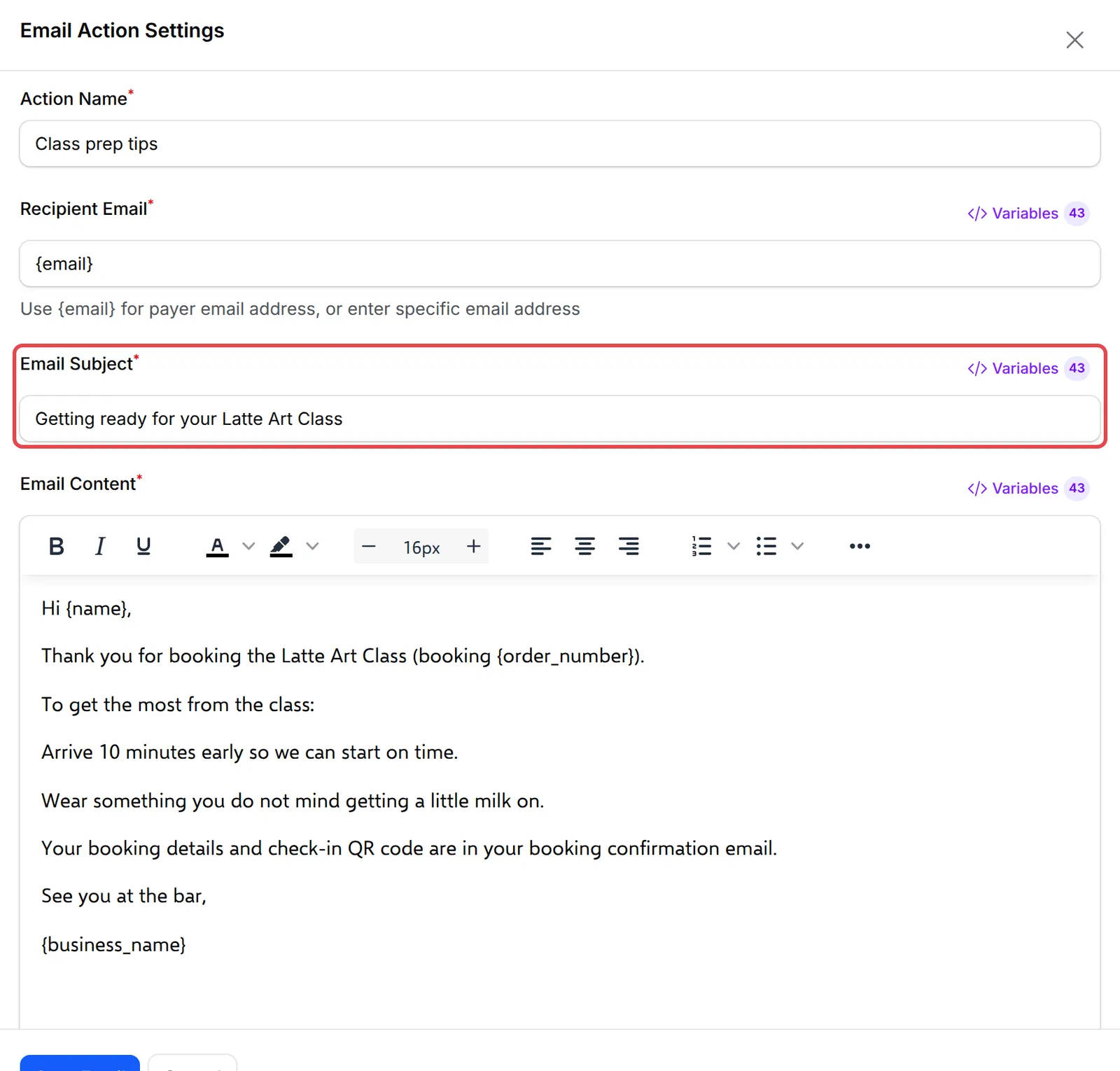
-
点击Update Automation。
完成后的工作流程:
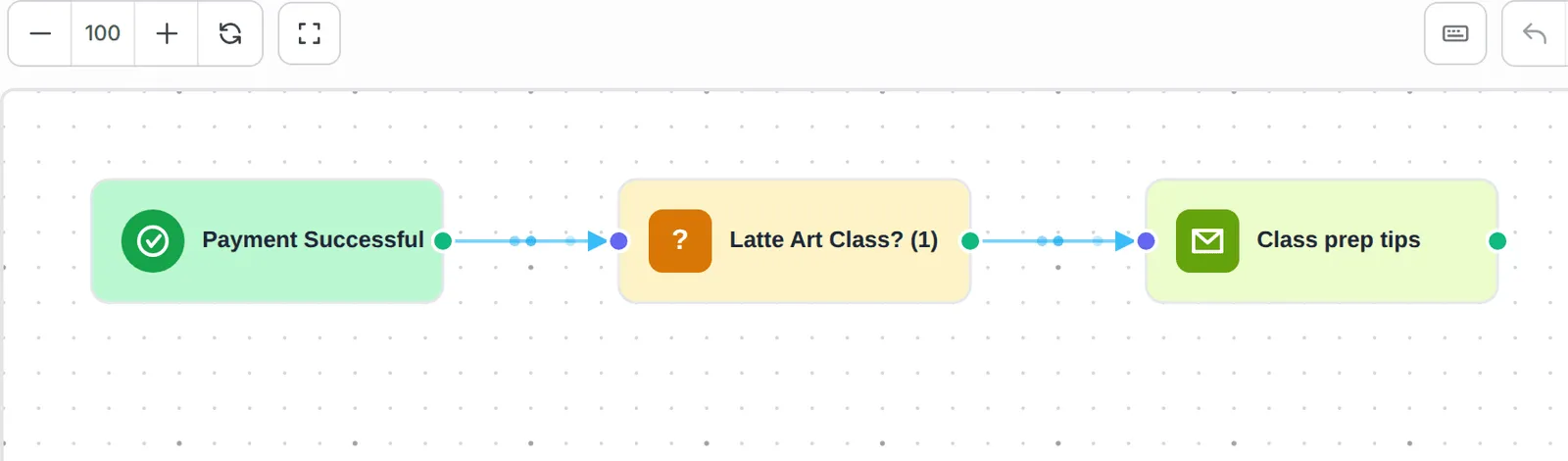
其他服务的预约会停在条件这一步,所以只有Latte Art Class的顾客会收到这封电邮。
正式使用前,先测试运行一次这个范例:
-
在测试模式下,在你的预约表单预约这项服务并付款。
-
打开这个自动化,点击Overview。这个预约会显示在Execution History;电邮送达后显示为Completed。其他服务的预约显示为Skipped。
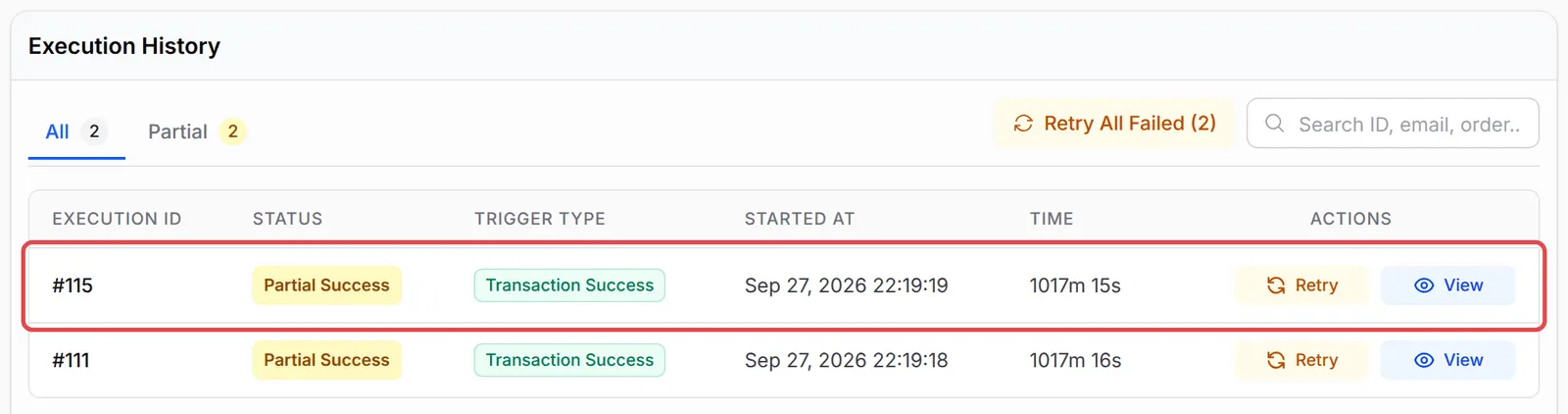
几个让这个范例更好用的方法:
- 每项服务用一个自动化。这样每封信息都更具体。如果小贴士适用于所有服务,就去掉条件。
- 同样的条件也适用于产品和门票。在付款表单或活动表单付款后,用Product ID或Ticket ID发送针对某个产品的说明。
- 日期交给BCL的预约电邮。它们已经包含日期、时间、员工和QR码。
常见问题
自动化可以在预约前一天提醒顾客吗?
不可以。延迟只能在预约后等待一段固定时间,或者等到一个固定日期。BCL的预约电邮已经包含预约前1天和1小时的提醒;请在你的预约表单的Notifications页面查看。
我可以在自动化电邮里显示预约日期和时间吗?
不能用变量显示:预约日期和时间不会传给自动化。BCL发出的预约确认电邮已经有这些资料,所以请让顾客查看那封电邮。