
Ask an AI about this page
 ChatGPT
 Claude
 Perplexity
 Google AI Mode
 Microsoft Copilot
 Grok
Grok Mistral Le Chat
Start an automation from another app
Most automations start from something in BCL, such as a payment. The Webhook Received trigger starts an automation from outside BCL. BCL gives the automation a private link. When another app, such as Zapier, Make or your own website, sends data to that link, the automation runs with that data.
Start from a template
Section titled “Start from a template”Two templates use this trigger, under Automations → Templates:
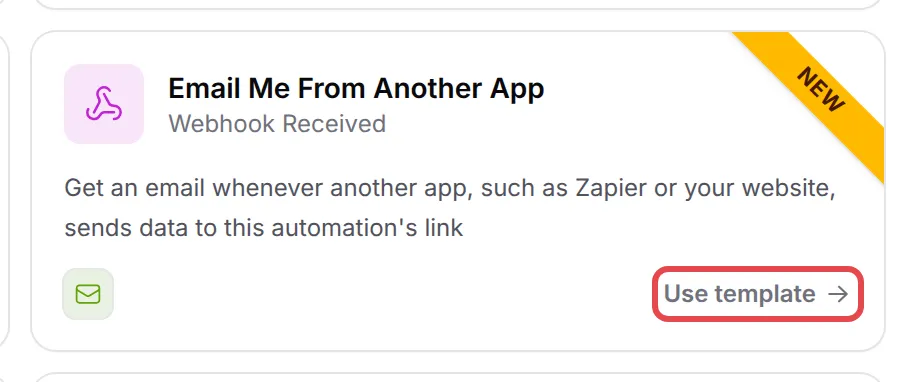
- Email Me From Another App emails you the details each time data arrives.
- Add Contacts From Other Apps adds each person to your Bukku contacts (see Record your sales in Bukku).
Set up the trigger
Section titled “Set up the trigger”To use the trigger in your own automation:
- Create an automation (see Create an automation) and pick Webhook Received under Webhooks as the trigger.
- Double-click the trigger to open Webhook Received Trigger Settings, and copy the Webhook link.
- Paste the link in the other app as the address to send to. Send a POST request with a JSON body or form fields.
- Send one test request from the other app. The fields it sent show in Variables under From the webhook, so later steps can use them. While the automation is off, BCL keeps the request as a sample but does not run the steps.
- Add your steps, for example a Send Email step, and use the webhook variables in them.
- Click Update Automation and switch the automation on.
BCL accepts up to 60 requests a minute for each automation, and up to 64 KB for each request.
Accept signed requests only
Section titled “Accept signed requests only”Anyone who has the link can start the automation. To accept requests from your own apps only:
- In Webhook Received Trigger Settings, turn on Require a signature.
- Copy the Signing secret.
- In the other app, add the header
X-BCL-Signatureto each request. Its value issha256=followed by the HMAC-SHA256 of the raw request body, made with the signing secret. - Click Save.
BCL then refuses each request without a valid signature.
Common issues
What can another app send to the webhook link?
A POST request with a JSON body or form fields, up to 64 KB. Each field becomes a variable, and nested JSON fields become names like customer_email.
Can anyone start my automation with the link?
Anyone who has the link can. To accept only your own apps, turn on Require a signature and sign each request with the Signing secret.
I think my webhook link leaked. What do I do?
Make a new link in the trigger settings. The old link stops working at once, so paste the new link into every app that sends to it.
Was this article helpful?
Thanks for your feedback.
Sorry this didn't help. WhatsApp us and we'll sort it out with you.