
Ask an AI about this page
 ChatGPT
 Claude
 Perplexity
 Google AI Mode
 Microsoft Copilot
 Grok
Grok Mistral Le Chat
Set commission per product
Updated

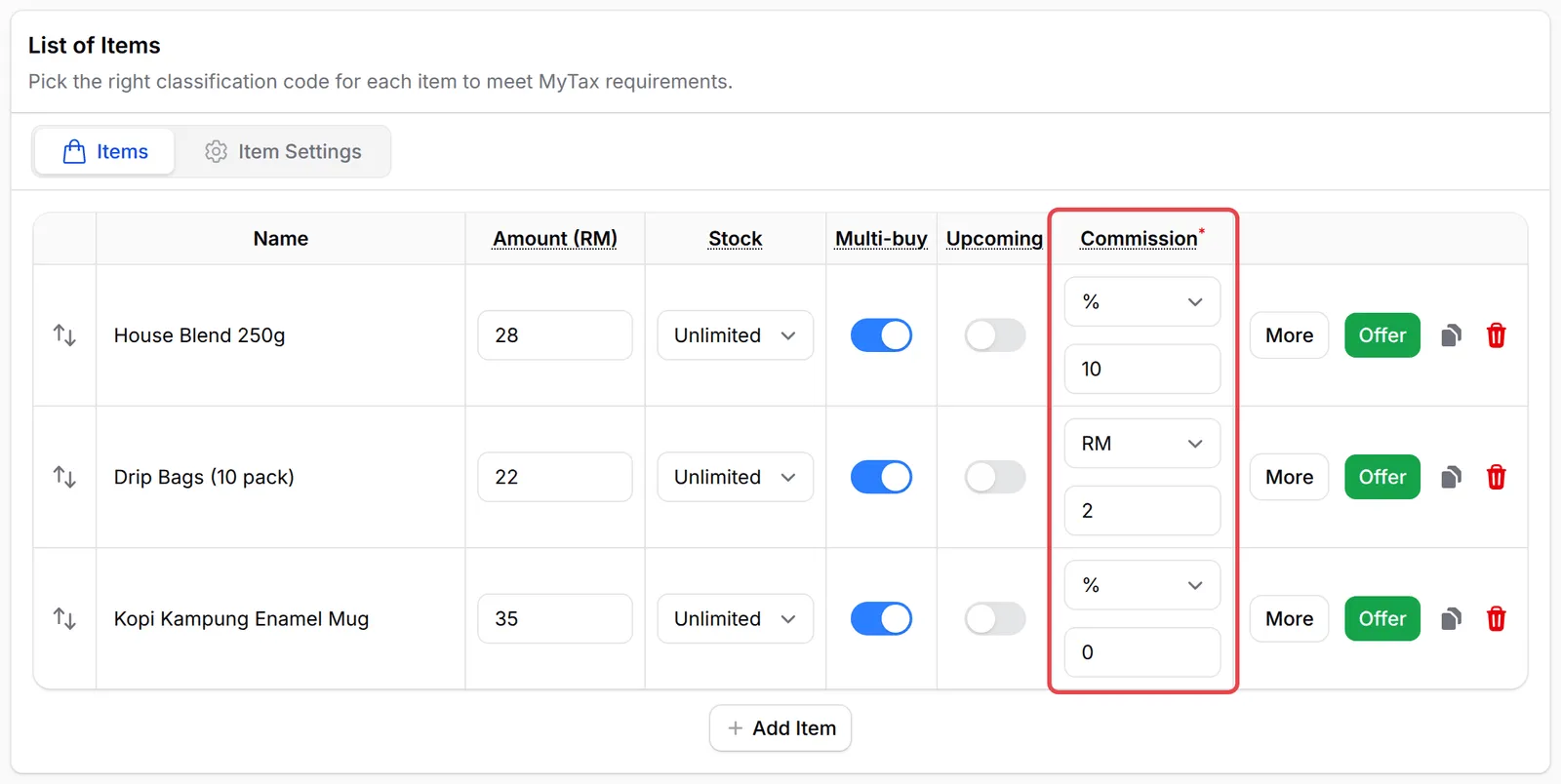
By default an affiliate earns one rate on the whole order. With Per item, you set a commission on each product, variation option or event ticket instead, for example 10% on coffee beans, RM 2 on each pack of drip bags and nothing on a mug.
Per item is offered on payment forms that use Multiple Items or Items with Variations, and on event forms. Booking forms always use one rate per order. Your affiliate programme must be on: see Turn on your affiliate programme.
Set a rate on each item
Section titled “Set a rate on each item”This example uses the Kopi Kampung Starter Kit form, which sells three items:
-
Go to Payments → Forms and click Edit on the form.
-
Open the Payment Details tab.
-
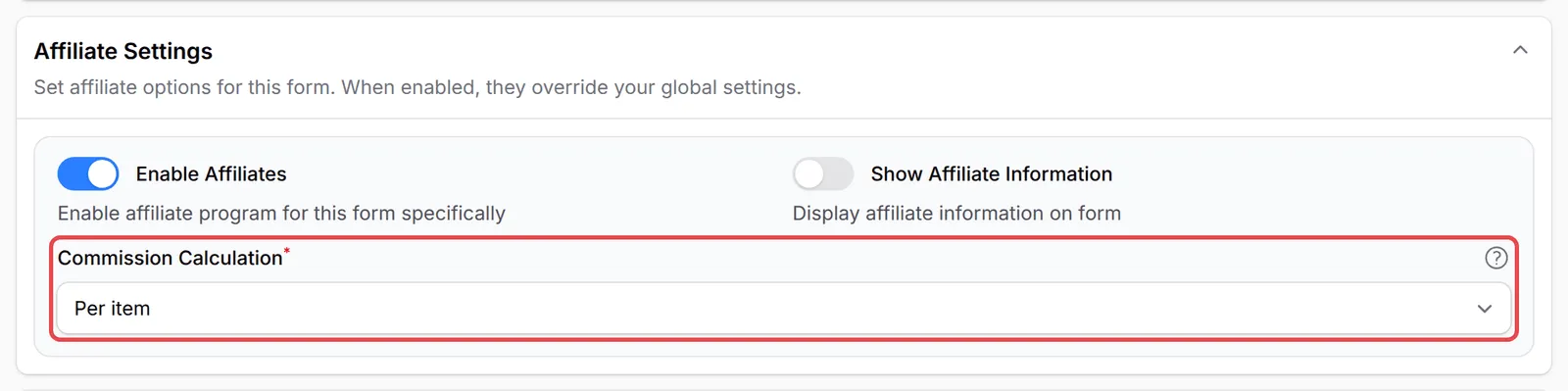
Scroll to Affiliate Settings. Check that Enable Affiliates is on, then set Commission Calculation to Per item.
-
A Commission column appears in the items table. For each item, choose % (a percentage of the item’s price) or RM (a fixed amount for each unit sold), and enter the rate. Enter 0 for items that earn no commission.
-
Click Update Form.
On an event form, the Commission column appears in the tickets table. On a form with variations, each variation option gets its own rate.
How the commission is worked out
Section titled “How the commission is worked out”A customer buys one of each item through an affiliate’s link:
| Item | Price | Rate | Commission |
|---|---|---|---|
| House Blend 250g | RM 28.00 | 10% | RM 2.80 |
| Drip Bags (10 pack) | RM 22.00 | RM 2 each | RM 2.00 |
| Kopi Kampung Enamel Mug | RM 35.00 | 0% | RM 0.00 |
| Total | RM 85.00 | RM 4.80 |
A few rules apply:
- A coupon that comes off the order is shared across the items, so each item’s commission is on its price after its share of the discount. This follows your Commission Base Amount setting.
- A fixed RM rate never pays more than the item itself.
- The referral shows what every item earned. Open it from Affiliate → Referrals.
- With multi-tier commission on, uplines earn their tier rate on the price of the items that earned commission. In the example that is the RM 50.00 of beans and drip bags.
A few ways to get the most from per-item rates:
- Pay more on the items you want pushed. Higher rates on new or high-margin products point affiliates at them.
- Set add-ons to 0. Items such as mugs or gift wrap can stay on the form without earning commission.
- Switch back any time. Set Commission Calculation to Per order to go back to one rate on the order, and use Override Commission Settings if this form needs its own rate.
Common issues
I sell coffee beans and mugs on one form. Can affiliates earn more on the beans?
Yes. In the form's Affiliate Settings, set Commission Calculation to Per item, then give each item its own rate in the Commission column. Set the mug to 0 if it should earn nothing.
I gave one affiliate a custom rate. Does the per-item rate still apply to them?
No. A custom rate set for an affiliate under Commission Settings always comes first, so that affiliate earns their own rate on the order instead of the per-item rates.
Why did an affiliate earn nothing on an order?
With Per item, only items with a rate above 0 earn commission. If the customer bought only items set to 0, the referral is RM 0.00.
Was this article helpful?
Thanks for your feedback.
Sorry this didn't help. WhatsApp us and we'll sort it out with you.