
Ask an AI about this page
 ChatGPT
 Claude
 Perplexity
 Google AI Mode
 Microsoft Copilot
 Grok
Grok Mistral Le Chat
Welcome new affiliates
Updated

A new affiliate is most motivated on the day they join. This automation sends them your own welcome email right away, with what to do first. BCL’s Welcome New Affiliate template already contains the email; this recipe trims the template to it.
What you need
Section titled “What you need”The affiliate programme turned on, see Enable affiliates. Mail Niaga is optional.
Build it from the template
Section titled “Build it from the template”Use the template, then remove the part you do not need:
-
Go to Automations and click Templates.
-
Find Welcome New Affiliate and click Use Template. BCL opens the new automation, which starts inactive.
-
If you do not use Mail Niaga, click Add to Mail Niaga, click the bin icon under it and click Delete Node.
-
Double-click Send Welcome Email. Recipient, subject and message are filled in; reword them if you like, and click Save Email.
Field Template value Recipient Email {affiliate_email}Email Subject Welcome to {business_name} Affiliate Program!Email Content A welcome with tips: share your link on social media, add it to your website, send it to friends 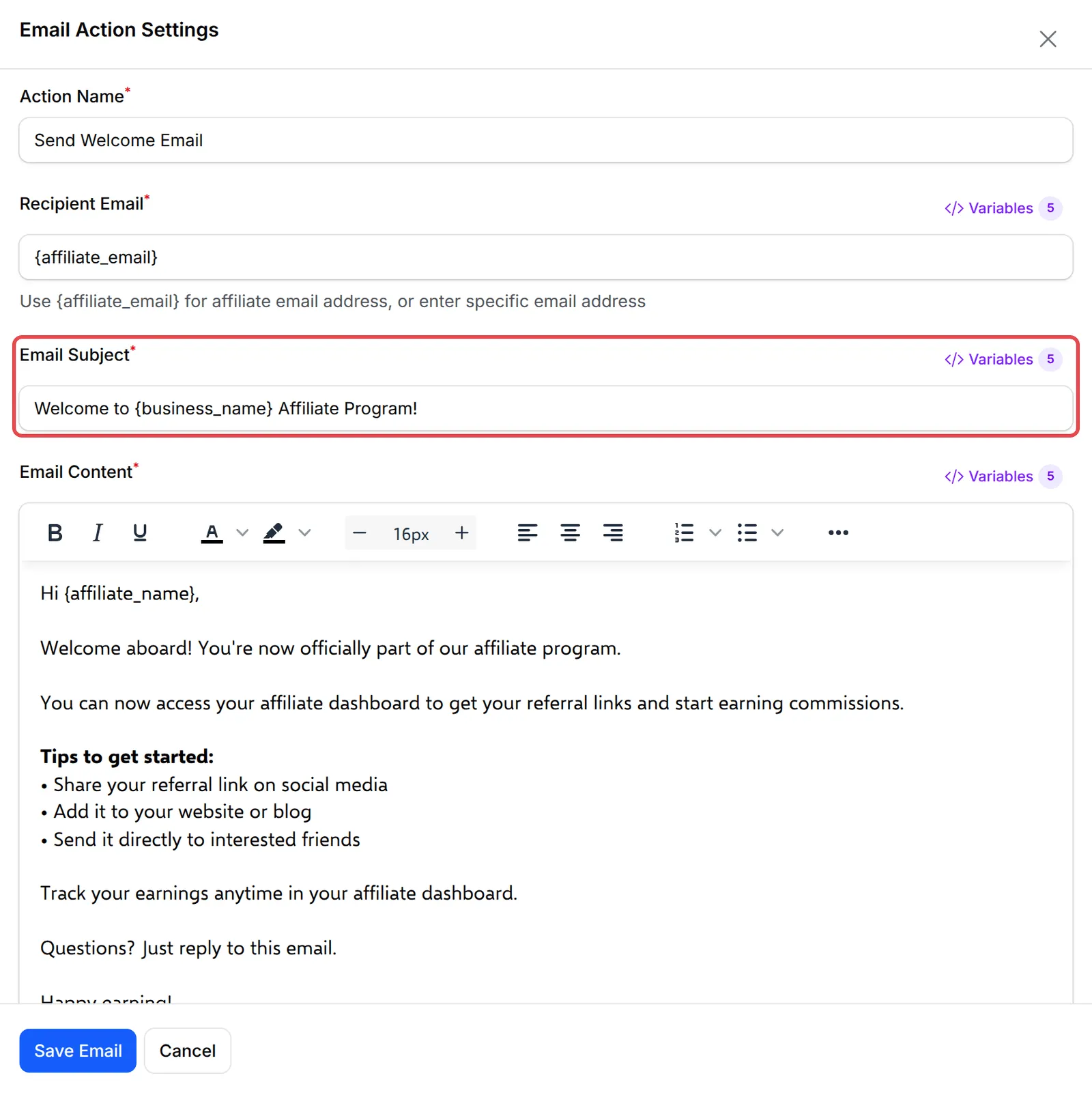
-
Click Rename to give it your own name, click Update Automation, then Activate and confirm.
The finished workflow:
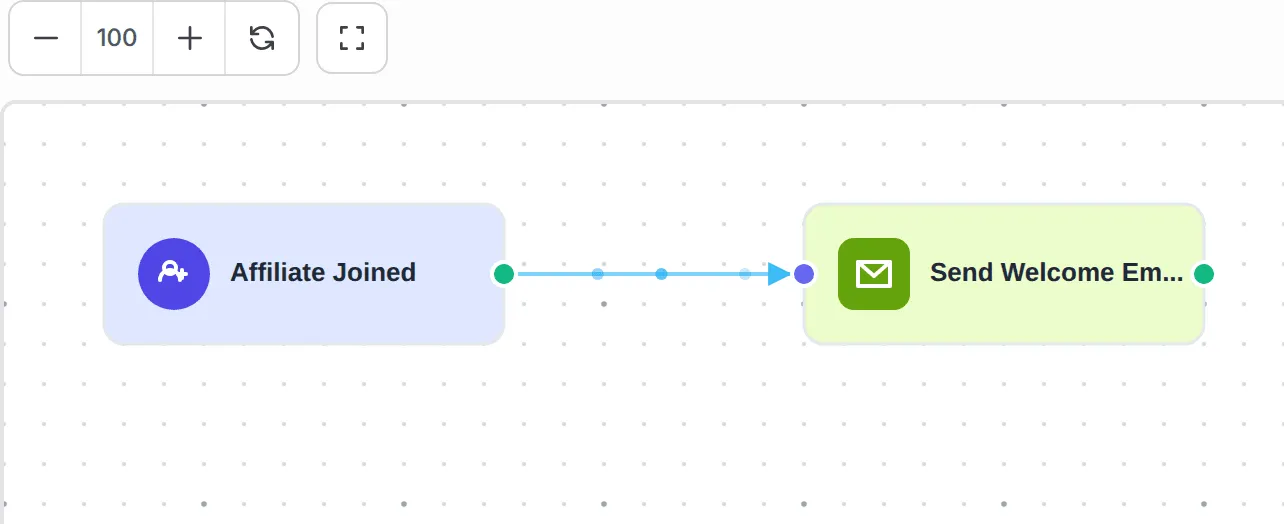
The template’s trigger is labelled Affiliate Joined. It is the same trigger as New Affiliate Registered in the trigger list.
Useful variables for this trigger:
| Variable | Shows |
|---|---|
{affiliate_name} |
The affiliate’s name |
{affiliate_email} |
The affiliate’s email |
{affiliate_phone} |
The affiliate’s phone |
{business_name} |
Your business name |
Test it
Section titled “Test it”Check the recipe with a test run before you rely on it:
- Join your own programme as an affiliate with a second email address, see Join an affiliate programme.
- Open the automation and click Overview. The sign-up shows as a run in Execution History; a delivered email shows as Completed.
A few ways to get more from this recipe:
- Add your promotion material. Link your media kit or marketing media page so new affiliates can post the same day.
- Welcome them on WhatsApp. A Send Wabot or Send WasapBot step with
{affiliate_phone}feels more personal than email. - Say so in the email if you approve affiliates by hand. The trigger fires when they sign up, before you approve them.
Common issues
The template has an Add to Mail Niaga step. Do I need it?
Only if you use Mail Niaga. Without a connected Mail Niaga account, that step fails on every run. Delete it, or connect Mail Niaga and pick a Mailing List in it.
Does BCL already email new affiliates?
Yes, two short ones: Welcome to Our Affiliate Program when they create their affiliate account, and Welcome to the Merchant Program when they join your programme, with a link to their dashboard. This automation adds your own welcome, in your words, with tips and links.
Was this article helpful?
Thanks for your feedback.
Sorry this didn't help. WhatsApp us and we'll sort it out with you.