
Ask an AI about this page
 ChatGPT
 Claude
 Perplexity
 Google AI Mode
 Microsoft Copilot
 Grok
Grok Mistral Le Chat
Make your video page feel live
Updated

A Video Sales page can look and feel like a live shopping stream: a red LIVE badge on your name, hearts floating up the screen and a count of viewers. You set these in the Live Style and Profile sections of the form’s Videos tab. For the page itself, see Sell with a video page.
Set the live style
Section titled “Set the live style”Open the form first: Payments → Forms, then Edit on your Video Sales form.
-
Open the Videos tab and scroll to Live Style.
-
Turn on LIVE badge to show a red LIVE badge next to your business name.
-
Leave Floating hearts on to let hearts float up when buyers tap the video or the heart button.
-
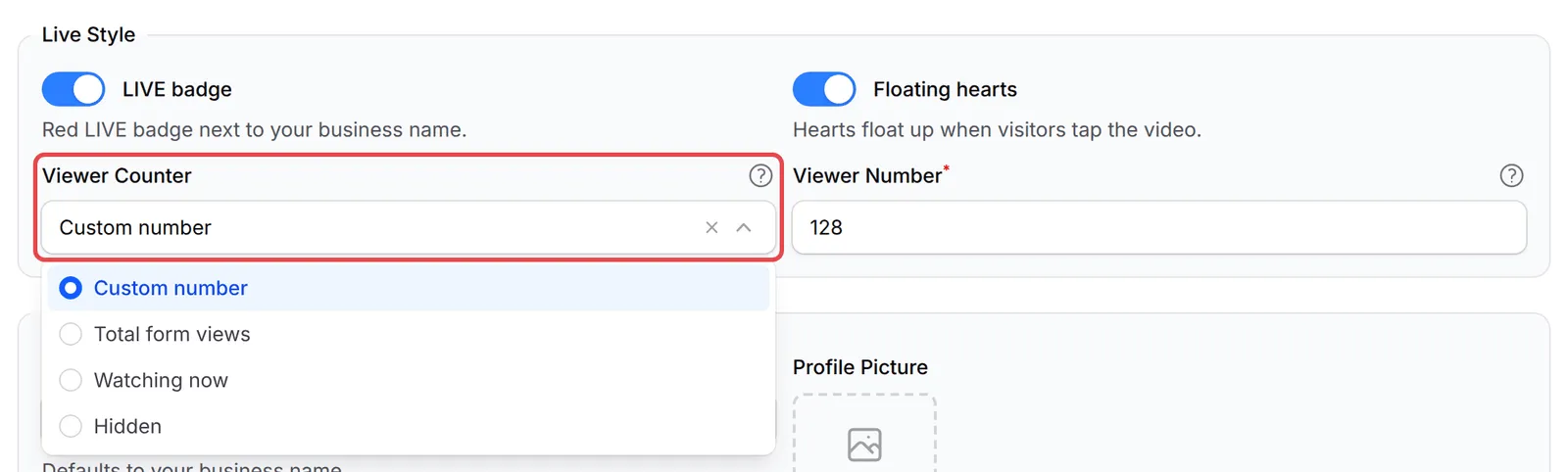
Choose a Viewer Counter. If you choose Custom number, type it in Viewer Number.
-
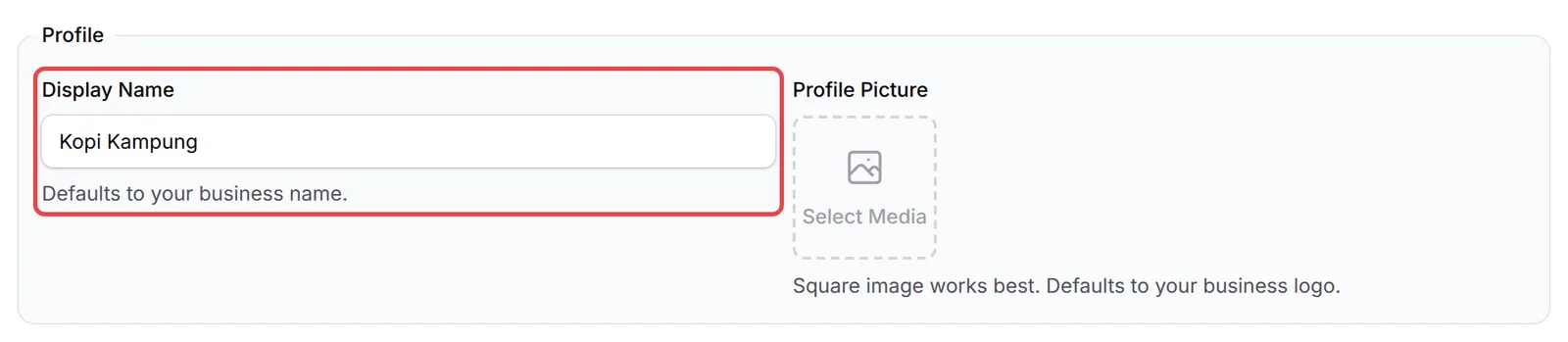
Under Profile, type a Display Name and choose a Profile Picture. Both default to your business name and logo.
-
Click Update Form.
The four counter choices:
| Viewer Counter | What it shows |
|---|---|
| Total form views | Every visit this form has had, from your traffic stats. Refreshes every minute |
| Watching now | People with the page open right now, counted from live connections. Updates every few seconds |
| Custom number | The number you type in Viewer Number. It moves up and down a little while the page is open |
| Hidden | No counter |
What buyers see
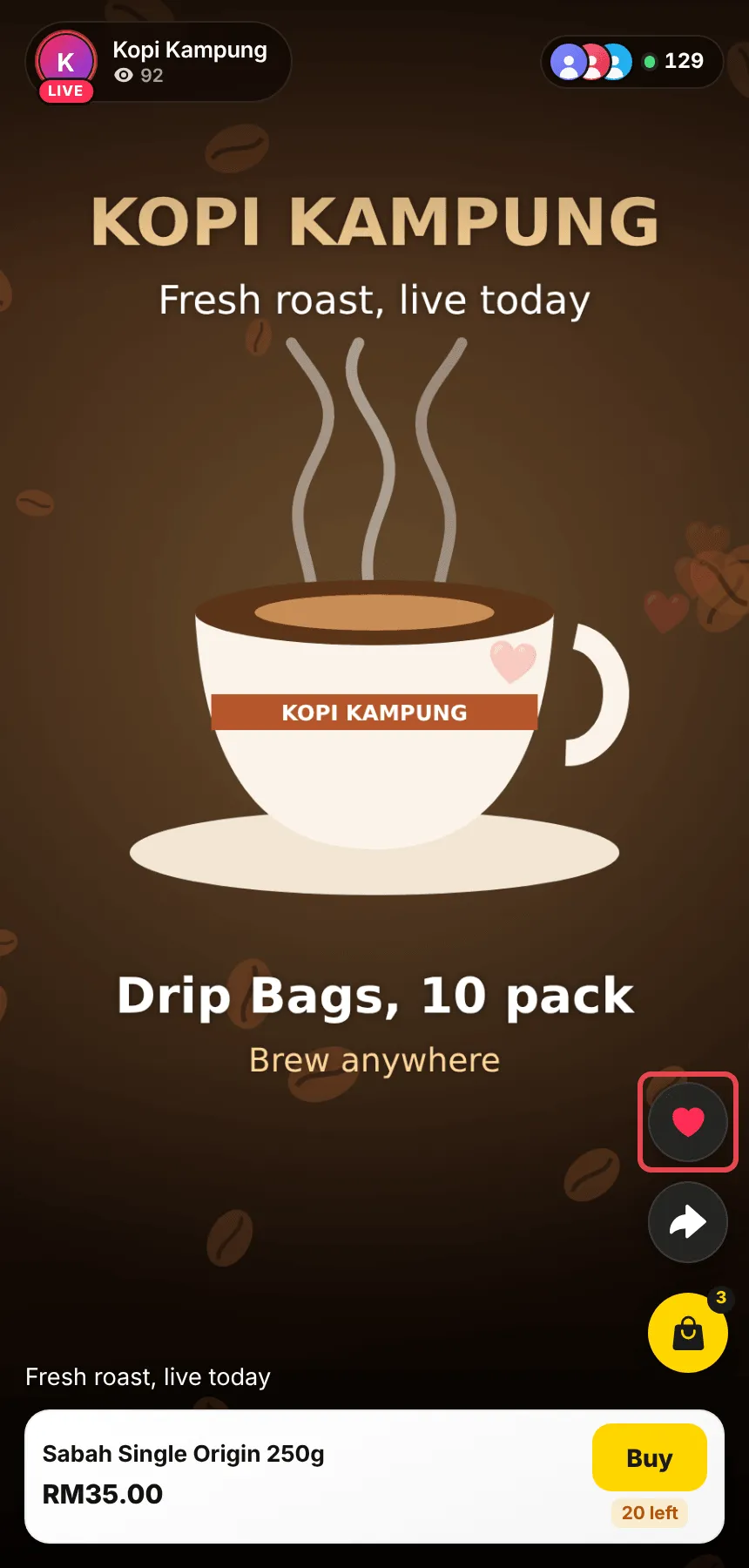
Section titled “What buyers see”The badge sits on your picture at the top left, with your name and your total page views (all your forms) under it. The counter is at the top right.

Hearts float up the right side every few seconds, and a burst of three when a buyer taps the heart button.
Go live with the page
Section titled “Go live with the page”To sell during a live session, open the page next to your stream:
- Set Viewer Counter to Watching now and turn on LIVE badge.
- Put the page link in your TikTok or Instagram bio, and send it to your WhatsApp buyers.
- During the session, tell viewers to tap the link and then Buy. The checkout opens over the video, so they keep watching while they pay.
- When the session ends, turn off LIVE badge and click Update Form.
A few habits for live selling:
- Use Watching now while you are live. It counts people who really have the page open, so buyers see a true number that rises as your audience taps the link.
- Stream inside the page with YouTube. Paste your YouTube live link as a YouTube video, and buyers watch the stream and pay on the same screen.
- Use a square profile picture. The picture is cropped to a circle, and a square image fits best.
Common issues
Why doesn't my viewer counter show?
The counter hides while its number is zero. Watching now shows once someone has the page open, and Total form views once the form has had visits. Hidden never shows it.
Can I stream my live session inside the page?
Yes, from YouTube or Facebook. Choose YouTube as the Video Source and paste your YouTube live link, or Facebook with a Facebook live link. A TikTok link must be a posted video, not a LIVE.
Was this article helpful?
Thanks for your feedback.
Sorry this didn't help. WhatsApp us and we'll sort it out with you.