
Ask an AI about this page
 ChatGPT
 Claude
 Perplexity
 Google AI Mode
 Microsoft Copilot
 Grok
Grok Mistral Le Chat
Change your bcl.my subdomain
Your subdomain is the first part of your BCL address, such as kopikampung.bcl.my. Your homepage and all your forms open on it. BCL picks it from your business name when you register, and you can change it later.
Change the subdomain
Section titled “Change the subdomain”Only the account owner and admins can do this:
-
Go to Team → Team Profile. The Merchant Settings page opens on the General Settings tab.
-
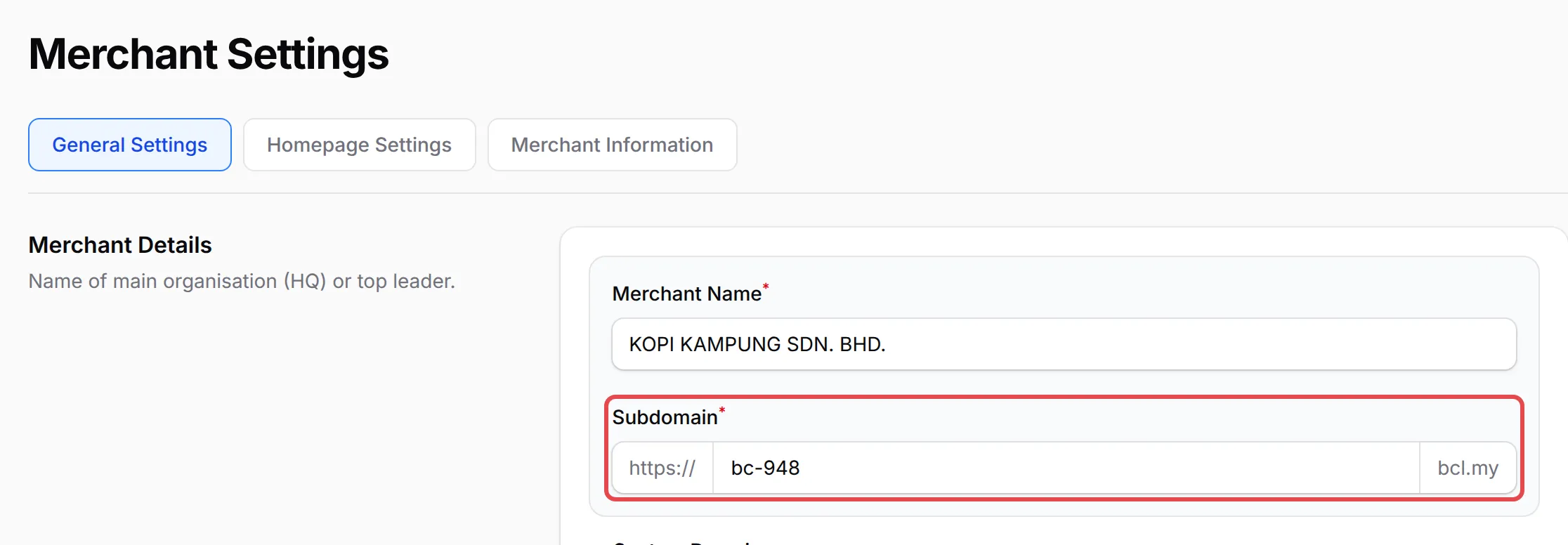
Under Merchant Details, find Subdomain.
-
Type the new name. Use lowercase letters, numbers and hyphens only, up to 40 characters. Spaces are removed as you type.
-
Click Save Settings.
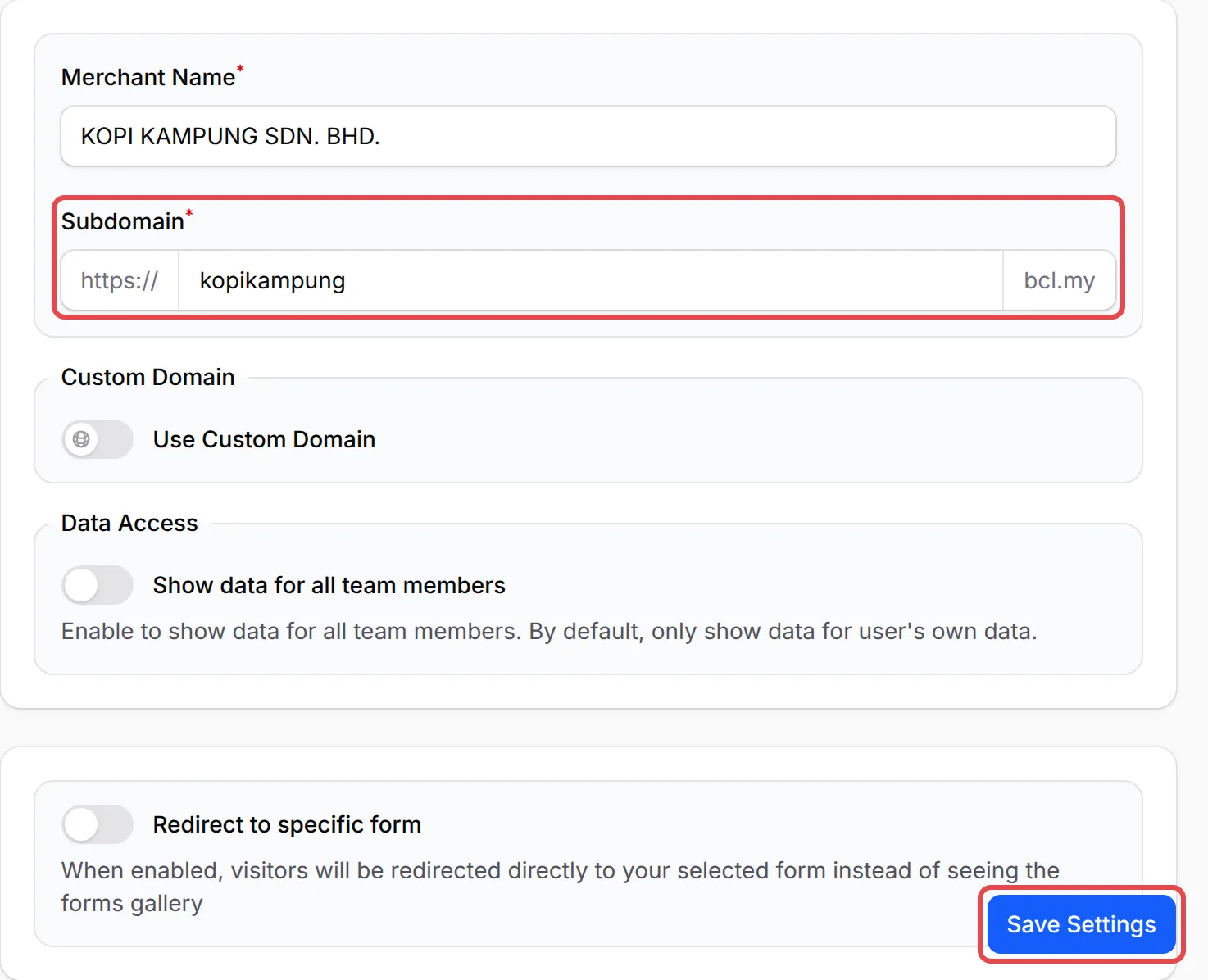
BCL saves the change and opens the page again at your new address. If the name is taken, BCL asks you to choose another one.
What changes when you save
Section titled “What changes when you save”These addresses switch to the new subdomain straight away:
| Address | What to do |
|---|---|
Your homepage and every form link, such as newname.bcl.my/form/... |
Update the links on your website, social media bio, ads and QR codes. |
| Your affiliate sign-up and invite links | Send your affiliates the new links. See Turn on your affiliate programme. |
Your BCL dashboard, bcl.my/portal/newname |
Ask your team members to update their bookmarks. |
Your forms, transactions, customers and settings stay the same. Only the address changes.
If you use your own domain
Section titled “If you use your own domain”With Use Custom Domain on, the field is called Slug instead of Subdomain. Your own domain keeps working when you change it, but the slug is still used in your affiliate links and your dashboard address, so those change as above.
Before you rename, keep these in mind:
- Choose a name you will keep. A short brand name, such as your shop name, rarely needs to change later.
- Use your own domain if you may rebrand. Links on your own domain do not depend on the subdomain.
- Collect your shared links first. List every place your old address appears, then update them all right after you save.
Common issues
Can I change my bcl.my address?
Yes. The account owner or an admin can change Subdomain in Team → Team Profile and click Save Settings.
Will my old links still work after I change the subdomain?
No. BCL does not redirect the old address. Links to your forms, your homepage and your affiliate sign-up page on the old subdomain stop working as soon as you save, so share the new links again.
Why does BCL say my slug is reserved?
Some names, such as www, admin, pay, checkout, help and support, are kept for BCL itself. BCL shows This slug is reserved and cannot be used. Please choose a different one. Pick another name.
Was this article helpful?
Thanks for your feedback.
Sorry this didn't help. WhatsApp us and we'll sort it out with you.