
Ask an AI about this page
 ChatGPT
 Claude
 Perplexity
 Google AI Mode
 Microsoft Copilot
 Grok
Grok Mistral Le Chat
Send buyers to a private link
Updated

A Redirect URL content sends paying buyers to a link you keep private: a Telegram or WhatsApp group invite, a course on another platform or a members’ page. Buyers never see the link itself on the receipt or in emails. They open their own access link, confirm a one-time code, and BCL forwards them.
Add the private link
Section titled “Add the private link”In Protected Content, click New Content and fill in Title. Then:
-
On the Content Settings tab, set Content Type to Redirect URL.
-
Paste the destination into Redirect URL. It must be a full link starting with
https://.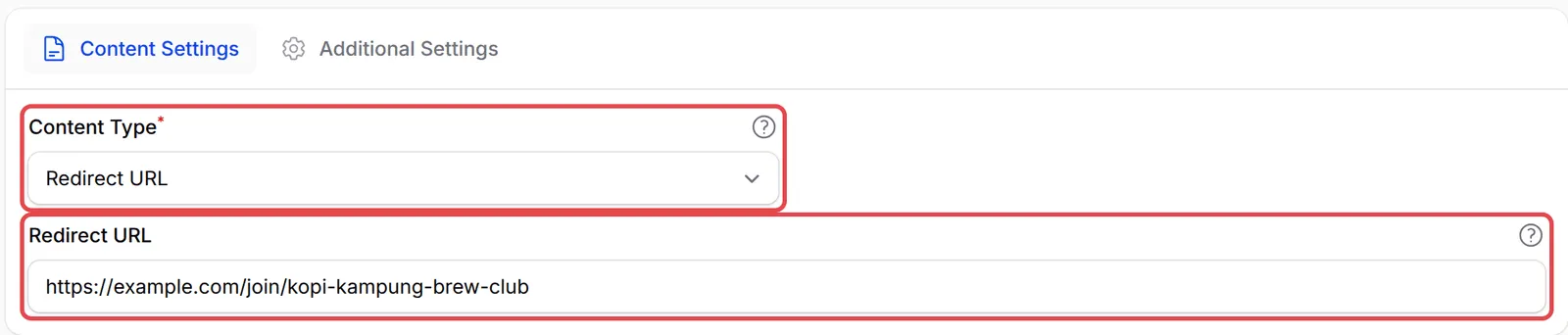
-
Under Access Control, set Maximum Devices to 1 so one purchase opens the link on one device at a time.

-
Turn on Show on Receipt and click Create Protected Content.
Link the content to the item people buy, such as a membership. See Give buyers access.
What buyers see
Section titled “What buyers see”The buyer taps the content on their receipt or in the access email. BCL asks them to choose where to receive a one-time code.
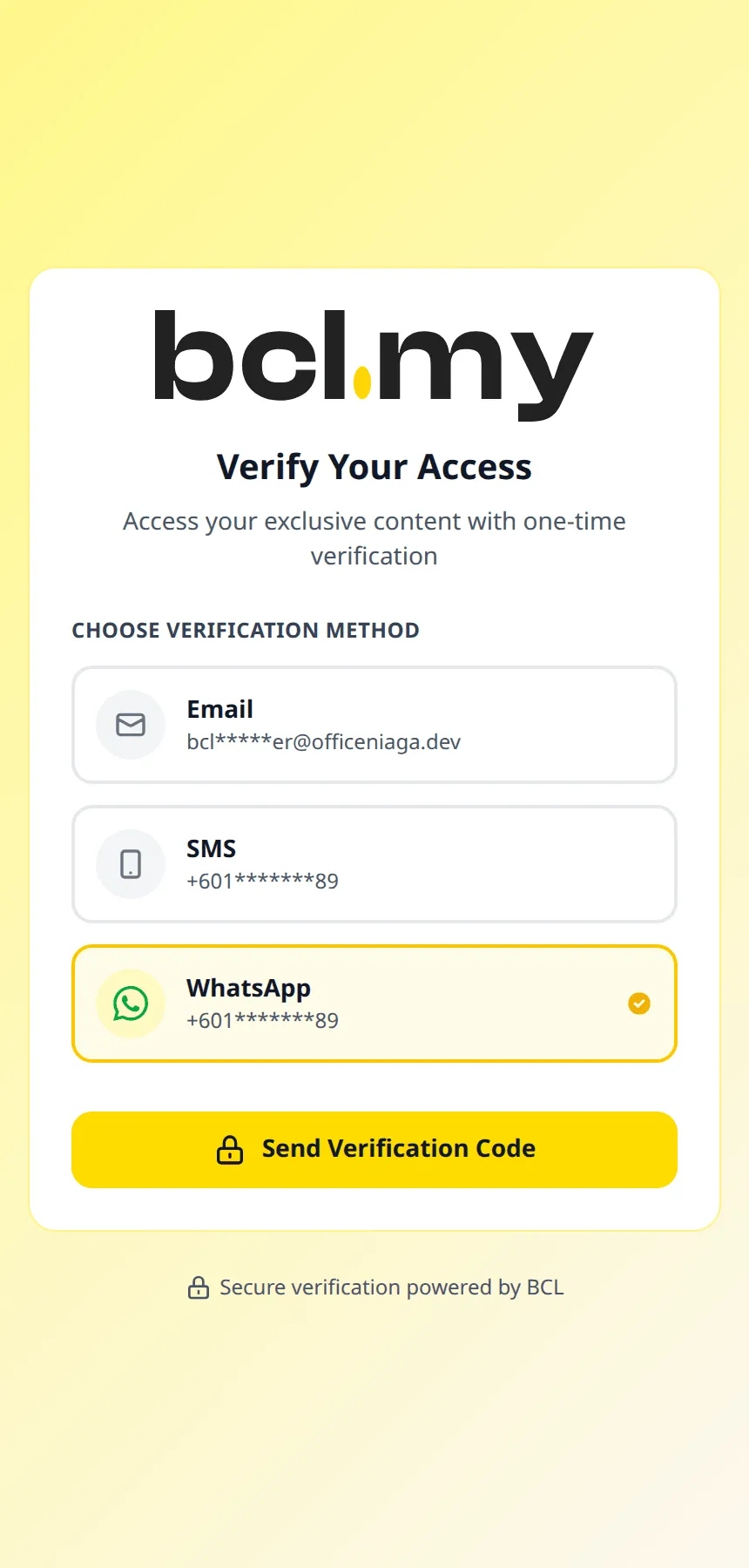
After they enter the code, a short page says they will be redirected in a moment, then opens your link. If you preview a Redirect URL content, BCL goes straight to the link.
A private link is only as private as its invite:
- Use an invite link that needs approval. Telegram and WhatsApp both let you approve each join request, so a copied link alone is not enough.
- Change the link, not the content. If an invite link leaks, create a new one in Telegram or WhatsApp and paste it into Redirect URL. Every buyer’s access link keeps working.
Common issues
Can I sell access to my Telegram group without people sharing the invite link?
Put the invite link in a Redirect URL content and link it to your membership item. Buyers never see the link on the receipt or in emails; they get their own access link that asks for a one-time code, then BCL sends them on to the group.
Can a buyer still copy the invite link once they reach the group?
Yes, once they are on the destination, they can see its address. Use an invite link that needs admin approval, or change it from time to time, and update the Redirect URL in BCL.
My course is on another platform. Can I use this?
Yes. Put the course's sign-up or login page in Redirect URL. Only people who paid in BCL get there through BCL, but the other platform's own login still applies.
Was this article helpful?
Thanks for your feedback.
Sorry this didn't help. WhatsApp us and we'll sort it out with you.