
Ask an AI about this page
 ChatGPT
 Claude
 Perplexity
 Google AI Mode
 Microsoft Copilot
 Grok
Grok Mistral Le Chat
What is Protected Content?
Updated

Protected Content is an add-on that locks your digital products inside BCL. You link a video, file, text or private link to something you sell. When a customer pays, BCL gives them their own access link, and they confirm a one-time code (OTP) before the content opens. A forwarded link is no use to anyone else.
How a buyer gets access
Section titled “How a buyer gets access”The same flow runs for every piece of content:
-
The customer buys an item on your payment form, or a ticket on your event form, that has protected content linked to it.
-
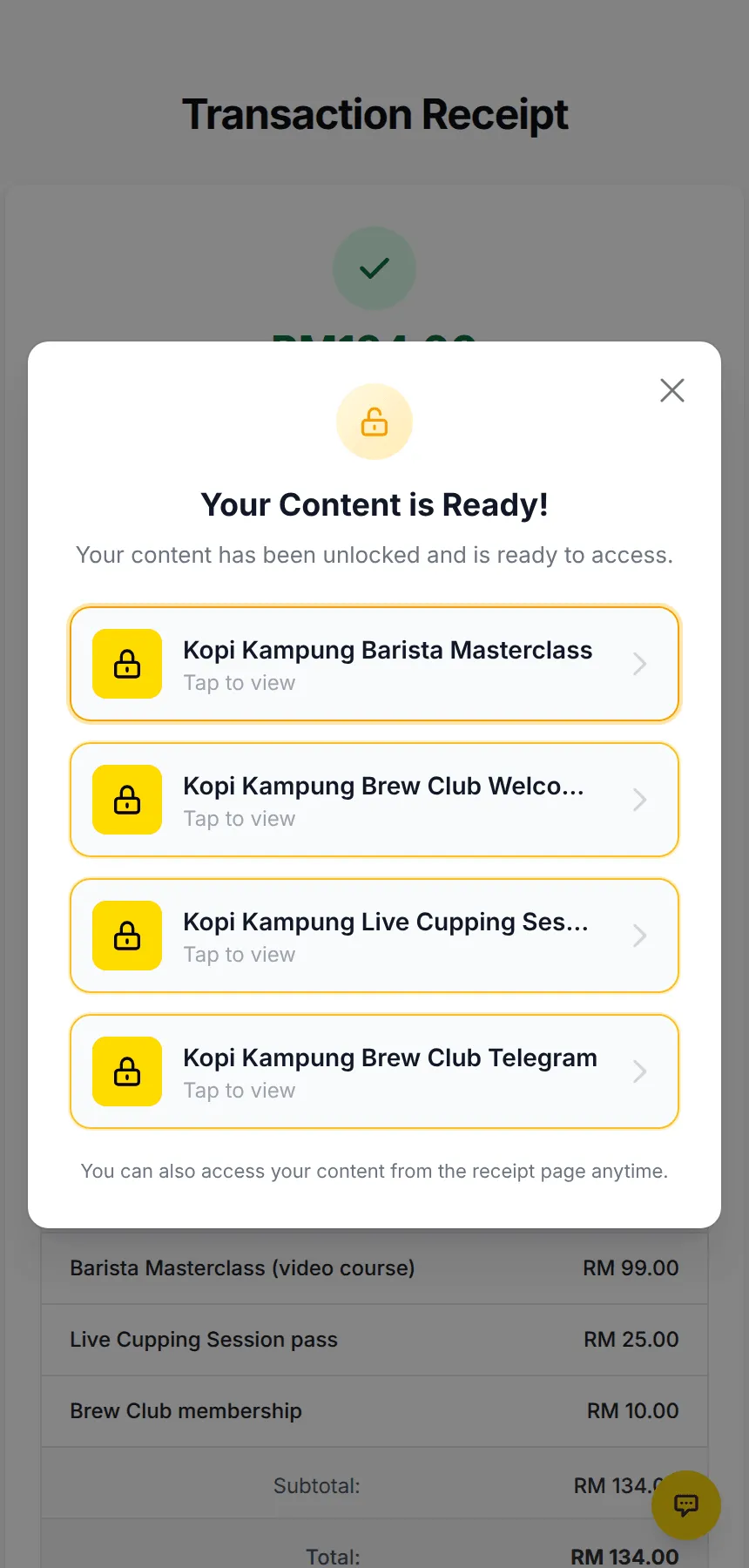
BCL creates their access as soon as the payment succeeds. The receipt page shows Your Content is Ready! with a button for each piece of content, and BCL emails them Your Protected Content is Now Available.
-
The customer opens their link and chooses where to receive a 6-digit code: Email, SMS or WhatsApp.
-
They enter the code and the content opens. The browser stays verified, so they do not need a new code each time.
Customers can also find their content again in the Customer Portal, from the Access Link you share, or from the receipt page.
What you can protect
Section titled “What you can protect”You choose one Content Type for each piece of content:
| Content type | Use it for | Details |
|---|---|---|
| Video | Online classes, webinar recordings, members-only videos, pay-per-view live streams | YouTube, Vimeo, Facebook or your own embed code. Protect a video |
| Text | Instructions, member codes, passwords, a thank-you note | Rich text with the buyer’s name and order number. Protect text content |
| File | eBooks, PDF guides, templates, ZIP packs | Up to 10 files, 5MB each. Protect files |
| Redirect URL | A private Telegram or WhatsApp group, a course on another site | The link is only revealed after the code. Send buyers to a private link |
Features
Section titled “Features”Protected Content has these parts:
| Feature | What it does | Where to learn more |
|---|---|---|
| OTP by email, SMS or WhatsApp | Only the buyer can open their access link | Access control |
| Access Type | Open straight away, only between two dates, or for a number of days after purchase | Access control |
| Maximum Devices | Limits how many devices can use one buyer’s access at the same time | Access control |
| Maximum Downloads | Limits how many times a buyer can download the files | Protect files |
| Show on Receipt | Puts the content buttons on the receipt page | Access control |
| Preview | Shows the content page exactly as buyers see it | Create protected content |
| Link to items and tickets | Payment form items and event tickets grant access when paid | Give buyers access |
| Grant Buyer Access | Gives access to people who bought before you linked the content | Give buyers access |
| Customer Access | Lists every buyer, their dates, views and devices; resend or revoke access | Manage who has access |
| Access Finder link | One link where buyers look up their access with their email or phone | Manage who has access |
| Video protection | Blocks right-click, copying, dragging and common save and developer shortcuts on video pages | Protect a video |
| Pay-per-view stream page | A stream player with themes, Watch on TV and live ad breaks | Sell a pay-per-view live stream |
| API and AI tools | Read content and buyers, change status, title and access by API or MCP | Manage protected content by API |
Access links also appear in automation variables and in the payment webhook, so you can send them by WhatsApp or to your own system.
Turn on the add-on
Section titled “Turn on the add-on”Protected Content is the OTP-Protected Content add-on, which you turn on under Add-ons in the sidebar. Until it is on, the Protected Content menu opens a page about the add-on instead of your content. Once it is on, the menu shows your content list.
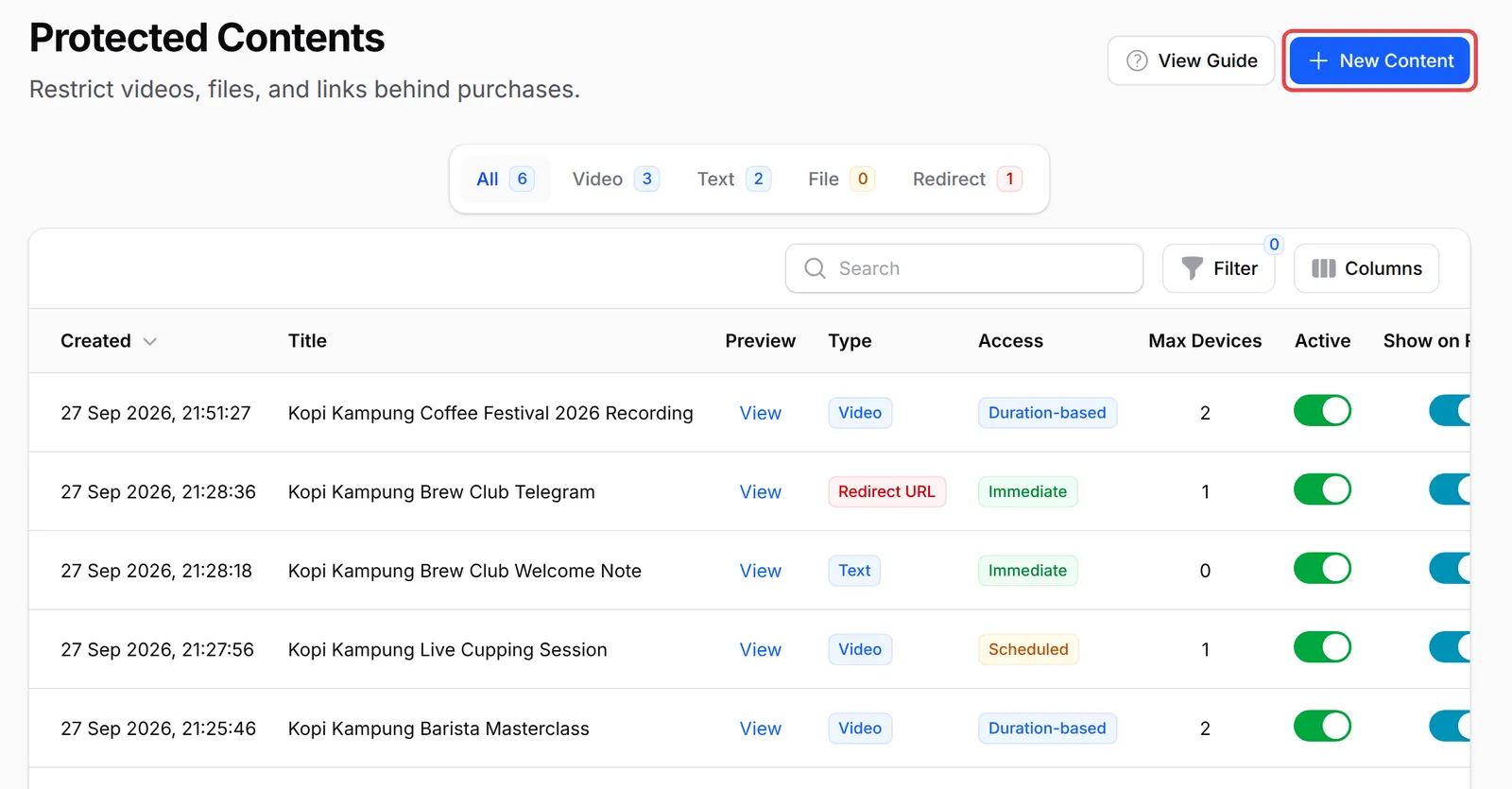
Ready to start? See real examples, or go straight to Create protected content.
Common issues
How do I sell content that customers must pay for before they can watch it?
Use the OTP-Protected Content add-on. Create the content under Protected Content, link it to a payment form item or an event ticket, and BCL gives every paid buyer their own access link that opens only after a one-time code.
Can the customer turn off the OTP?
No. The one-time code is always required. It is what stops a buyer from sharing the link with friends, because the code only goes to the buyer's own email, phone or WhatsApp.
Can I use a Google Drive link instead of protected content?
Yes, as a Download Link on the item (see Sell digital products). It needs no add-on, but anyone who gets the link can open it. Protected Content asks for a one-time code first.
Was this article helpful?
Thanks for your feedback.
Sorry this didn't help. WhatsApp us and we'll sort it out with you.