
Ask an AI about this page
 ChatGPT
 Claude
 Perplexity
 Google AI Mode
 Microsoft Copilot
 Grok
Grok Mistral Le Chat
Change the business details your customers see when they pay
When a customer pays you, they see two pages: your BCL form, then the Bayarcash payment page where they choose their bank and pay. Each page takes your business details from a different place, so you change them in different places.
| Page | Where its business details come from | Where you change them |
|---|---|---|
| Your BCL form | Your BCL company profile | BCL: Team → Company Profile |
| The Bayarcash payment page | Your Bayarcash account | Bayarcash, not BCL |
Details on your BCL form
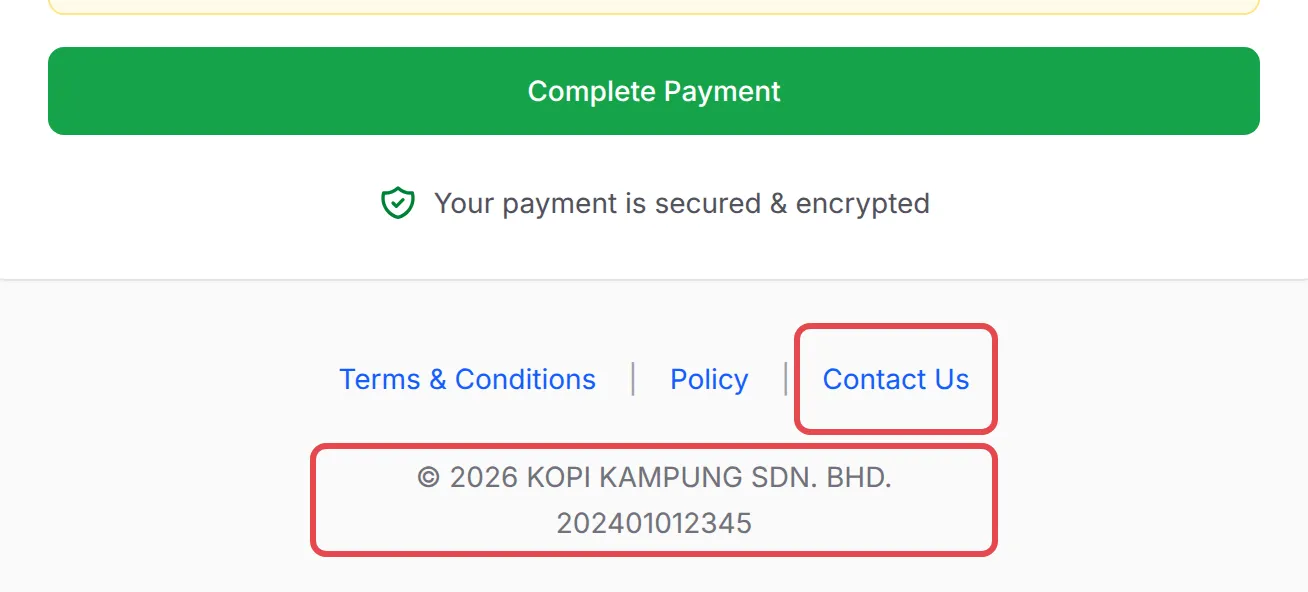
Section titled “Details on your BCL form”The bottom of every form shows your company name and registration number, and a Contact Us link:
Contact Us opens your organisation name, email, phone and address:
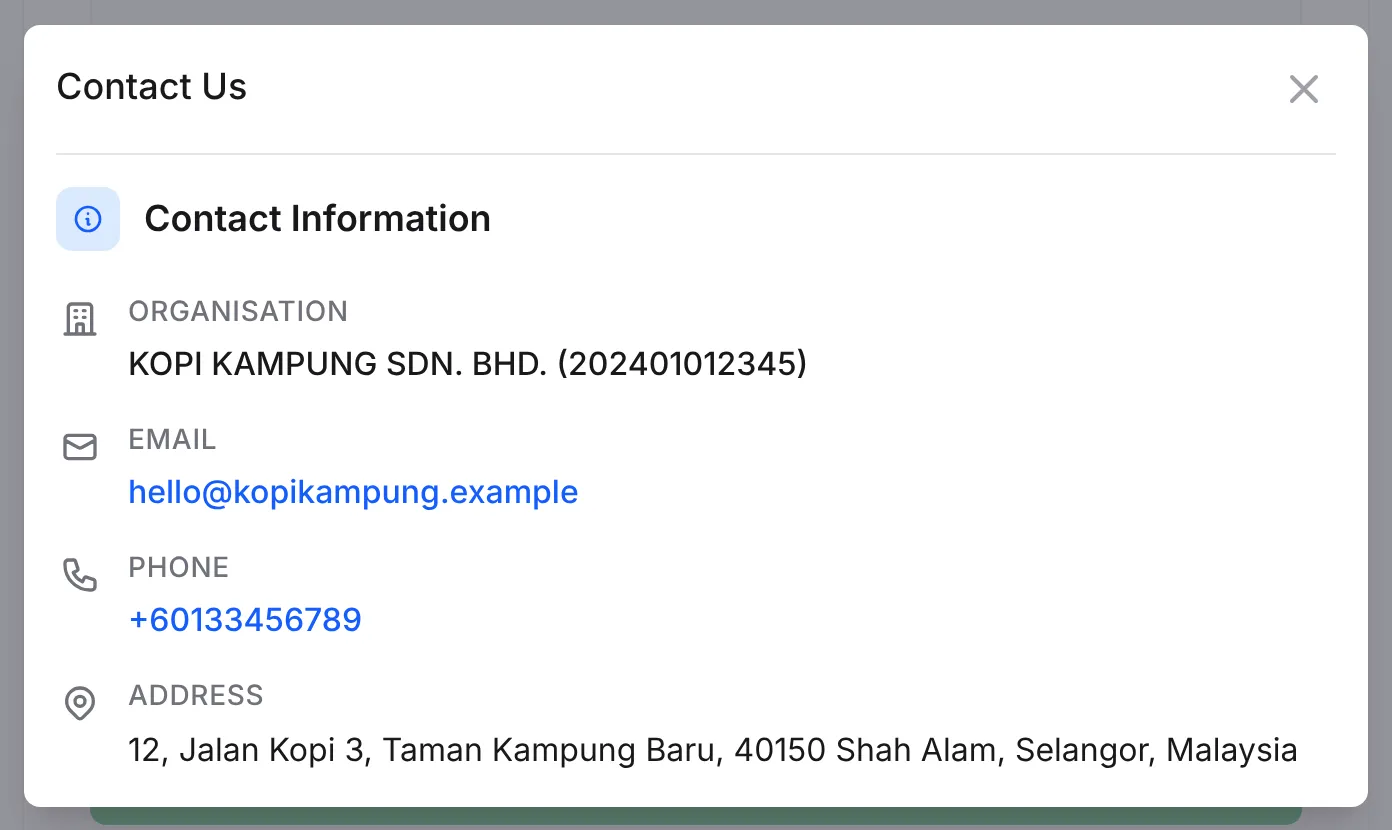
All of these, and the logo in the browser tab, come from your company profile. To change them, update Organization Name, Registration Number (Full SSM No.), Email, Mobile Number, the address or Company Logo, then click Save Changes. See Add your company details.
Details on the Bayarcash payment page
Section titled “Details on the Bayarcash payment page”For online payments, Complete Payment takes your customer to Bayarcash’s secure payment page, where they choose their bank. Bayarcash runs this page. BCL sends it only the amount, the order number, your customer’s name, email and phone, and your portal key. It does not send your business name, logo or contact details.
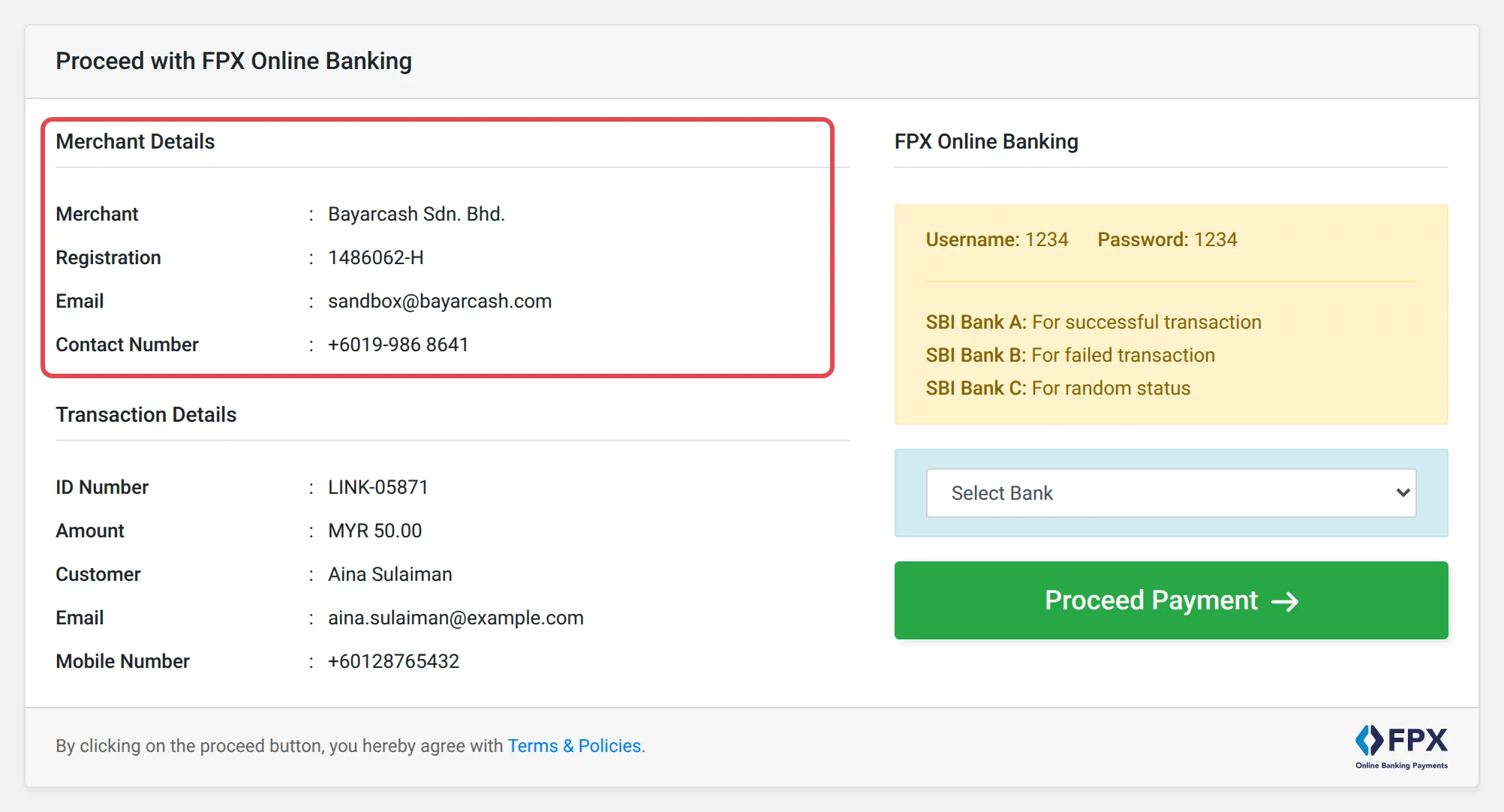
The page has two parts on the left:
| Section | What it shows | Where it comes from |
|---|---|---|
| Merchant Details | Merchant, Registration, Email and Contact Number of the business | Your Bayarcash account |
| Transaction Details | ID Number (your BCL order number), Amount, Customer, Email and Mobile Number | The order your customer just placed on your BCL form |
The page shows no business logo, only the logo of the payment method, such as FPX.
So the business details on that page are the ones in your Bayarcash account. To change them:
- Log in to the Bayarcash Console and check the business details you gave Bayarcash.
- If they need changing, contact Bayarcash support at support@bayarcash.com.
Nothing you change in BCL updates this page.
Sync Console on Company Profile works the other way round: it copies the details from your Bayarcash account into BCL, so both match. It never changes anything in Bayarcash. See Copy your details from Bayarcash.
Keep both pages consistent so customers trust what they see:
- Use the same business name in BCL and Bayarcash. Customers who see one name on the form and another on the payment page may think it is a scam and stop paying.
- Fix Bayarcash first, then sync. After Bayarcash updates your details, click Sync Console in BCL and Proceed with Sync, so your receipts match too.
Common issues
How do I change the business name, logo or contact shown on the Bayarcash checkout page?
The Bayarcash payment page shows the details of your Bayarcash account, not your BCL settings. Log in to the Bayarcash Console to check them, and contact Bayarcash support if they need changing.
I changed my Company Profile but the Bayarcash page still shows the old name. Why?
BCL does not send your business name or logo to Bayarcash. Your Company Profile changes your BCL form, receipts and emails only. Change the Bayarcash page in Bayarcash.
Does Sync Console send my BCL details to Bayarcash?
No. Sync Console on Company Profile only copies your details from Bayarcash into BCL. Nothing goes the other way.

Was this article helpful?
Thanks for your feedback.
Sorry this didn't help. WhatsApp us and we'll sort it out with you.