
Ask an AI about this page
 ChatGPT
 Claude
 Perplexity
 Google AI Mode
 Microsoft Copilot
 Grok
Grok Mistral Le Chat
Build a two-step funnel: sales page, then checkout
A long sales page loses buyers before they reach the form at the bottom. A two-step funnel fixes that: your ads send people to a sales page with no form, and a button on it takes them to a short checkout form. In BCL you build it from two payment forms and the Use as minisite switch.
A minisite is a payment form that shows only its page content: no items, prices, payment options or Complete Payment button. Your page content, the footer, the page title, the link preview and the tracking pixels stay as they are.
Step 1: Make the checkout form
Section titled “Step 1: Make the checkout form”This is the form buyers pay on. Create a normal payment form with your product and price. See Create a payment form.
-
Go to Payments → Forms and find your checkout form.
-
Right-click View Form and copy the link. It looks like
https://<your-subdomain>.bcl.my/form/your-checkout-slug.
Step 2: Make the sales page and switch on Use as minisite
Section titled “Step 2: Make the sales page and switch on Use as minisite”Create a second payment form for the sales page, or edit the one your ads already use.
-
Go to Payments → Forms and click Create Form, or Edit on the sales page form.
-
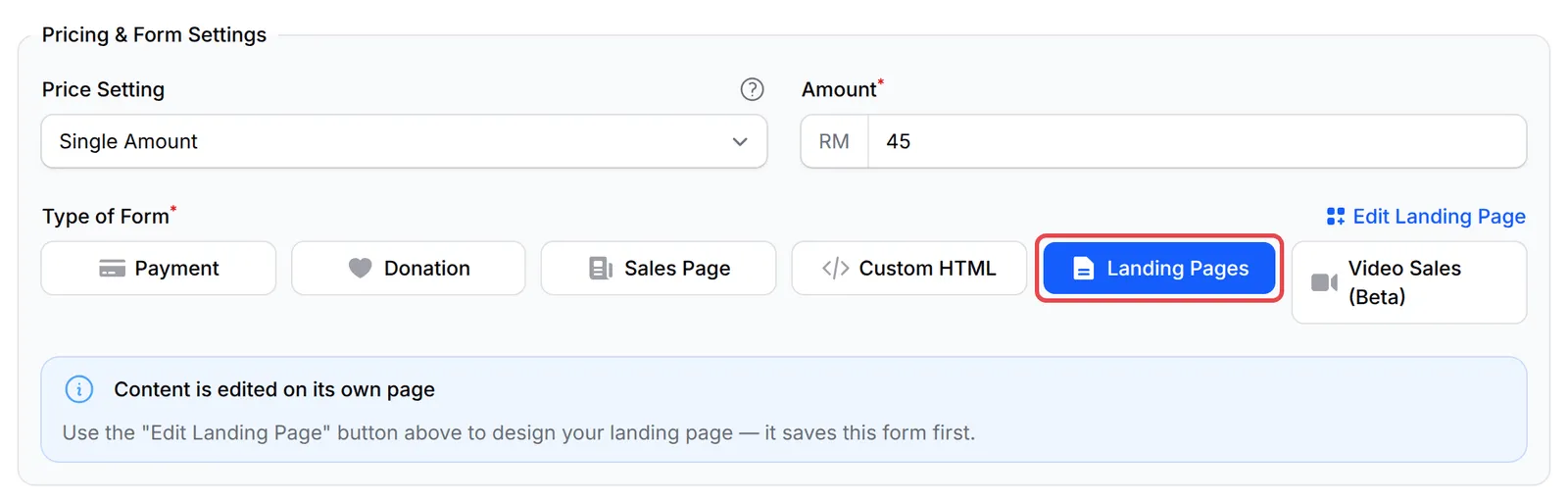
On the Payment Details tab, under Type of Form, choose Landing Pages. BCL still asks for a price and a Payment Option; buyers never see them.
-
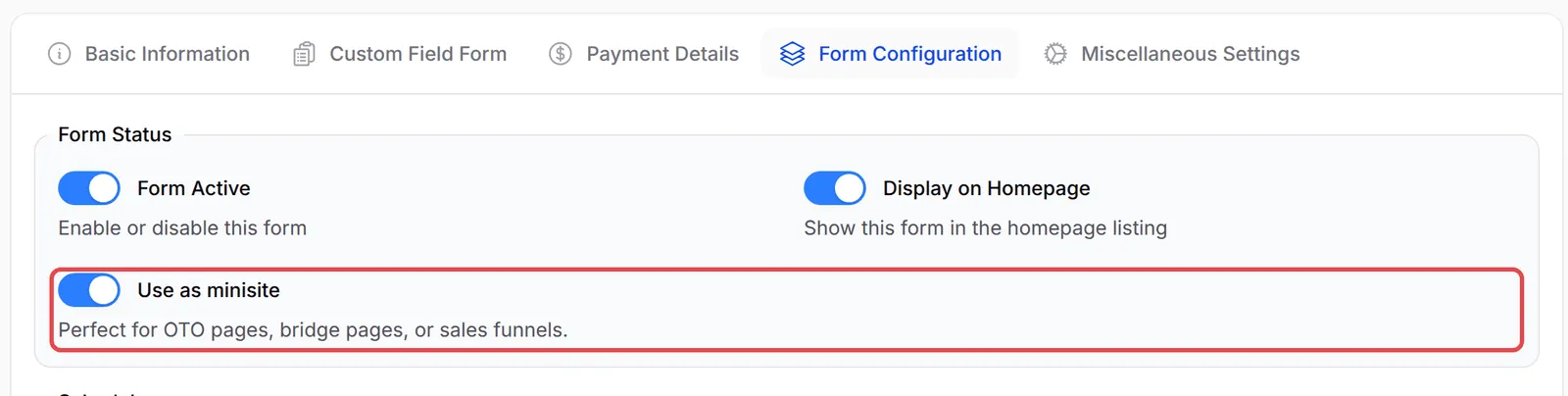
Open the Form Configuration tab and switch on Use as minisite. Leave Form Active on.
-
Click Add Payment Form for a new form, or Update Form for an existing one.
Step 3: Add the button to the checkout
Section titled “Step 3: Add the button to the checkout”Add a button that links to the checkout form.
-
Click Edit Landing Page at the top of the form.

-
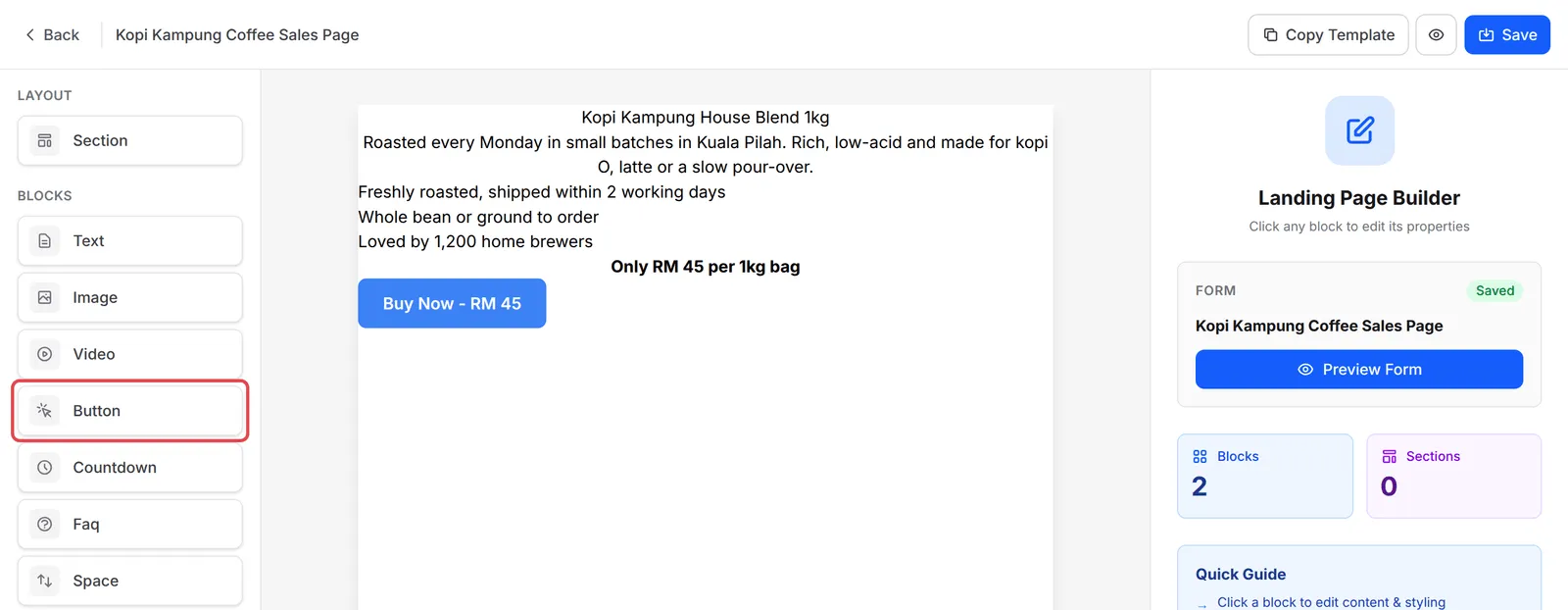
Build your page with Text and Image blocks, then click Button under BLOCKS to add a button.
-
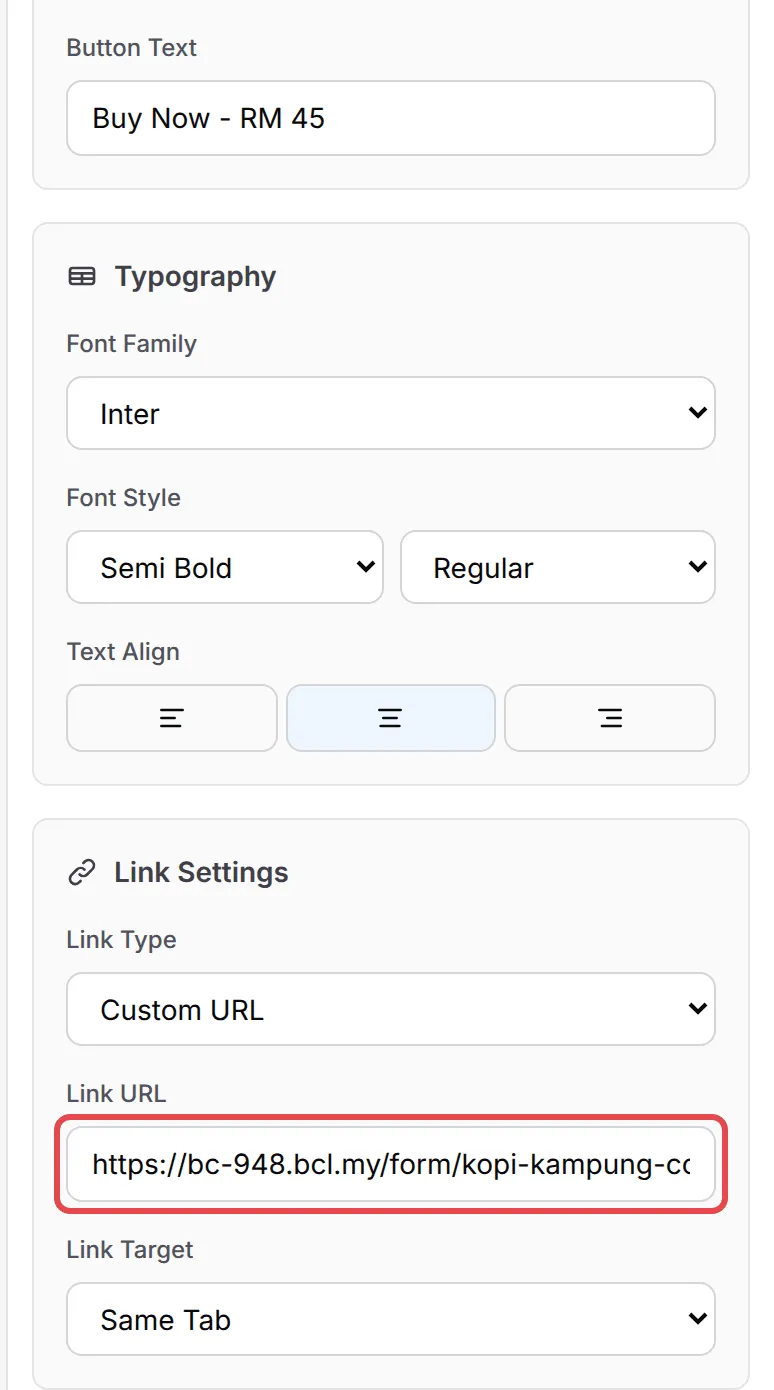
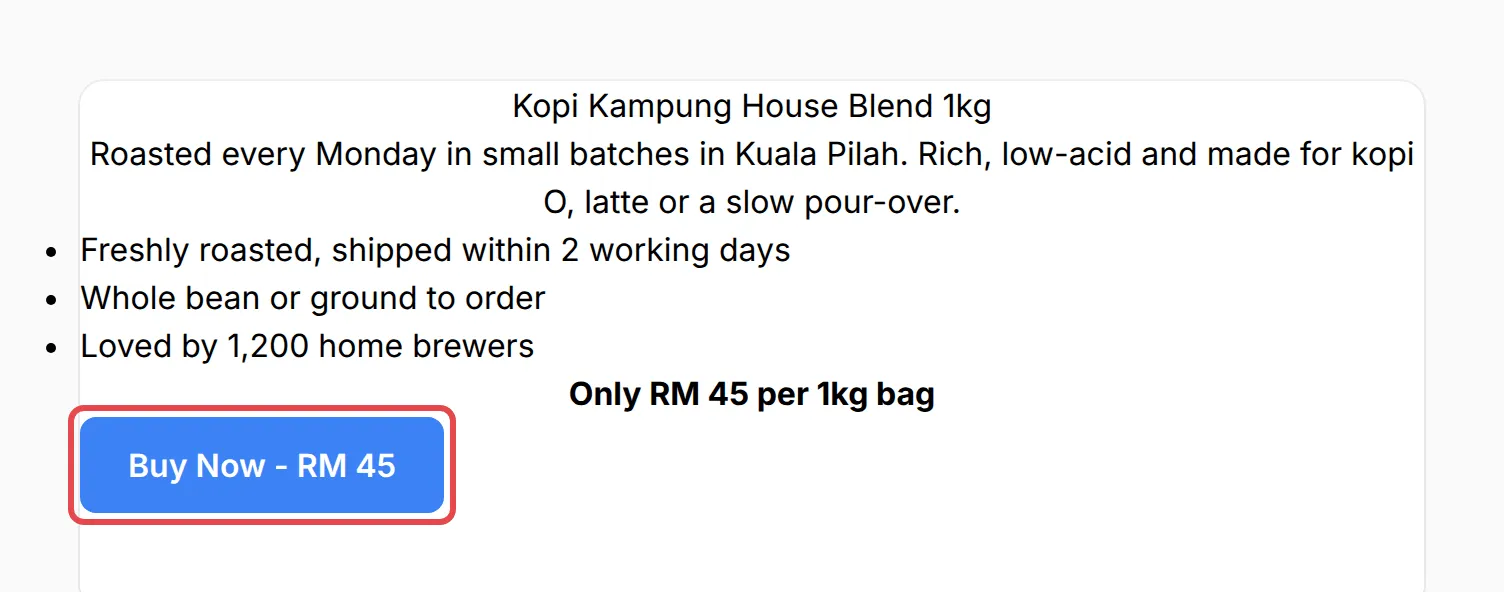
Click the button on the page. Under Link Settings, set Link Type to Custom URL and paste the checkout link into Link URL. Change Button Text if you like, for example “Buy Now - RM 45”.
-
Click Save.
Step 4: Test the funnel
Section titled “Step 4: Test the funnel”-
Open the sales page with View Form. Check that the payment form is gone.
-
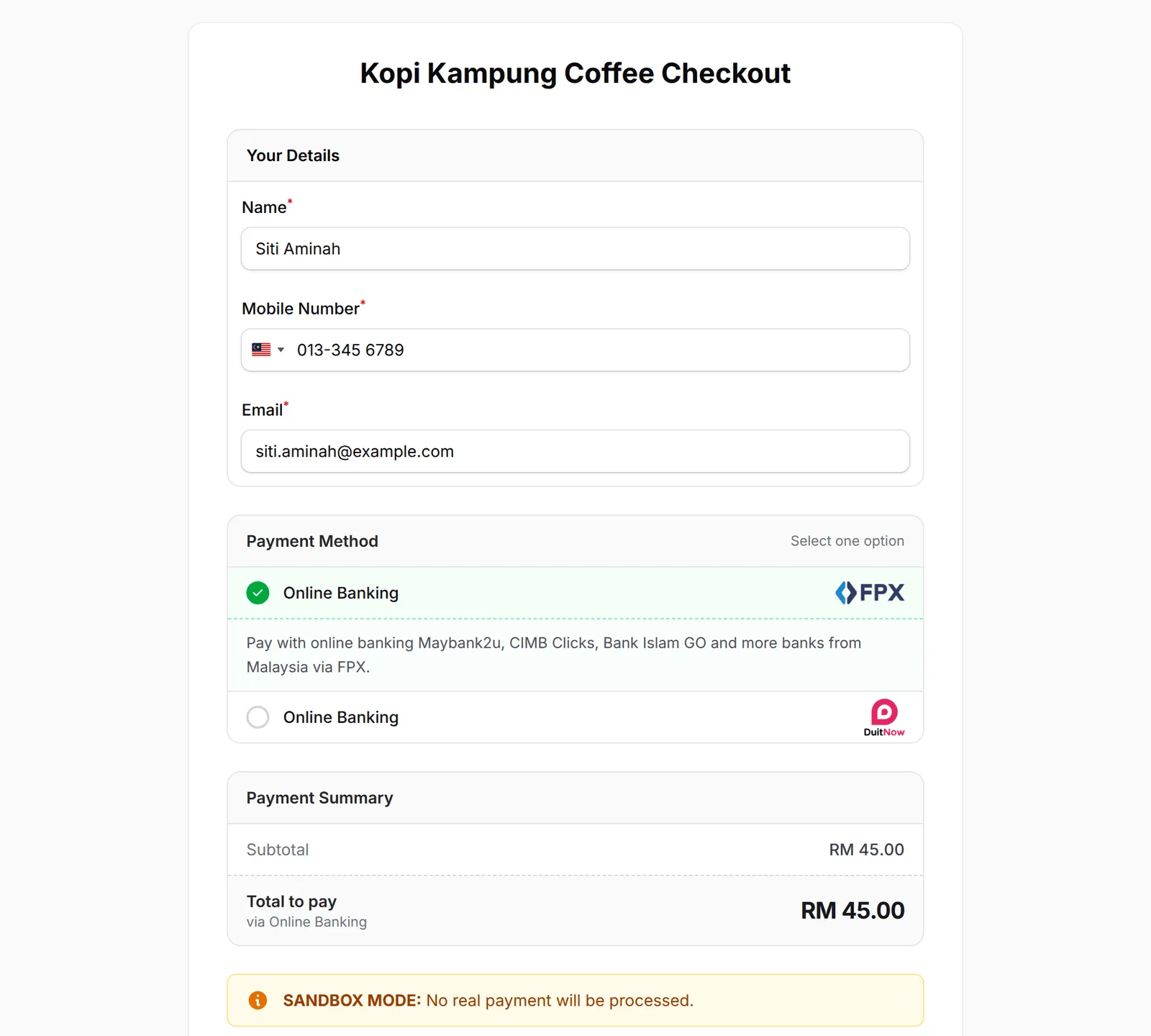
Click your button. The checkout form opens with the product and price.
-
In Test Mode, make a test payment to check the receipt.
When buyers see Payment Form Closed
Section titled “When buyers see Payment Form Closed”Use as minisite never shows Payment Form Closed on its own. BCL shows this notice instead of a form when:
| What you set | What the buyer sees |
|---|---|
| Form Active is switched off | Payment Form Closed fills the page. On a Custom HTML form that is not a minisite, your HTML stays and the notice shows where the form was. |
| The Available Until date has passed | Payment Form Closed, or your page from Redirect when closed |
| The Available From date has not come yet | An Opening Soon countdown |
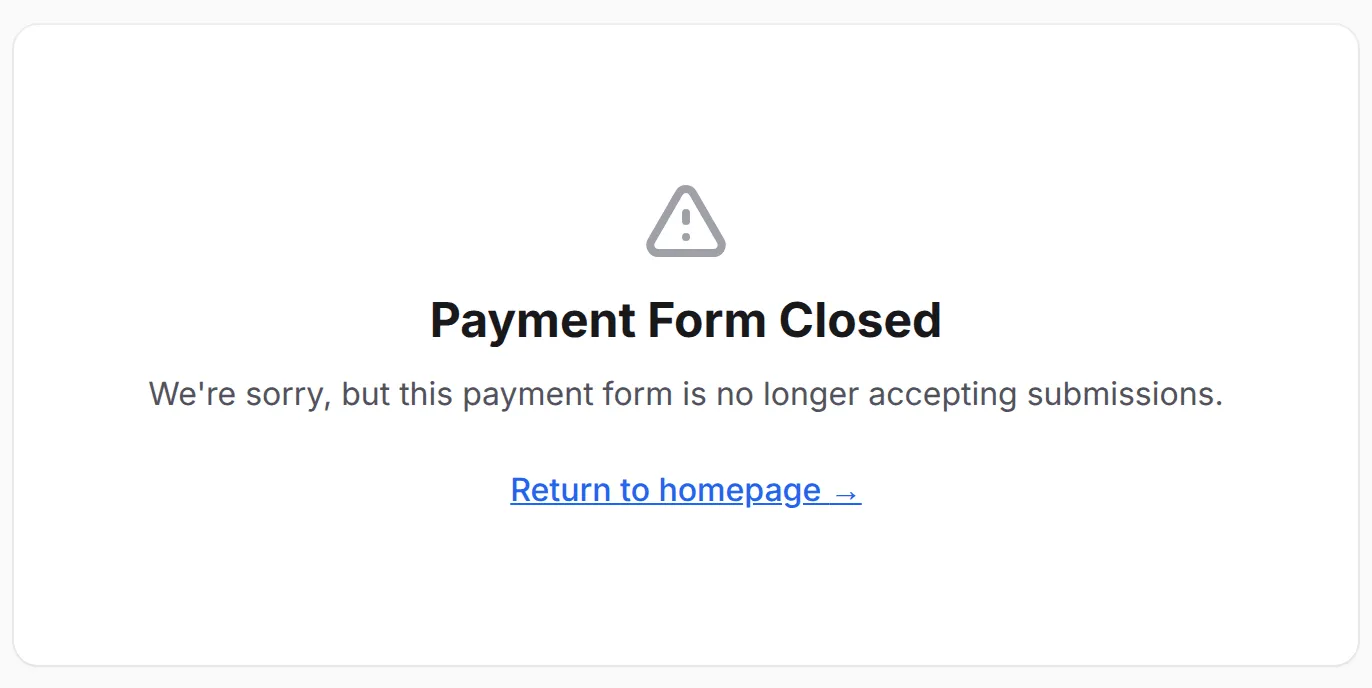
So to hide a form, use Use as minisite, not Form Active. Keep Form Active on for both forms, and check the checkout’s dates, or the button leads to a closed page.
- Add your tracking pixels to both forms. The sales page fires PageView and ViewContent; InitiateCheckout and Purchase fire on the checkout form. See Facebook Pixel.
- Keep the price the same on both pages. The price on your sales page is text you typed; the checkout charges its own Amount. Update both when the price changes.
- Use the checkout link for retargeting. People who opened the checkout but did not pay are your warmest audience. Build an ad audience from visits to the checkout URL.
Common issues
How do I remove the form from my sales page?
Edit the form, go to General → Form Configuration and switch on Use as minisite, then click Update Form. The page keeps your content and hides the payment form. Add a button that links to a separate checkout form.
I switched off Form Active to hide the form, and now my page says Payment Form Closed. Why?
Form Active closes the form to buyers, so BCL shows Payment Form Closed instead. Switch Form Active back on and use Use as minisite to hide the form.
Does my Facebook pixel still work on a minisite?
Yes. A minisite still fires PageView and ViewContent. InitiateCheckout and Purchase fire on the checkout form, so add the pixel to both forms.
Was this article helpful?
Thanks for your feedback.
Sorry this didn't help. WhatsApp us and we'll sort it out with you.