
Ask an AI about this page
 ChatGPT
 Claude
 Perplexity
 Google AI Mode
 Microsoft Copilot
 Grok
Grok Mistral Le Chat
Filter a table from its column headers
Most tables in BCL, such as Transactions, Customers, your forms and your bookings, can be filtered straight from their column headers, like a spreadsheet. Use it to narrow a long list to the rows you need without opening the Filter panel.
Filter a column
Section titled “Filter a column”This example finds the FPX payments on the Transactions page. Other tables work the same way:
-
Click the icon next to the column name, here Channel.
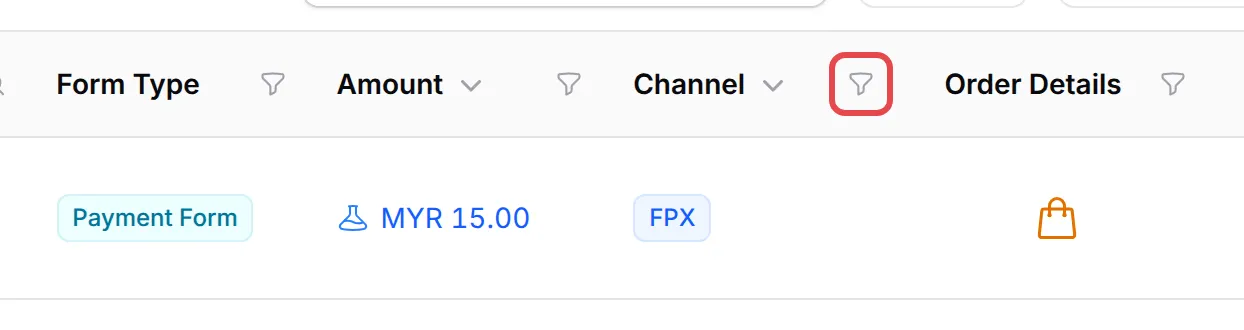
-
Tick the values you want, such as FPX, and click Apply. Long lists have a Search box, Select all and Deselect all.
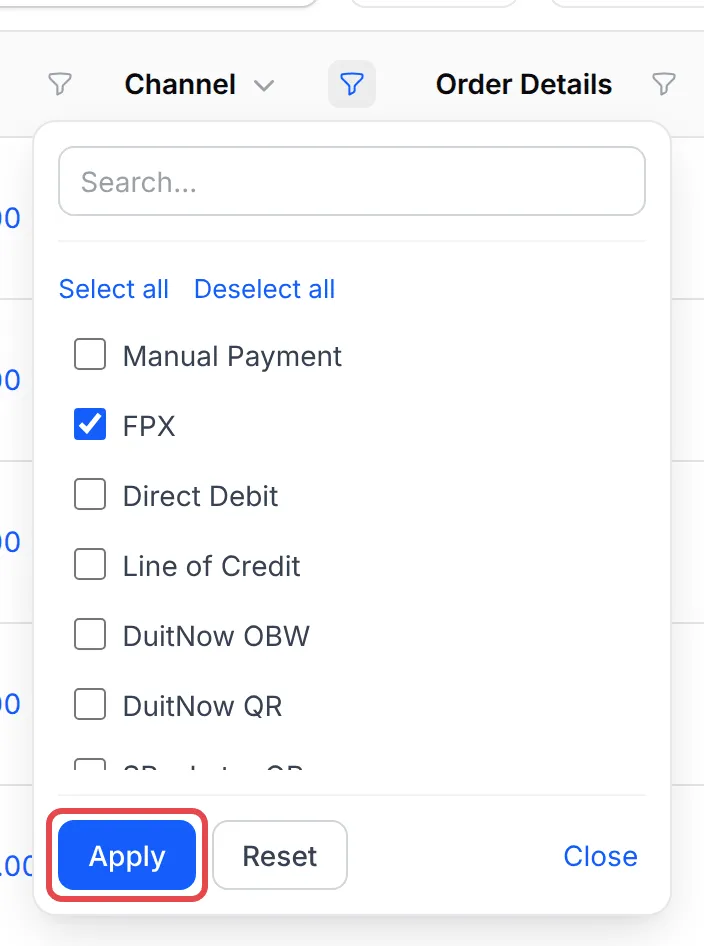
-
The table shows only the matching rows. The column’s icon turns blue with a dot, and the Active filters bar above the table lists the filter.

Filter more than one column to narrow the list further.
Kinds of column filter
Section titled “Kinds of column filter”The icon next to a column name tells you which filter it has. Hover over it to see its name:
| Icon | Filter | What you do |
|---|---|---|
| Magnifying glass | Search in column | Type part of a name, email, phone or order number |
| Funnel | Filter by values | Tick one or more values, such as a status or payment channel |
| Funnel | Filter by number range | Enter a From and To amount or count |
| Calendar | Filter by date range | Pick a Quick select range, or a From date and Until date |
Quick select offers ranges such as Today, This week, Last 30 days and Last year.
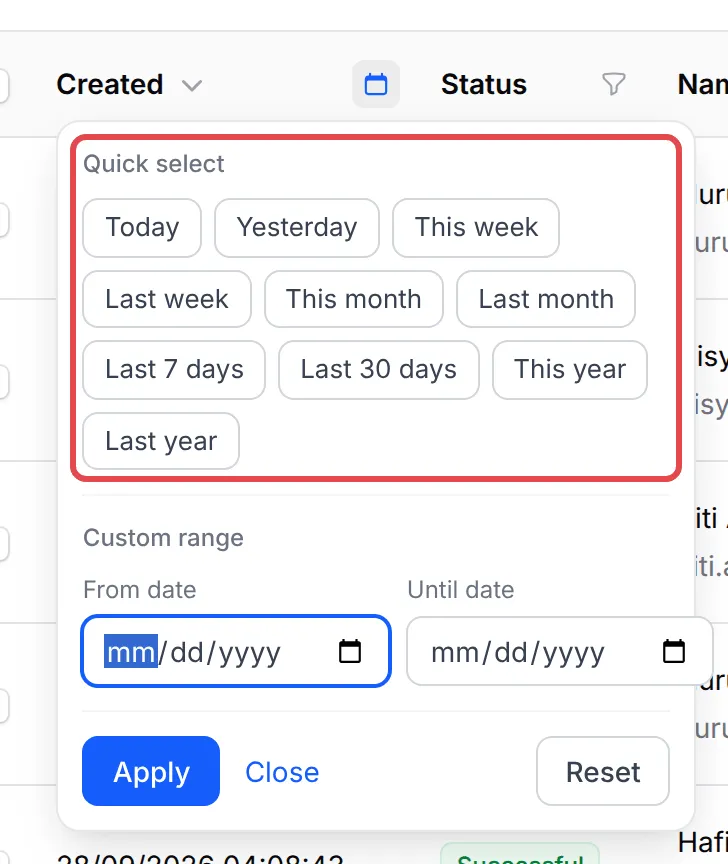
Clear a filter
Section titled “Clear a filter”You can remove filters in three ways:
- Open the column’s filter and click Reset, or Clear for a text search.
- Click the × on a filter in the Active filters bar.
- Click the × at the right end of the Active filters bar to clear every filter.
Common issues
Why do some columns show a magnifying glass and others a funnel or a calendar?
The icon shows the kind of filter. A magnifying glass searches the text in that column, a funnel picks values or sets a number range, and a calendar sets a date range.
I filtered from a column header and now the Filter button shows 1. Is that the same filter?
Yes. Where a column has a twin in the Filter panel, the two share one filter. Clear it from the header, the Filter panel or the Active filters bar.
My list looks short. How do I know a filter is on?
A filtered column shows a blue icon with a dot, and the Active filters bar above the table lists every filter. Click the × on the right of the bar to clear them all.
Was this article helpful?
Thanks for your feedback.
Sorry this didn't help. WhatsApp us and we'll sort it out with you.