
Ask an AI about this page
 ChatGPT
 Claude
 Perplexity
 Google AI Mode
 Microsoft Copilot
 Grok
Grok Mistral Le Chat
Your affiliate dashboard
Updated

As an affiliate, you promote a merchant’s forms with your own link and earn commission on each sale. Your affiliate account is separate from the merchant’s BCL account: you sign in at bcl.my/affiliate and see only your own links, sales and commission.
Sign in
Section titled “Sign in”Use the email address or username and password you chose when you joined:
-
Go to bcl.my/affiliate.
-
Enter your Email or username and Password, then click Affiliate Dashboard.
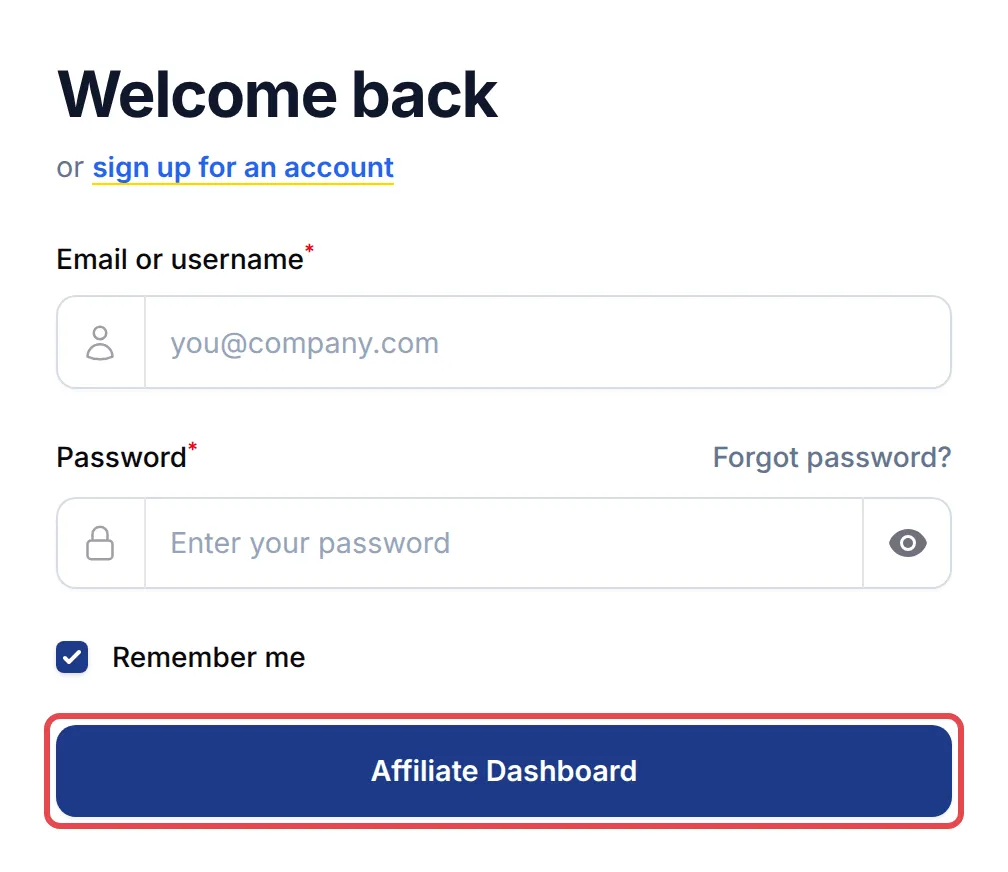
Forgot your password? Click Forgot password? above the password box. New to the programme? Click sign up for an account, or use the sign-up link the merchant sent you.
Complete your profile first
Section titled “Complete your profile first”The first time you sign in, BCL may take you straight to Profile with a Profile Incomplete message. The merchant needs your details to pay you:
-
On the Profile tab, under Profile Information, check your Full Name and Mobile number, then click Save profile.
-
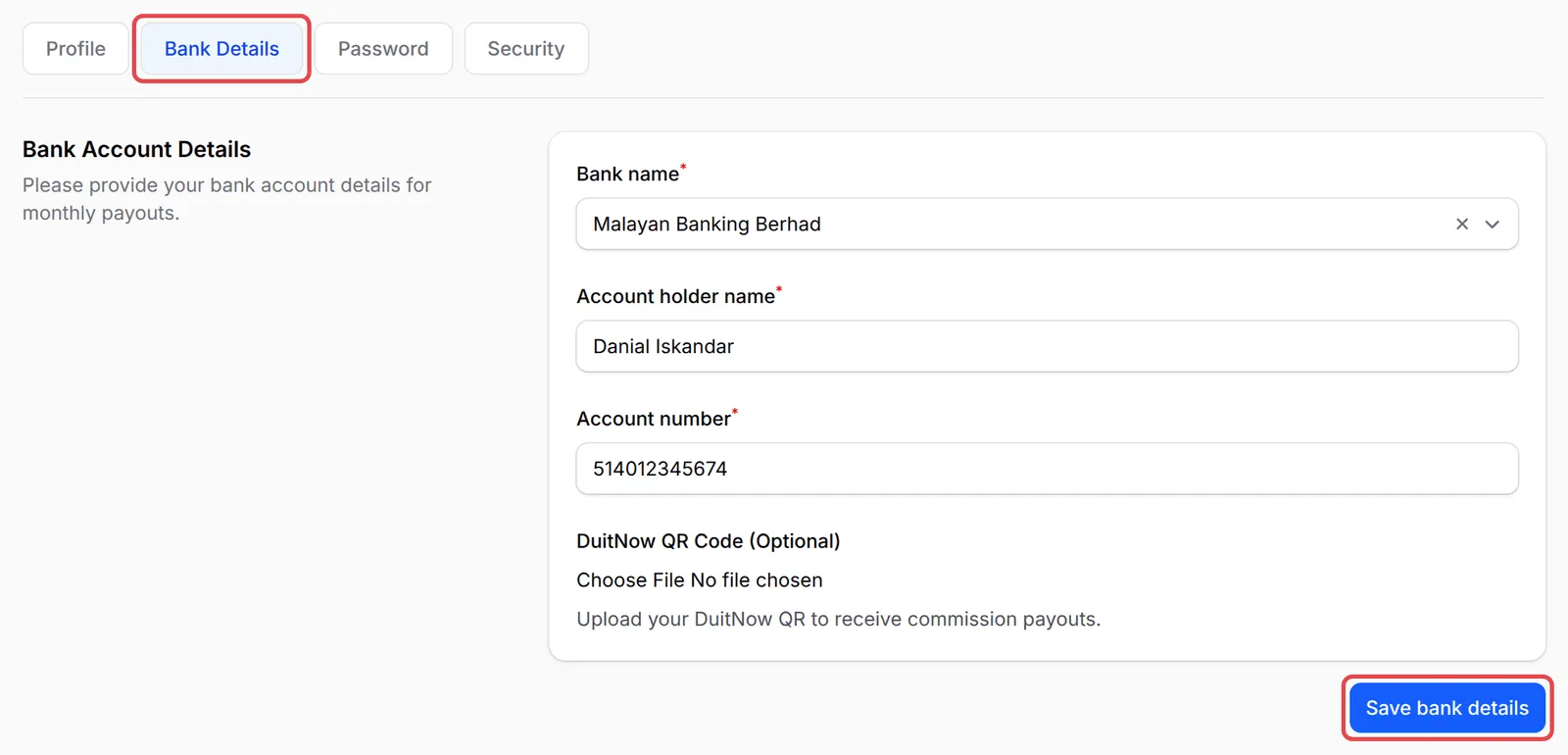
Open the Bank Details tab. Under Bank Account Details, choose your Bank name and fill in Account holder name and Account number. You can also upload a DuitNow QR Code (Optional). Click Save bank details.
-
If the merchant asks for more details, fill in Additional Information and click Save information.
If the merchant approves affiliates by hand, you see Your affiliate application is pending approval. until they do.
Read your dashboard
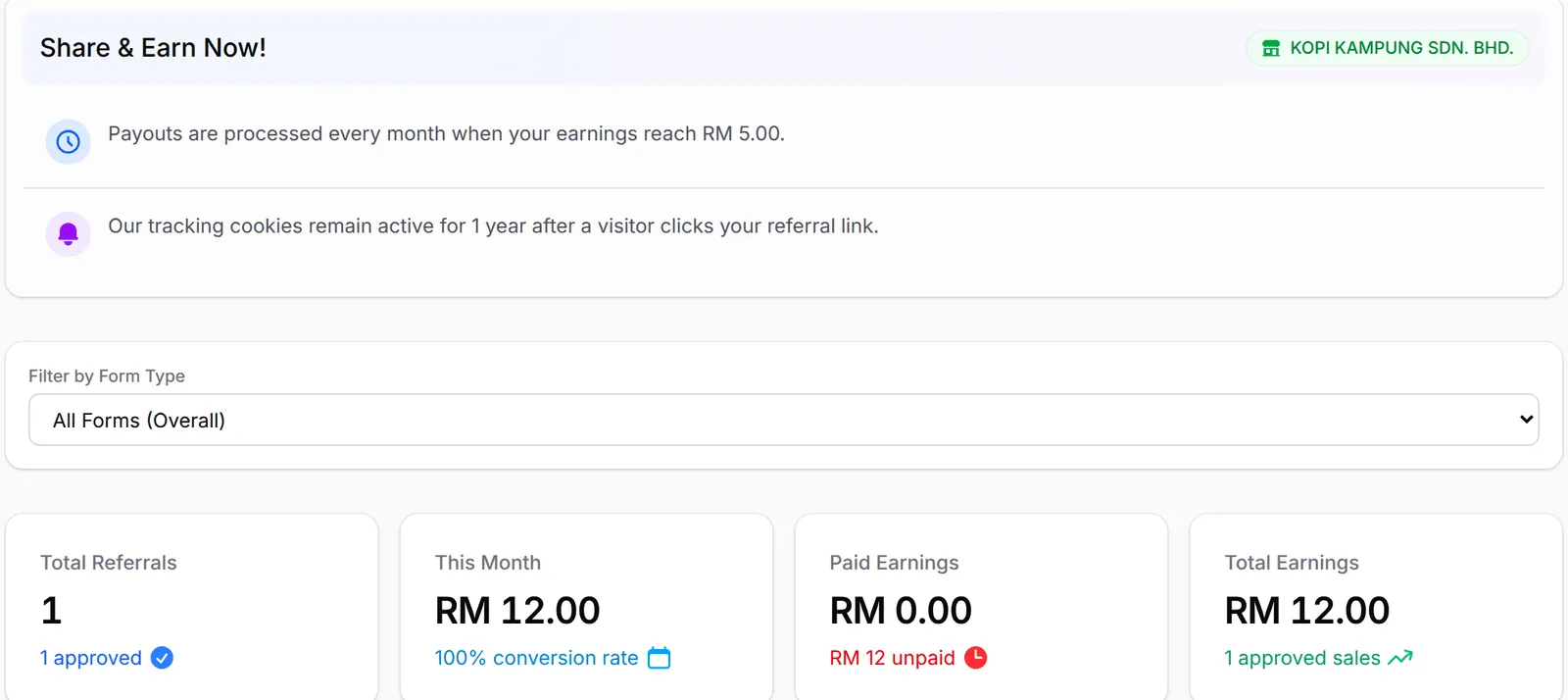
Section titled “Read your dashboard”Dashboard opens when you sign in. At the top, Share & Earn Now! shows the merchant’s name, when payouts are processed and the minimum you need to earn first, and how long your link clicks are remembered. Below it are four figures:
| Figure | What it shows |
|---|---|
| Total Referrals | Sales you referred, and how many are approved |
| This Month | Your commission this month and your conversion rate |
| Paid Earnings | Commission already paid to you, and what is still unpaid |
| Total Earnings | All your approved commission |
Further down, a chart shows your paid and unpaid commission. Use Weekly, Monthly, Yearly or Custom, and Previous and Next, to move between periods. If the merchant turns on the leaderboard, Affiliate Rankings shows the top affiliates by approved earnings.
Use Filter by Form Type to see the figures for one kind of form. Once you pick a type, Select Form narrows it to one form, and Clear goes back to all forms.
Find your way around
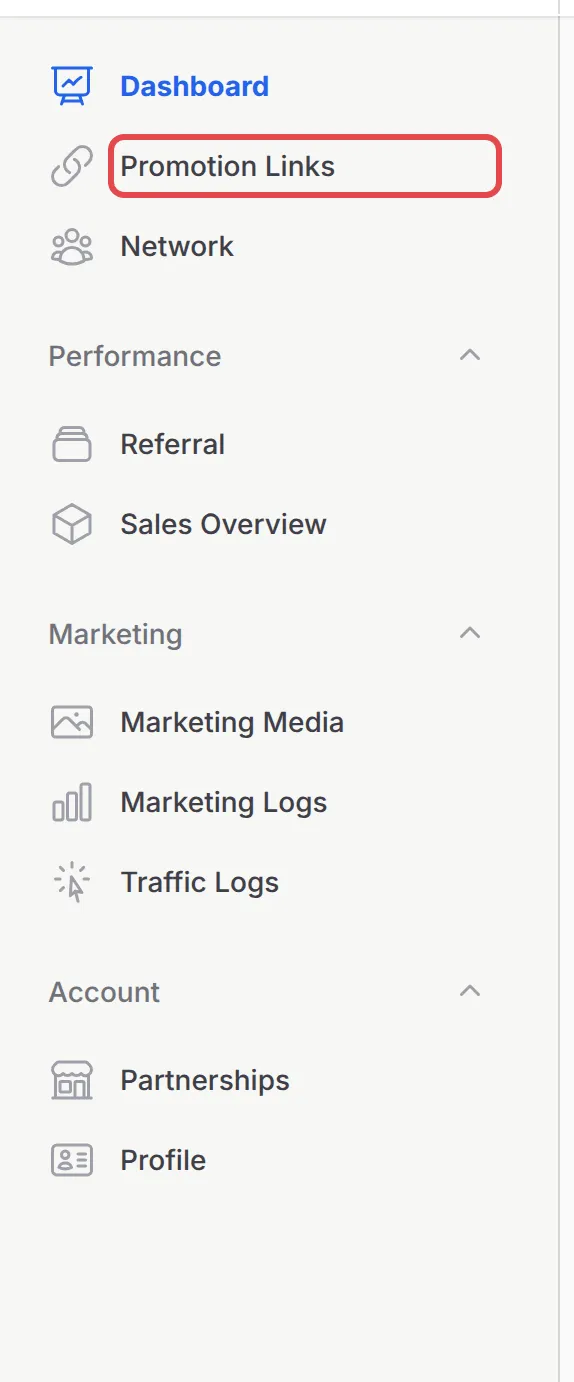
Section titled “Find your way around”The menu on the left (at the bottom of the screen on a phone) has everything else:
| Menu | What you do there |
|---|---|
| Promotion Links | Copy your link for each form. See Share your affiliate links. |
| Network | Copy your link for inviting other affiliates, and see your team by tier. It appears when the merchant uses multi-tier commission. |
| Performance → Referral | Every sale you referred, your balance and Request Payout. See Request your commission payout. |
| Performance → Sales Overview | Sales and commission per form. |
| Marketing → Marketing Media | Banners and copy the merchant made for you. |
| Marketing → Marketing Logs and Traffic Logs | Purchases your own ad pixels recorded, and the clicks on your links. |
| Account → Partnerships and Profile | The merchants you promote, and your details, bank account, password and security. |
Two habits help you get paid on time:
- Check the payout rule on the dashboard. Share & Earn Now! shows the merchant’s payout schedule and minimum payout, so you know when to expect money.
- One login, many merchants. Join other programmes under Account → Partnerships instead of making a new account.
Common issues
Why does BCL keep sending me to my Profile page?
Your profile is not complete. Fill in your mobile number and, under Bank Account Details, your Bank name and Account holder name, then save. Until then BCL shows Profile Incomplete and cannot pay you.
It says my application is pending approval.
The merchant reviews new affiliates before they can earn. You can already fill in your profile and bank details while you wait.
Can I promote more than one merchant?
Yes. Go to Account → Partnerships and click Join Affiliate Merchant. Use Switch on that page to move between the programmes you have joined.
Was this article helpful?
Thanks for your feedback.
Sorry this didn't help. WhatsApp us and we'll sort it out with you.