
Ask an AI about this page
 ChatGPT
 Claude
 Perplexity
 Google AI Mode
 Microsoft Copilot
 Grok
Grok Mistral Le Chat
Close or unpublish a form
A closed form stays in your account with all its transactions, but buyers can no longer pay on it. Close a form straight away when you stop selling, or set a date so it closes by itself at the end of a promotion. You can reopen it at any time.
Close a form now
Section titled “Close a form now”To stop a form taking orders straight away:
-
Go to Payments → Forms.
-
On the form’s row, turn off Enable Form. BCL shows Form Disabled.
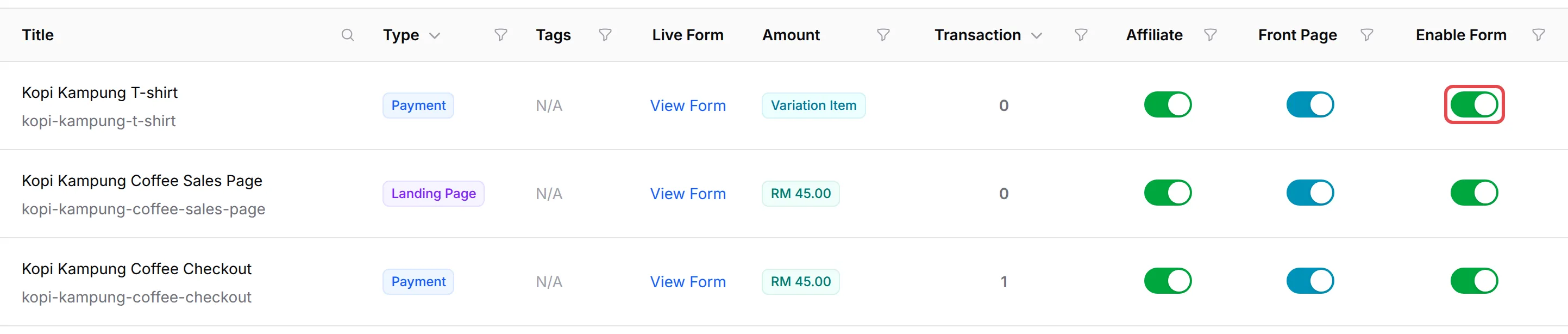
To reopen the form, turn Enable Form back on. The same switch is Form Active under Form Status on the form’s Form Configuration tab:

To keep a form open but hide it from your BCL homepage, turn off Front Page (or Display on Homepage) instead. People with the link can still pay.
Close a form on a date
Section titled “Close a form on a date”To have a form close by itself, for example at the end of a sale:
-
Go to Payments → Forms and click Edit on the form.
-
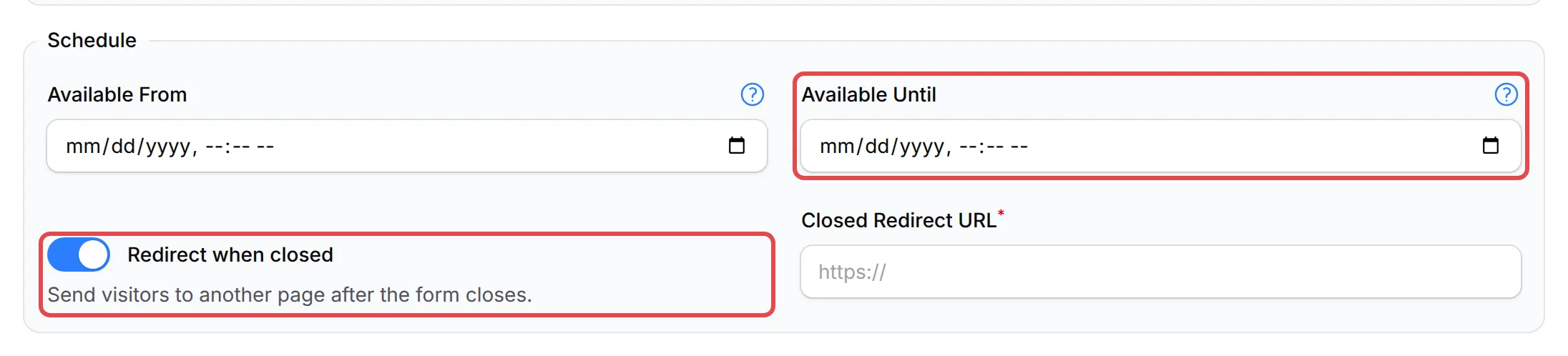
Open the Form Configuration tab. Under Schedule, pick the date and time in Available Until. Times are Malaysia time (MYT). Leave it empty to never close.
-
Optional: turn on Redirect when closed and enter a page in Closed Redirect URL, such as your next promotion. Visitors go there instead of seeing the closed notice.
-
Click Update Form.
Available From, in the same section, does the opposite: the form opens at that time, and until then visitors see an Opening Soon countdown. See Show a countdown timer. Donation forms close with their own Campaign Timer instead of Available Until.
What buyers see
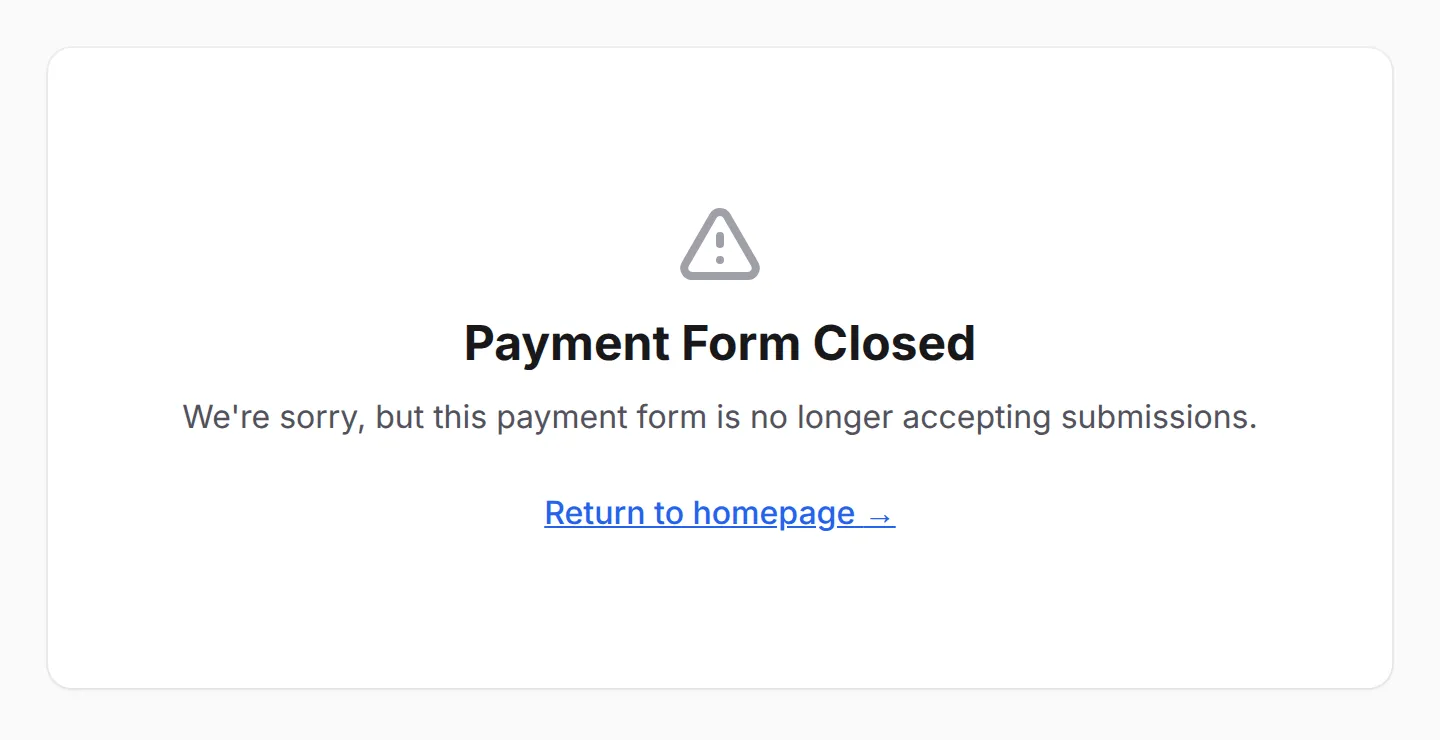
Section titled “What buyers see”A closed form shows a notice in place of the form, and no payment can be made:
| Why it is closed | Heading | Message |
|---|---|---|
| Enable Form is off | Payment Form Closed | We’re sorry, but this payment form is no longer accepting submissions. |
| The Available Until time has passed | Payment Form Closed | Sorry, this form is now closed and is no longer accepting payments. |
| The Available From time has not come yet | Opening Soon | The opening date and a countdown. |
A buyer who has the form open when the Available Until time passes sees the notice without reloading the page.
Close event registration
Section titled “Close event registration”Event forms have the same Enable Form switch in Events → Events. Registration also closes by itself when the event starts, and the page shows Registration Closed. To keep selling after the start, turn on Allow Late Registration; to send visitors elsewhere, use Closed Registration Redirect. Both are on the Event Configuration tab. See Create an event form.
- Close with a switch, not by deleting. A deleted form loses its link, while a closed form keeps its transactions and can reopen in one click.
- Set Available Until when you announce a deadline. The form closes on time even if nobody on your team is online.
Common issues
How do I close a form that is already live?
Go to Payments → Forms and turn off Enable Form on the form's row. Buyers who open the link then see Payment Form Closed instead of the form. Turn it back on to reopen it.
Can the form close by itself when the promotion ends?
Yes. Edit the form, open the Form Configuration tab and set Available Until under Schedule. After that time (Malaysia time) the form stops taking payments.
Can buyers go to another page after the form closes, instead of a closed notice?
Yes. Under Schedule, turn on Redirect when closed and enter the page in Closed Redirect URL. It works with the Available Until date.
Was this article helpful?
Thanks for your feedback.
Sorry this didn't help. WhatsApp us and we'll sort it out with you.