
Ask an AI about this page
 ChatGPT
 Claude
 Perplexity
 Google AI Mode
 Microsoft Copilot
 Grok
Grok Mistral Le Chat
Unlock and revoke content with an automation
Content that you link to a product opens straight after payment. The Unlock content and Revoke access steps let an automation decide when. For example, unlock one lesson every few days, or take access away when a trial ends or an order is refunded.
Both steps need the Protected Content add-on and a payment trigger.
Start from a template
Section titled “Start from a template”Two templates use these steps, under Automations → Templates:
- Drip Course Lessons unlocks lesson 1 after a payment, lesson 2 three days later and lesson 3 four days after that, each with its access email.
- Bonus Content for Big Orders unlocks a bonus for orders of RM200 or more.
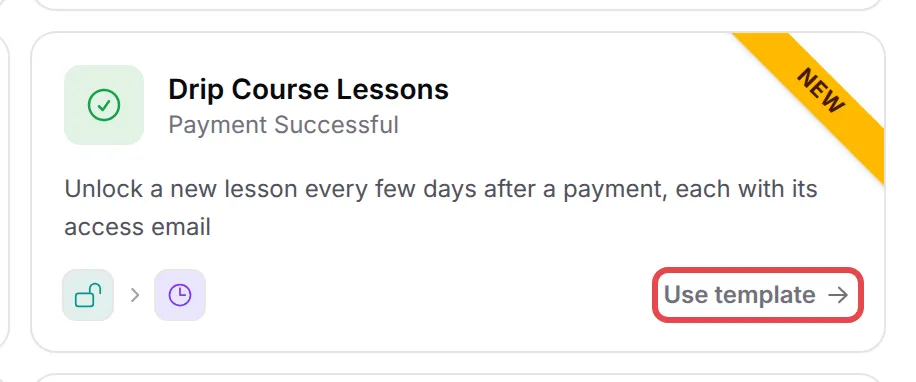
Open the template and pick your own content in each Unlock content step.
Unlock content
Section titled “Unlock content”Use a trigger that fires after payment, such as Payment Successful. Then:
- Click Add Node and pick Unlock content under Sales & content.
- Double-click the new step to open Unlock Content Settings, and type an Action Name, such as
Unlock lesson 2. - In Content, pick the protected content.
- Keep Email the buyer the access link on to send the link. Turn it off to send the link in your own step with
{unlocked_content_url}. - Click Save Unlock Content.
The content’s access dates follow its own settings, counted from when the step runs. Put a Delay step before it to drip lessons.
Revoke access
Section titled “Revoke access”To take access away:
- Click Add Node and pick Revoke access under Sales & content.
- Double-click the step to open Revoke Access Settings, and type an Action Name, such as
Remove on refund. - In Revoke, pick All content from this order, or One chosen content and then the content.
- Click Save Revoke Access.
The buyer is signed out on every device too. Then click Update Automation and switch the automation on.
Common issues
Do I still need to link content to a product?
Not for content that an automation unlocks. Content linked to a product still opens straight after payment, as before. Use Unlock content when you want your own timing, such as one lesson every few days.
Which triggers can unlock or revoke content?
Unlock content needs a trigger that fires after payment: Payment Successful, Payment Completed, Status Changed or Order Shipped. Revoke access works with any payment trigger, such as Payment Failed.
The step says Protected Content add-on not active. What do I do?
Both steps work with protected content, so they need the Protected Content add-on. See Subscribe to or cancel an add-on.
What happens to the buyer when I revoke access?
The buyer loses access to the content and is signed out on every device.
Was this article helpful?
Thanks for your feedback.
Sorry this didn't help. WhatsApp us and we'll sort it out with you.