
Ask an AI about this page
 ChatGPT
 Claude
 Perplexity
 Google AI Mode
 Microsoft Copilot
 Grok
Grok Mistral Le Chat
Ship orders with MyParcel Asia
MyParcel Asia lets you book many couriers from one MyParcel Asia account. Connect it to BCL to compare courier prices for an order, book the one you want and print the airway bill. You do all of this in BCL. MyParcel Asia takes the price of each shipment from your MyParcel Asia credit.
Before you start
Section titled “Before you start”You need three things:
- The Courier Integration add-on, from Add-ons → Available Add-ons.
- A MyParcel Asia account with an API key. In MyParcel Asia, go to Dashboard → Integration → API Docs and create an API Key and API Secret.
- Credit in your MyParcel Asia account, to pay for the shipments.
Connect MyParcel Asia
Section titled “Connect MyParcel Asia”Do this once for your team:
-
Go to Platform Setup → Courier Integration.
-
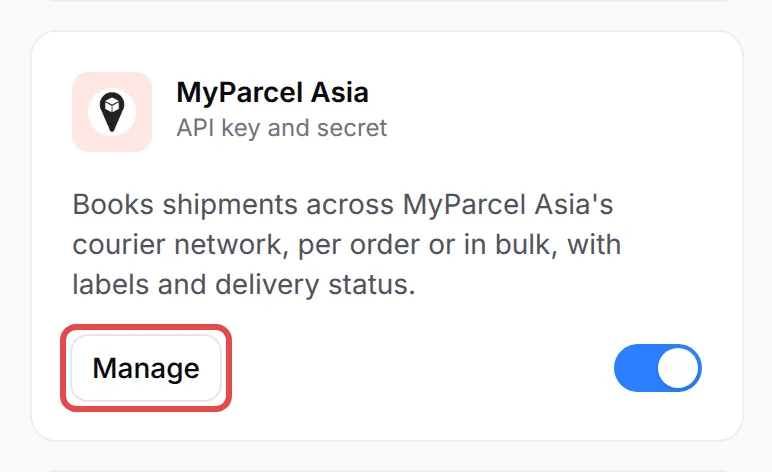
On the MyParcel Asia card, click Connect. If MyParcel Asia is already set up, the button says Manage. A side panel opens.
-
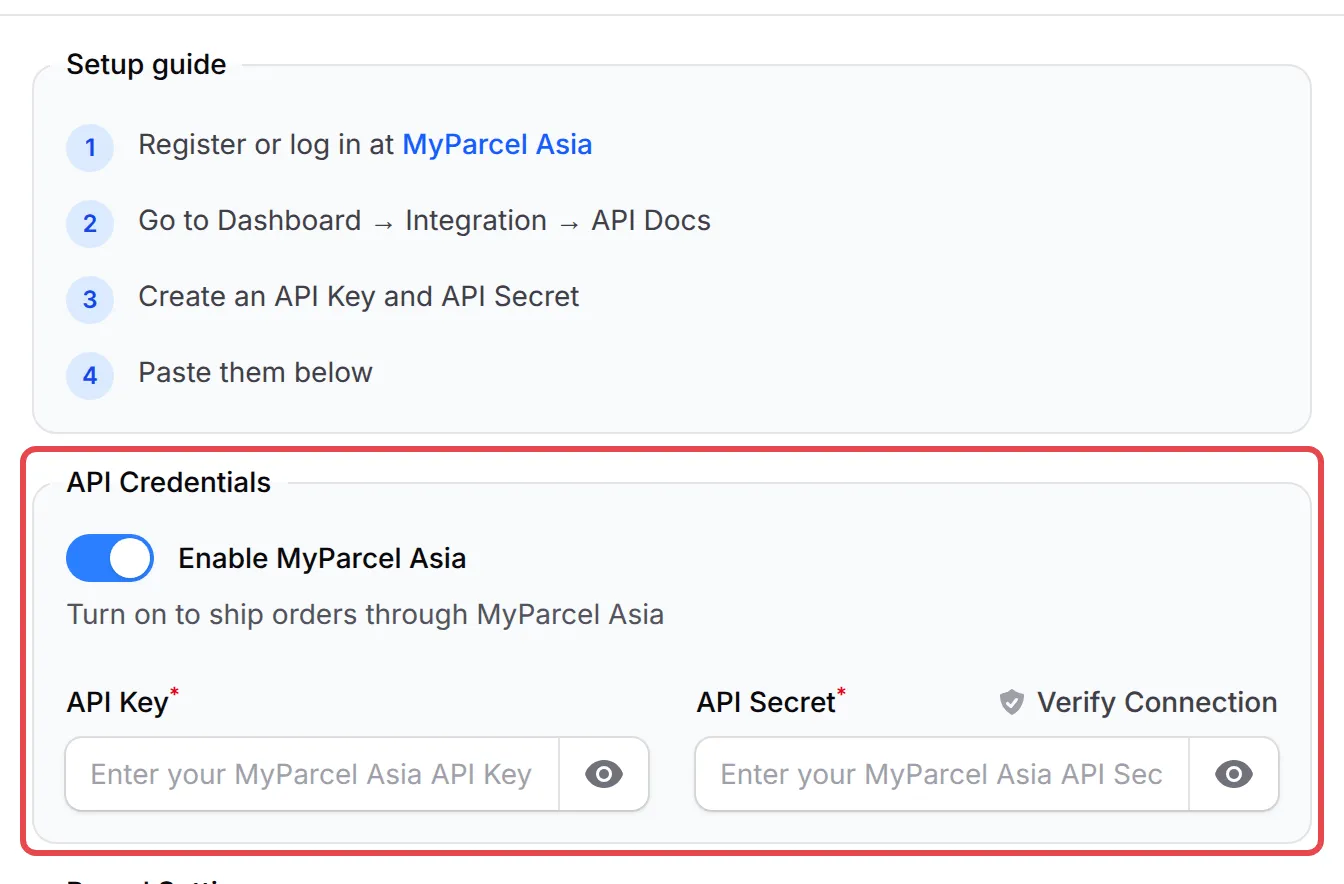
Under API Credentials, turn on Enable MyParcel Asia.
-
Paste your API Key and API Secret. Click Verify Connection to check them before you save.
-
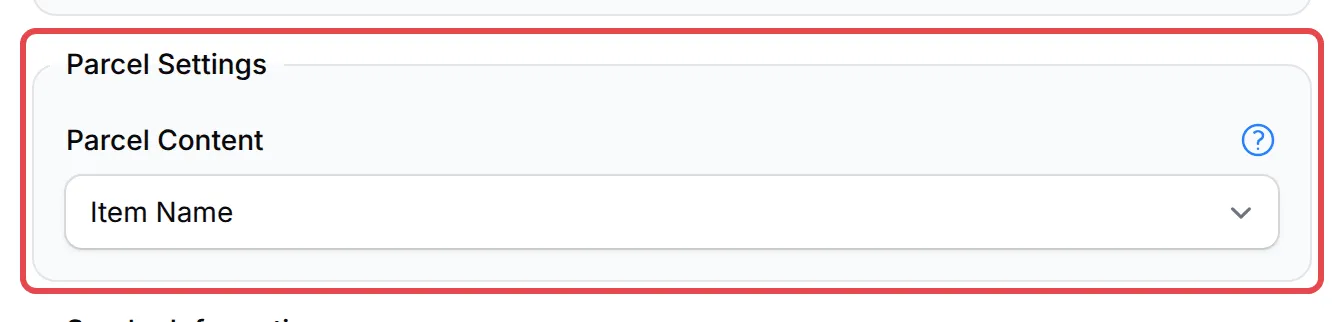
Under Parcel Settings, choose what Parcel Content prints on the consignment note: Item Name, Form Title or SKU. It prints 40 characters at most.
-
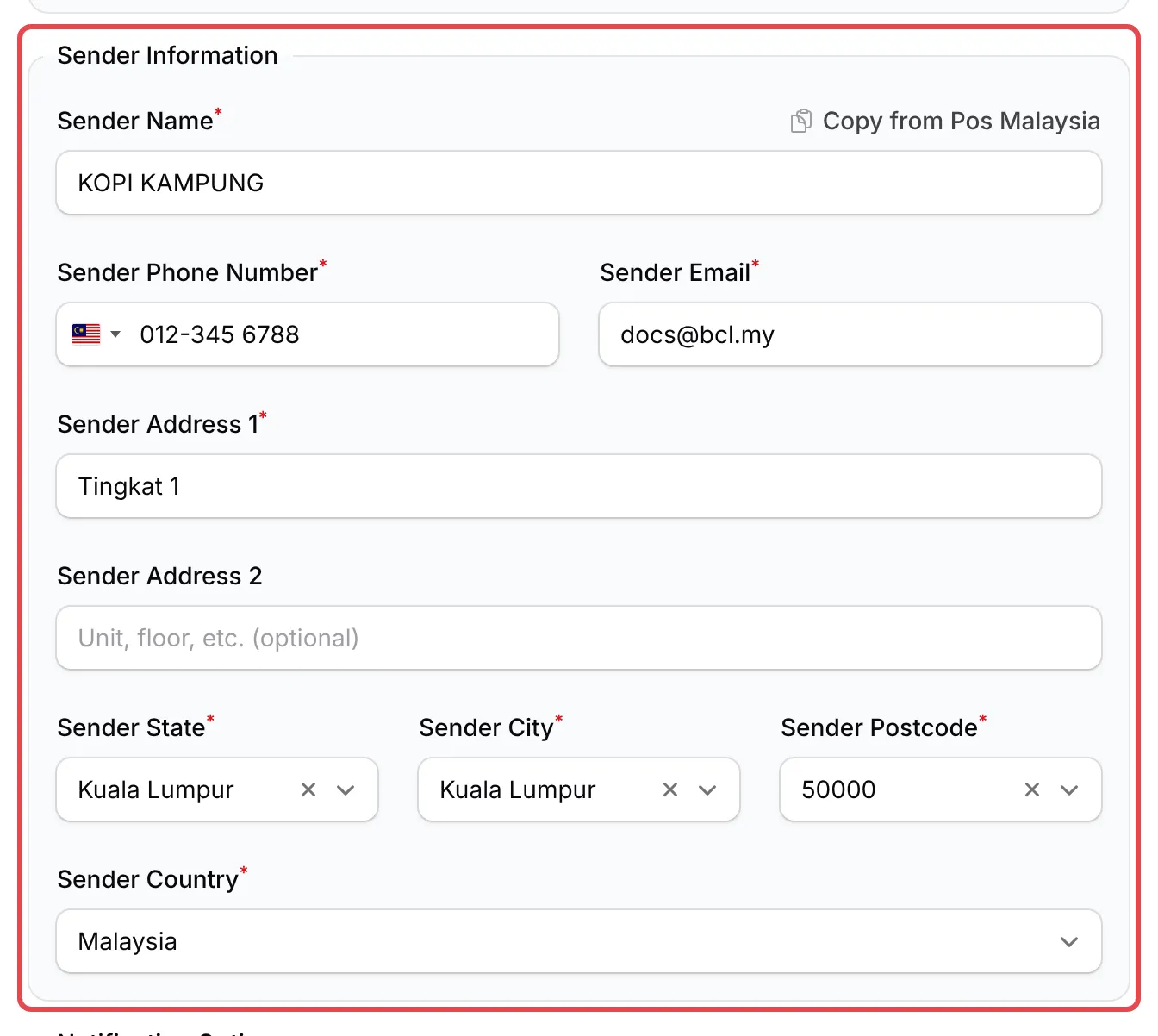
Fill in Sender Information: your name, phone, email and pickup address. If another courier is already set up, Copy from with its name (for example Copy from Pos Malaysia) fills in the same details.
-
Optional: under Notification Options, turn on SMS notifications to send tracking updates to the buyer by SMS.
-
Click Save MyParcel Asia.
The switch on the card turns MyParcel Asia on or off later without opening the panel.
Create a shipment
Section titled “Create a shipment”The order must be paid (or cash on delivery), have items with a weight, and have a full delivery address in Malaysia with the buyer’s phone number. MyParcel Asia takes parcels up to 30 kg. For each order:
-
Go to Transactions and find the order.
-
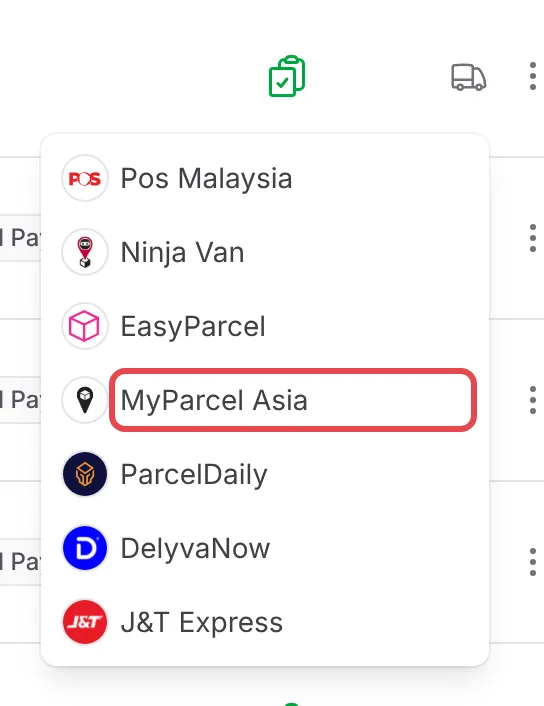
Click the truck icon (Courier) on the row, then MyParcel Asia. A panel shows the order, your MyParcel Asia credit and the parcel details.
-
Check the parcel details:
Field What it is Content Type and Package Size What is inside and how it is packed. For Box / Self Wrapped, add the Length, Width and Height in cm. Parcel Type Parcel or Document. Pickup Method Courier pickup from your sender address, or Drop-off at the courier. Pickup Date The day the courier collects the parcel (Drop-off Date for a drop-off). BCL moves it to the courier’s next pickup day if needed. Total Weight The weight of the items, in kg. You cannot change it here. 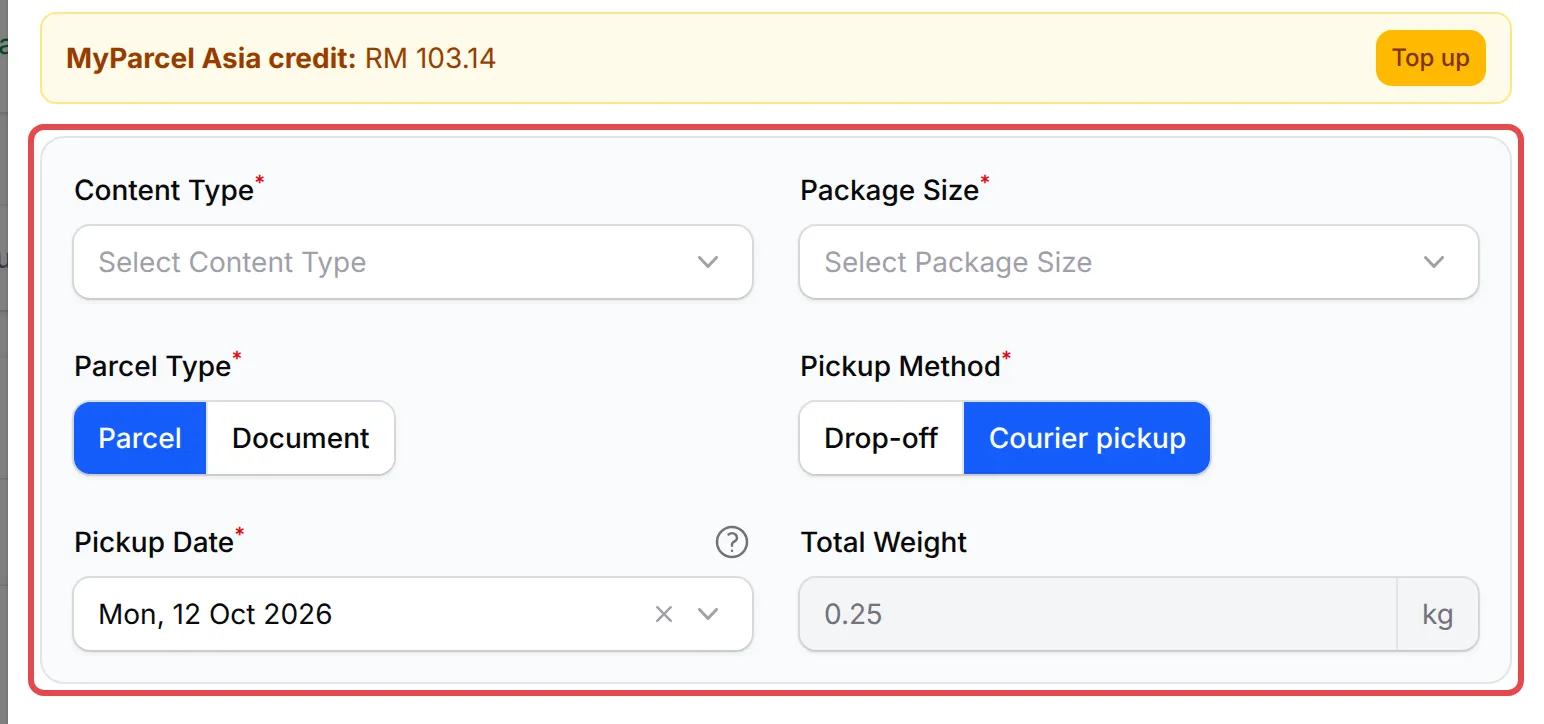
-
Under Courier, click Create Shipment on the courier you want, then Yes.
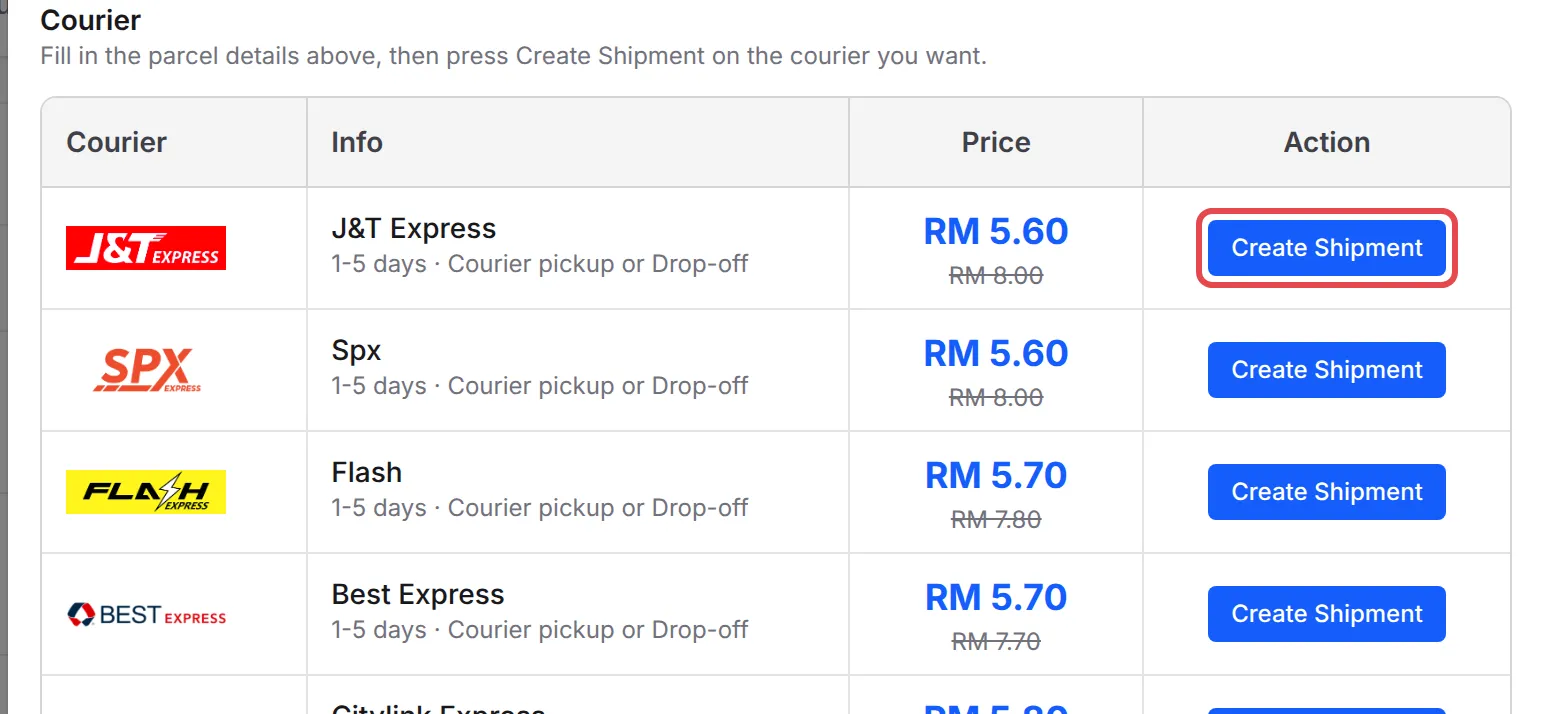
BCL shows Shipment created with the tracking number. Sometimes the tracking number takes a few minutes to arrive. For a cash on delivery order, the list shows only couriers with COD Available, and the courier collects the order amount from the buyer.
Not enough credit
Section titled “Not enough credit”If your credit does not cover the price, BCL saves the shipment as Pending Checkout. Click Top up to add credit in MyParcel Asia. Then open the order again and click Checkout Shipment. If you paid for it in MyParcel Asia, click Refresh Status instead.
Create shipments in bulk
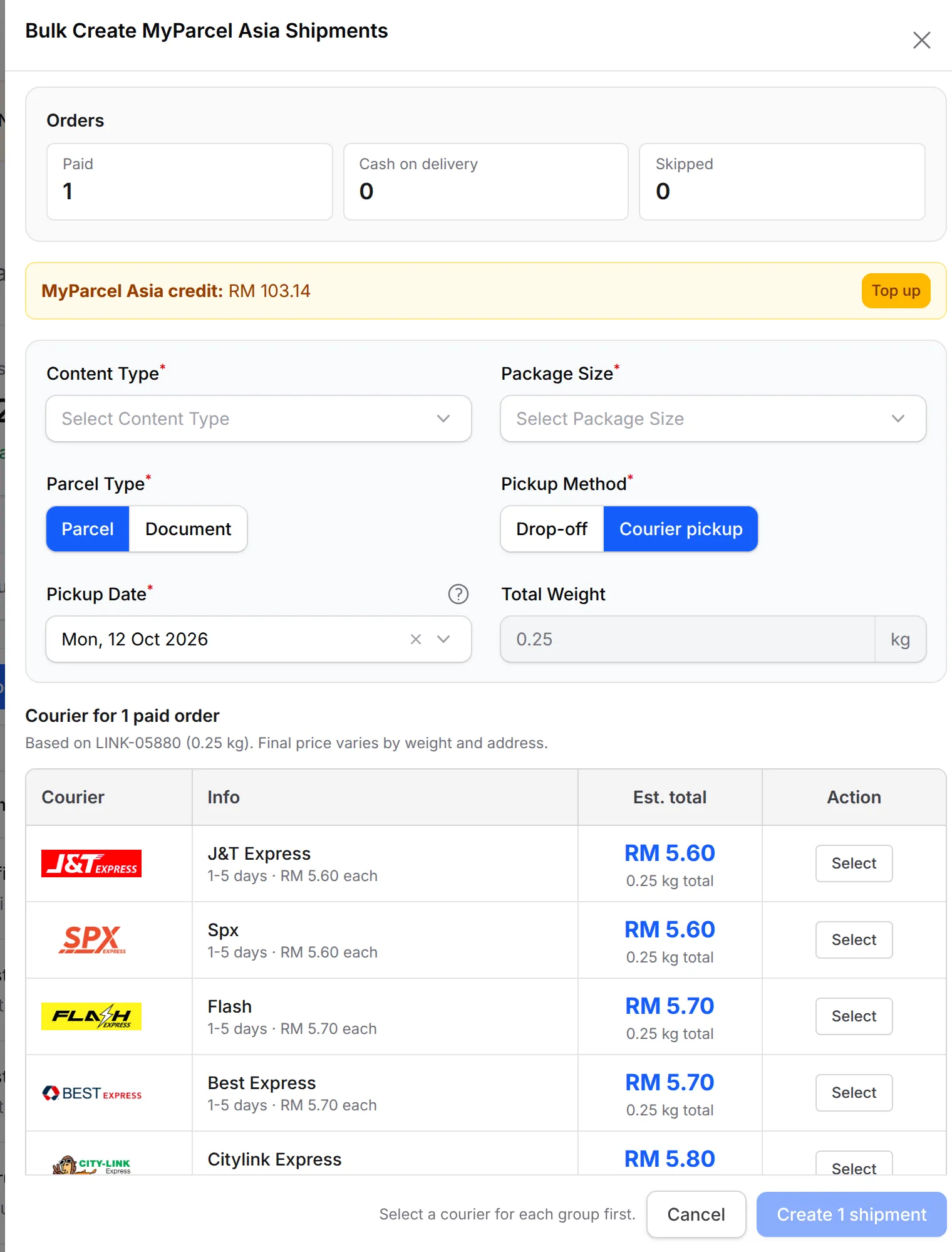
Section titled “Create shipments in bulk”To ship many orders at once, tick them in Transactions. Then open Shipping in the bulk actions and choose Bulk MyParcel Asia. In Bulk Create MyParcel Asia Shipments:
-
Check the Orders summary. Paid and cash on delivery orders are in separate groups. Click Skipped to see which orders BCL left out, and why.
-
Fill in the parcel details for all the orders: Content Type, Package Size, Parcel Type, Pickup Method and Pickup Date.
-
For each group, click Select on a courier. The price is an estimate from one order in the group: the final price depends on each parcel’s weight and address.
-
Click Create with the number of shipments, for example Create 5 shipments.
A progress bar shows at the top of the page, and BCL sends a notification when the shipments are done. Orders left as pending for lack of credit can go through Bulk MyParcel Asia again after you top up.
Print the airway bills
Section titled “Print the airway bills”For one order, click the green shipment button with the MyParcel Asia logo on the order, then View Airway Bill. The label opens in a new tab.
To print many labels in one PDF, tick the orders in Transactions, open Shipping and choose Bulk Print Airway Bill. In Bulk Print MyParcel Asia Airway Bills, keep the orders you want ticked. Then click Print with the number of labels. BCL opens one PDF with up to 100 labels. Orders with no shipment, a cancelled shipment or a shipment that is not checked out are skipped.
Follow the delivery status
Section titled “Follow the delivery status”BCL checks MyParcel Asia for new statuses by itself every few minutes. To check now, open the shipment and click Refresh Status. Track Shipment opens the MyParcel Asia tracking page. The statuses are:
| Status | What it means |
|---|---|
| In transit | The courier has the parcel. |
| Delivered | The buyer received the parcel. |
| Delivery failed | The courier did not deliver it. Check with MyParcel Asia. |
Cancel a shipment
Section titled “Cancel a shipment”BCL has no cancel button for MyParcel Asia. Cancel the shipment in MyParcel Asia and request a refund there. Once MyParcel Asia confirms it, BCL shows Shipment Cancelled, and you can create a new shipment for the order.
Common issues
How do I connect MyParcel Asia to BCL?
In MyParcel Asia, go to Dashboard → Integration → API Docs and create an API Key and API Secret.
In BCL, go to Platform Setup → Courier Integration and click Connect on the MyParcel Asia card. Turn on Enable MyParcel Asia, paste the API Key and API Secret, fill in Sender Information and click Save MyParcel Asia.
My MyParcel Asia shipment says Pending Checkout. What do I do?
MyParcel Asia pays for each shipment from your MyParcel Asia credit. If the credit is too low, the shipment waits as Pending Checkout. Click Top up to add credit, then open the order again and click Checkout Shipment. If you paid in MyParcel Asia instead, click Refresh Status.
How do I cancel a MyParcel Asia shipment?
Cancel it in MyParcel Asia and request a refund there. BCL marks the shipment as cancelled once MyParcel Asia confirms it, and you can then book the order again.
Was this article helpful?
Thanks for your feedback.
Sorry this didn't help. WhatsApp us and we'll sort it out with you.