
Ask an AI about this page
 ChatGPT
 Claude
 Perplexity
 Google AI Mode
 Microsoft Copilot
 Grok
Grok Mistral Le Chat
Accept payments from Singapore with NETS
NETS lets customers in Singapore pay you by scanning a QR code with their Singapore banking app. It is one of the cross-border QR channels in BCL, with QRIS (Indonesia), PromptPay (Thailand), Alipay and WeChat Pay. You still receive the payment in RM.
Offer NETS on a form
Section titled “Offer NETS on a form”NETS only works once Bayarcash has switched it on for your portal. See Get the channels switched on. Then:
- Open the form and go to the Payment Details tab.
- Open Payment Option and, under QR Payments, tick NETS Singapore.
- Click Update Form.
Event and booking forms have the same Payment Option field.
What your Singapore customer sees
Section titled “What your Singapore customer sees”At checkout, the customer picks NETS Singapore under Payment Method. It lists the banks NETS supports, and Total to pay shows via NETS Singapore:
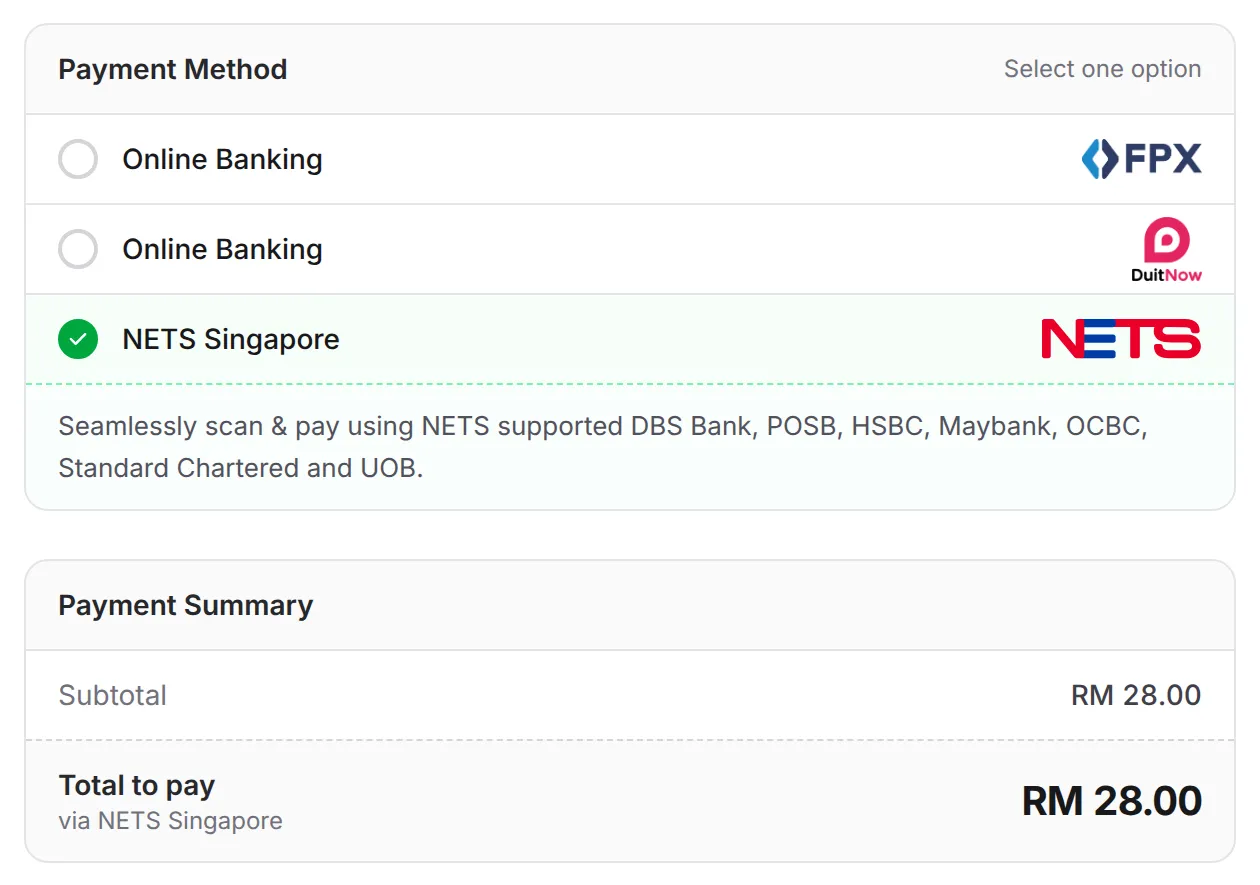
A form that offers more than five payment channels groups them, and NETS is under QR Payments. When that group has more than three QR channels, NETS is listed under a Singapore heading. After the customer clicks Complete Payment, they go to the Bayarcash payment page to finish paying with their Singapore banking app.
The amount is always in RM. BCL has no SGD prices and no currency switch: forms, receipts, transactions and exports are all in RM. The customer’s banking app shows the amount converted to SGD, at their own bank’s rate, before they confirm. Tell Singapore customers this in your form description, so the RM price does not surprise them.
When a NETS payment fails
Section titled “When a NETS payment fails”The usual cause is the customer’s bank. BCL’s checkout lists DBS Bank, POSB, HSBC, Maybank, OCBC, Standard Chartered and UOB, but Bayarcash support has said that for now payments go through from DBS, OCBC and UOB only. The list can change.
If a Singapore customer’s NETS payment fails:
- Ask which bank app they used. With another bank, ask them to try a DBS, OCBC or UOB account.
- Offer a card as well, if cards are switched on for your portal: see Accept cards, e-wallets and pay-later.
- If a supported bank still fails, contact Bayarcash support with the order number and the time of the attempt.
Set the fee for NETS
Section titled “Set the fee for NETS”NETS shares one fee with the other cross-border QR channels: the DuitNow QR (Cross-Border) row on the QR Payment Channels tab of Platform Setup → Gateway Fee. See Set your gateway fees.
Common issues
Why can't my customer from Singapore pay with NETS?
Most often their bank does not support the NETS cross-border QR yet. Bayarcash support has said that for now payments go through from DBS, OCBC and UOB. Ask a customer with another bank to use a card instead, if your portal has cards.
If I offer NETS, can the form show prices in SGD?
No. BCL forms, receipts and reports are in RM only. Your customer sees the RM amount, and their Singapore banking app converts it to SGD at their bank's rate when they pay.
Which gateway fee applies to NETS?
The DuitNow QR (Cross-Border) row on the QR Payment Channels tab of Platform Setup → Gateway Fee. One rate covers NETS, QRIS, PromptPay, Alipay and WeChat Pay.
Was this article helpful?
Thanks for your feedback.
Sorry this didn't help. WhatsApp us and we'll sort it out with you.