
Ask an AI about this page
 ChatGPT
 Claude
 Perplexity
 Google AI Mode
 Microsoft Copilot
 Grok
Grok Mistral Le Chat
Send SMS notifications with SMS Niaga
Updated

SMS Niaga is Web Impian’s SMS service. Once you connect your SMS Niaga account, BCL can text your customer, you, or both, when a payment succeeds or fails. Messages use your own SMS Niaga credit and sender ID.
Connect SMS Niaga
Section titled “Connect SMS Niaga”You need an SMS Niaga account with credit. Sign up at smsniaga.com, then copy your API key from the SMS Niaga dashboard. In BCL:
-
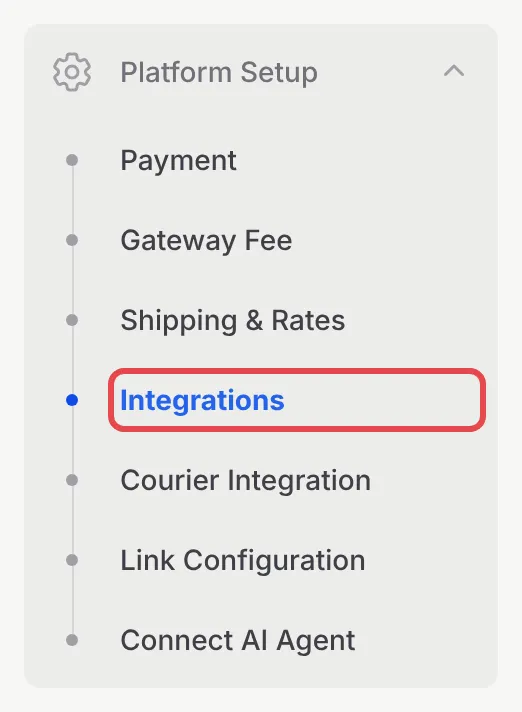
In the sidebar, go to Platform Setup → Integrations.
-
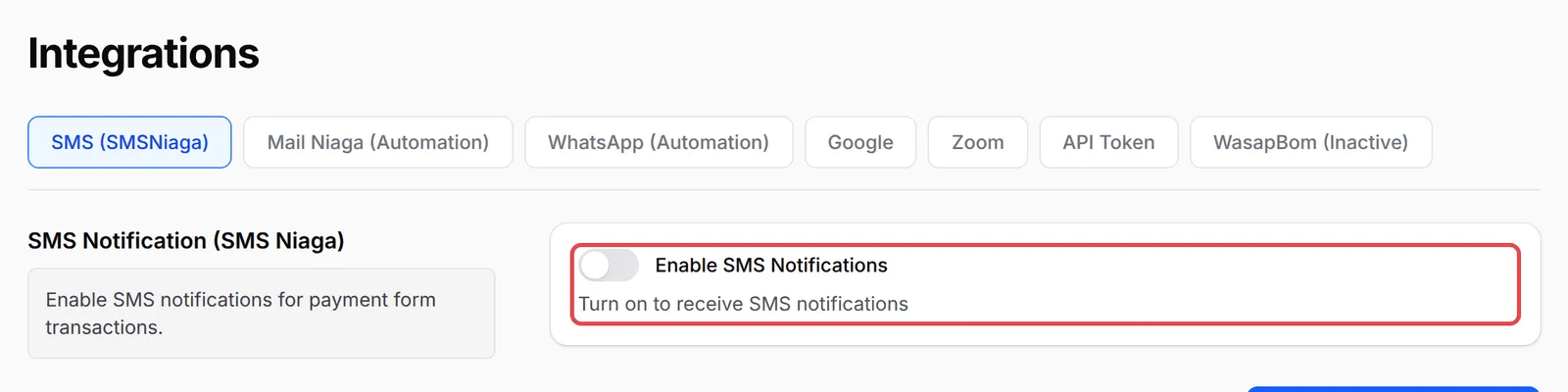
The SMS (SMSNiaga) tab opens first. Turn on Enable SMS Notifications.
-
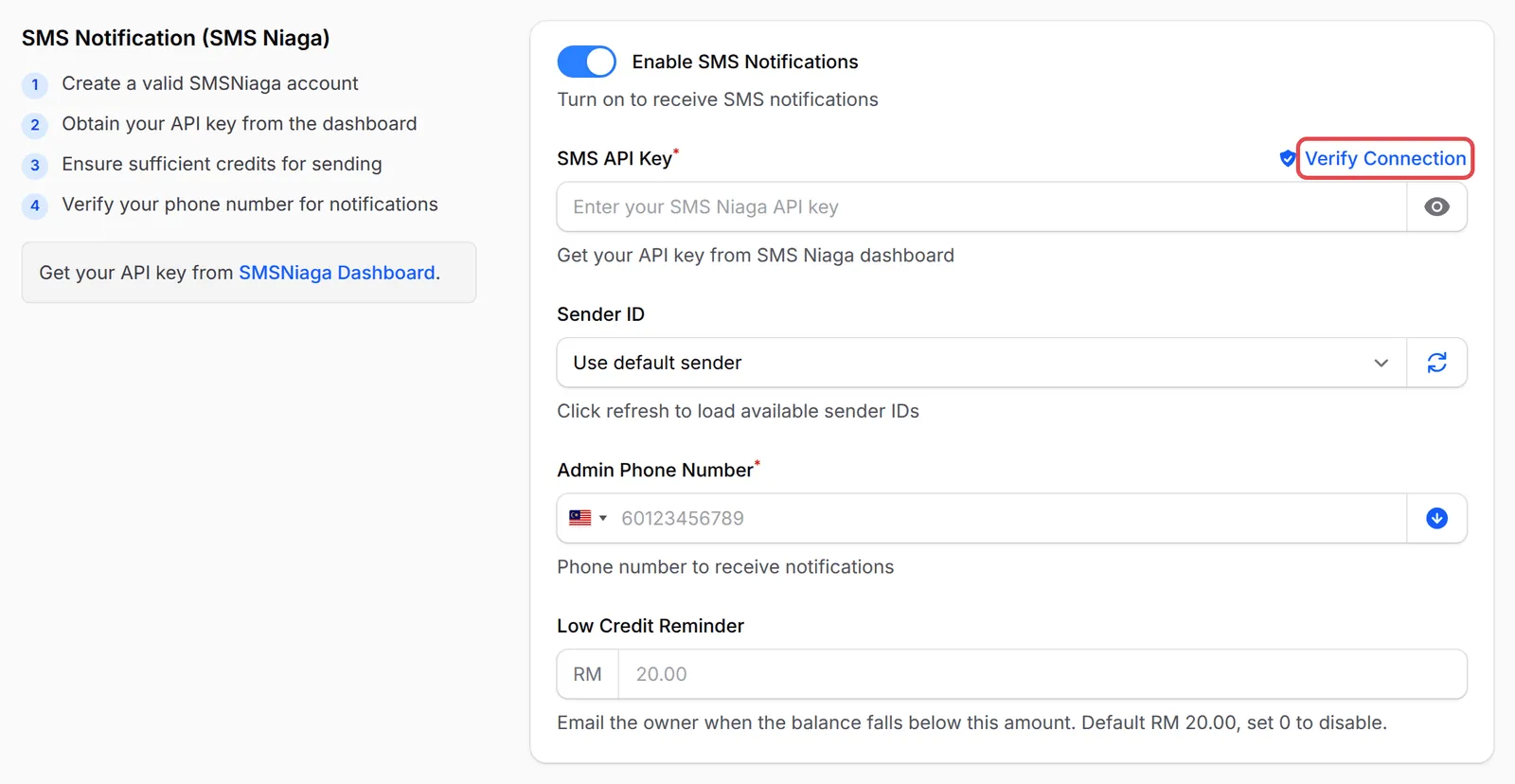
Paste your key into SMS API Key and click Verify Connection. BCL shows Connection Successful with your current balance. The check also needs the Admin Phone Number below filled in.
-
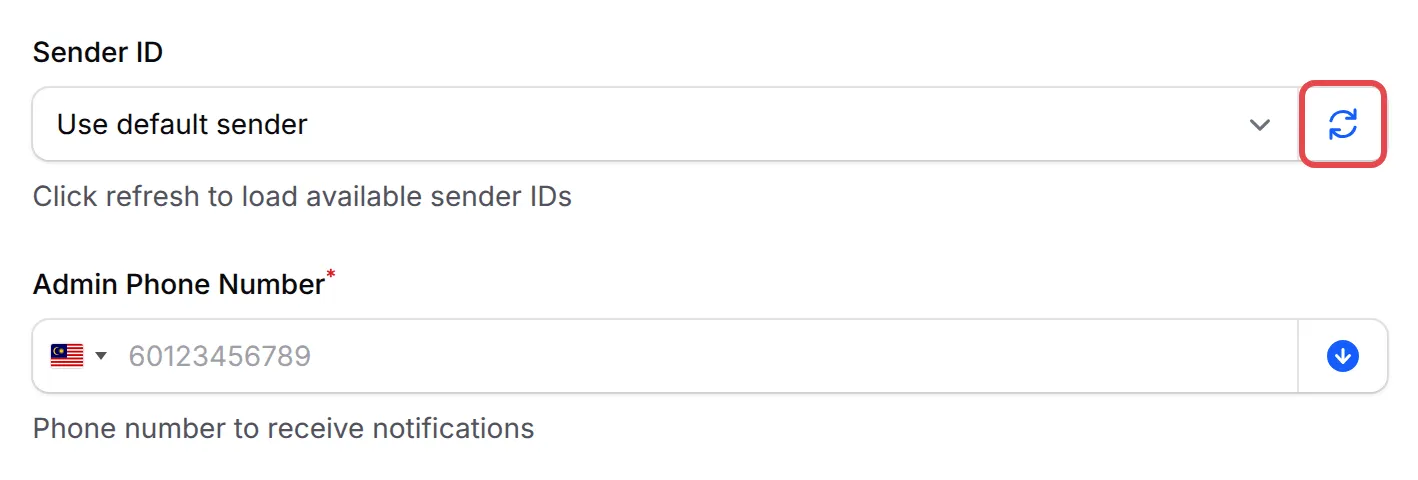
Optional: click the refresh icon next to Sender ID and pick the sender name your customers see. Leave it on Use default sender to use your SMS Niaga default.
-
Enter the Admin Phone Number that should get your admin alerts, or click the arrow icon (Use Team Phone) to copy your team’s phone number.
-
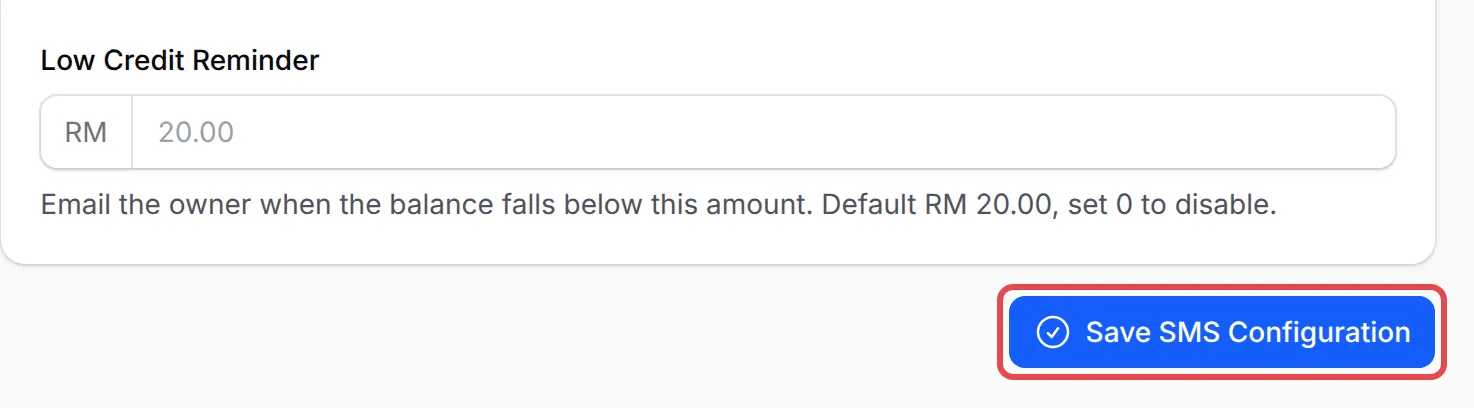
Optional: set Low Credit Reminder (see below), then click Save SMS Configuration.
Turn on SMS for a form
Section titled “Turn on SMS for a form”You choose which messages to send on each form. Until SMS Niaga is connected, the tab shows SMS Niaga: Not Ready and the switches are greyed out.
-
Open the form, for example under Payments → Forms, and click Edit.
-
Click Notifications, then the SMS tab:
Form Tab Payment and event forms SMS Notifications Booking forms SMS Niaga Lead forms Additional → SMS Notifications, see Lead form notifications 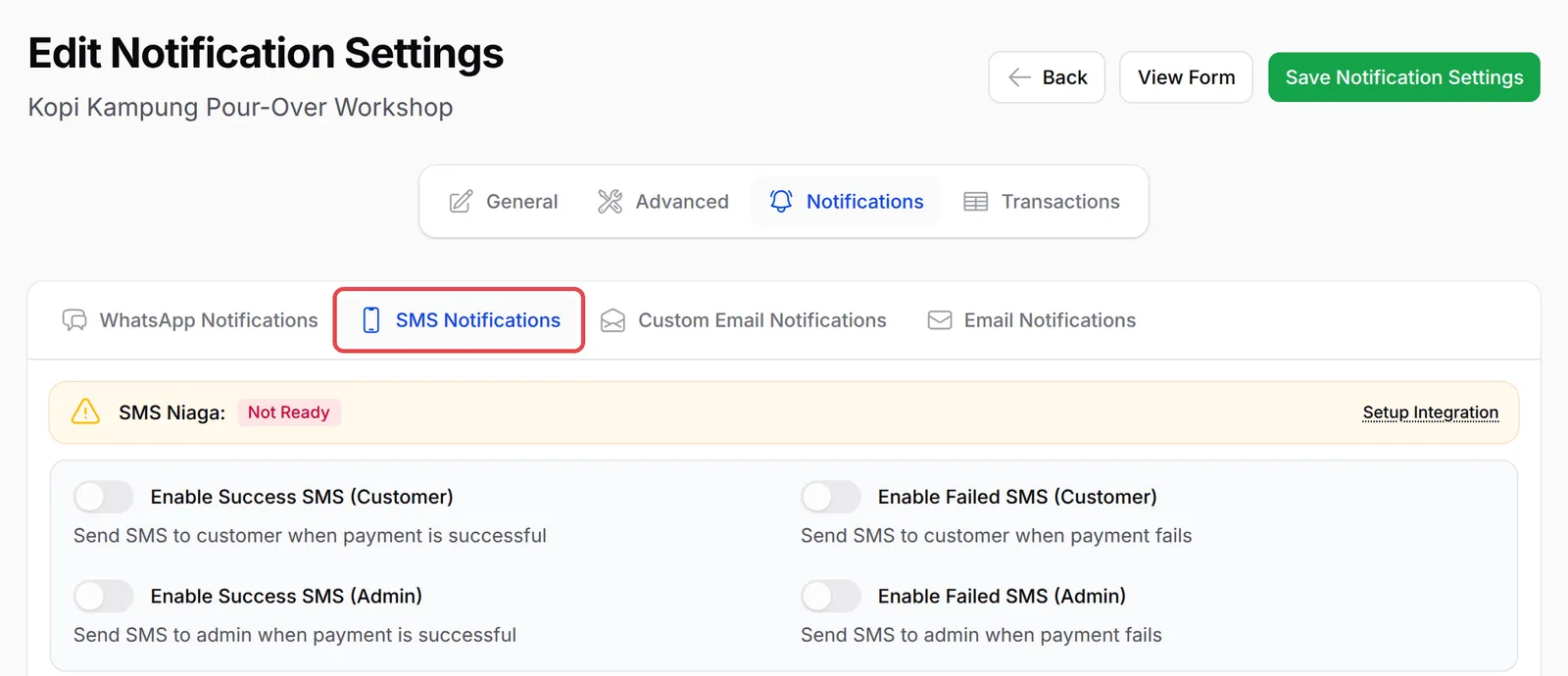
-
Turn on the messages you want: Enable Success SMS (Customer), Enable Failed SMS (Customer), Enable Success SMS (Admin) and Enable Failed SMS (Admin). Admin messages go to the Admin Phone Number from Integrations.
-
Write each template, or click Use Default for a ready-made one. Click Variables to see placeholders such as
{name},{amount},{form_title}and{reference_id}. -
Click Save Notification Settings.
SMS templates follow SMS Niaga’s rules:
- Up to 160 characters. A longer message uses 2 credits.
- Plain characters only: no emojis, accents or special symbols.
- No links. A message with a URL is not sent, and the credit is not refunded.
Get low credit alerts
Section titled “Get low credit alerts”BCL checks your SMS Niaga balance once a day. When it falls below your Low Credit Reminder amount, the team owner gets an email and a bell notification with the balance and a Top up at SMSNiaga button. If you do not top up, a second reminder follows 3 days later and a final one 7 days after that. Leave the field empty to use the default shown under it, or enter 0 to turn reminders off.
Send SMS from an automation
Section titled “Send SMS from an automation”Form notifications only fire when a payment succeeds or fails. For other moments, such as a reminder before a class, or to add the customer to an SMS Niaga group for later broadcasts, use an automation:
-
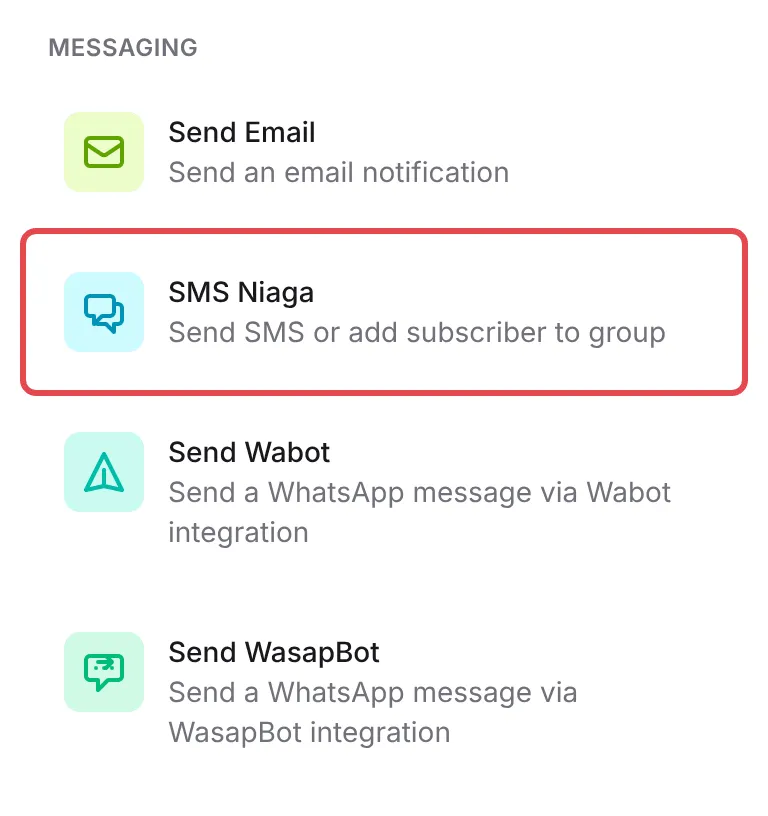
In the automation’s workflow builder, add an action and pick SMS Niaga under Messaging.
-
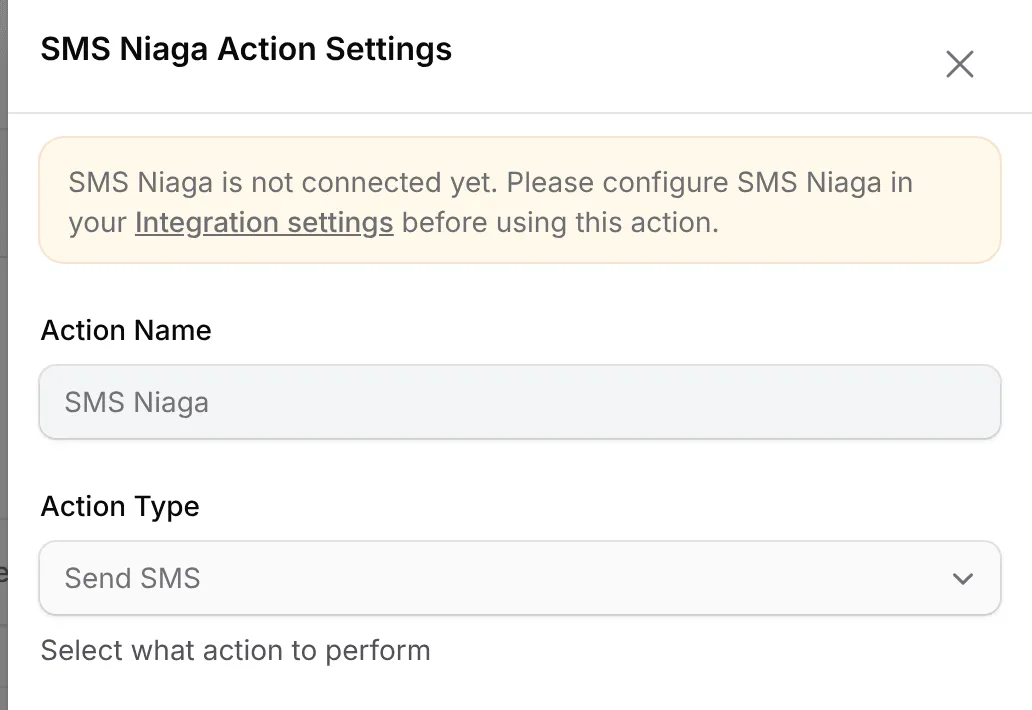
Double-click the new step. In SMS Niaga Action Settings, choose the Action Type: Send SMS or Add Subscriber to Group. If SMS Niaga is not connected yet, a notice links you to your Integration settings.
-
Fill in the fields and click Save SMS Niaga. Automation actions lists every field.
A few habits keep your SMS reliable:
- Keep customer messages short and link-free. Put the receipt link in the email or WhatsApp message instead, since SMS Niaga drops messages with URLs.
- Use a sender ID your customers recognise. A familiar sender name makes a payment message less likely to be ignored or taken for spam.
- Check Notification Logs when a customer says nothing arrived. Tools → Notification Logs lists every SMS BCL sent, with the recipient and status.
Common issues
The SMS switches on my form are greyed out. Why?
SMS Niaga is not connected yet. Turn on Enable SMS Notifications under Platform Setup → Integrations → SMS (SMSNiaga), paste your SMS API Key, click Save SMS Configuration, then reload the form.
My customer did not get the SMS. What should I check?
Check your SMS Niaga credit first: at RM 0 nothing is sent. Then make sure the template has no link, only plain characters, and that the customer entered a phone number. Tools → Notification Logs shows each SMS BCL tried to send and its status.
How do I stop the low credit emails?
Set Low Credit Reminder to 0 under Platform Setup → Integrations → SMS (SMSNiaga) and click Save SMS Configuration. Topping up also stops them until the balance drops again.
Was this article helpful?
Thanks for your feedback.
Sorry this didn't help. WhatsApp us and we'll sort it out with you.